Compare Plugin not working
-
I have tried several different versions of notepad++ 7.9 and 7.7 (both in x64 and x86) and have tried all steps posted through resources but did not work for me.
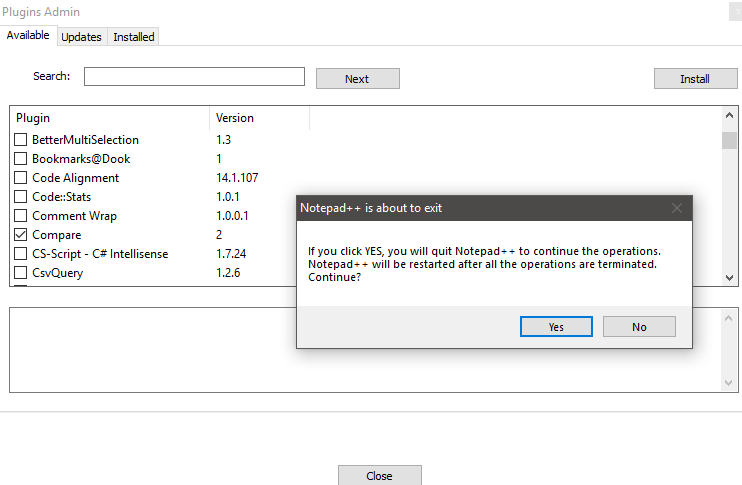
I go through selecting the compare > under plugins admin and select install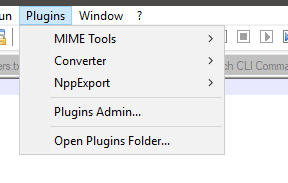
How can this be fixed?
-
can you post your debug info which is available from the
?menu? -
Notepad++ v7.7 (64-bit)
Build time : May 19 2019 - 13:05:35
Path : C:\Program Files\Notepad++\notepad++.exe
Admin mode : OFF
Local Conf mode : OFF
OS : Windows 10 (64-bit)
Plugins : mimeTools.dll NppConverter.dll NppExport.dll -
@Saf-N ,
Download this archive:
https://github.com/pnedev/compare-plugin/releases/download/v2.0.1/ComparePlugin_v2.0.1_X64.zipExtract it in folder named
ComparePluginand then move the entire folder to your Notepad++ Plugins folder. You can find the later location from Notepad++'s plugins menu, the last entry, just below Plugins Admin. -
I’ve been with similar problem and I’ve solved it downloading exactly the DLL plugin version asked by the Notepad++ version you have on your computer.
You can see this version on menu “Plugins\Manage Plugins”, searching for “Compare” plugin and taking the number on its right side:
 image url)
After that you can search on https://github.com/pnedev the plugin Compareplugin matching the Notepad++ version you work with.
Hope this may help you.



Hello! It looks like you're interested in this conversation, but you don't have an account yet.
Getting fed up of having to scroll through the same posts each visit? When you register for an account, you'll always come back to exactly where you were before, and choose to be notified of new replies (either via email, or push notification). You'll also be able to save bookmarks and upvote posts to show your appreciation to other community members.
With your input, this post could be even better 💗
Register Login