line by line modification using macro
-
Hello, I have tried but was not successful…
I have a list of links , for example following ( three shown but they can be any number)https://i.imgur.com/ZbiS6MR.png
https://i.imgur.com/Xjdr5eq.jpg
https://i.imgur.com/ZehH59y.pngI would like to paste them in notepad++ blank file starting with first row. I would like to run macro so that notepad can add bracket before and after i.e “(” in beginning of each line and “)” at the end of each line and give me the output. so output should be following
(https://i.imgur.com/ZbiS6MR.png)
(https://i.imgur.com/Xjdr5eq.jpg)
(https://i.imgur.com/ZehH59y.png)The old lines should be deleted. This should be done on any number of rows pasted in that document.
-
your image-link show me no code or text nor number . some random trash is displayed instead . no data , no advice for no data . sry :)
-
@carypt sorry, these links are just examples, no need to see data …as they are not related to the purpose of the question. The purpose is to append certain character to the beginning and end of a line. Visiting these links would not help in any way answering the question.
-
@Faisal-Khan said in line by line modification using macro:
The old lines should be deleted. This should be done on any number of rows pasted in that document.
I do a similar job using MS Excel and its Concatenate function.
I have a trdmBrackets.js script in my repository that does a similar job, but to select either one line.
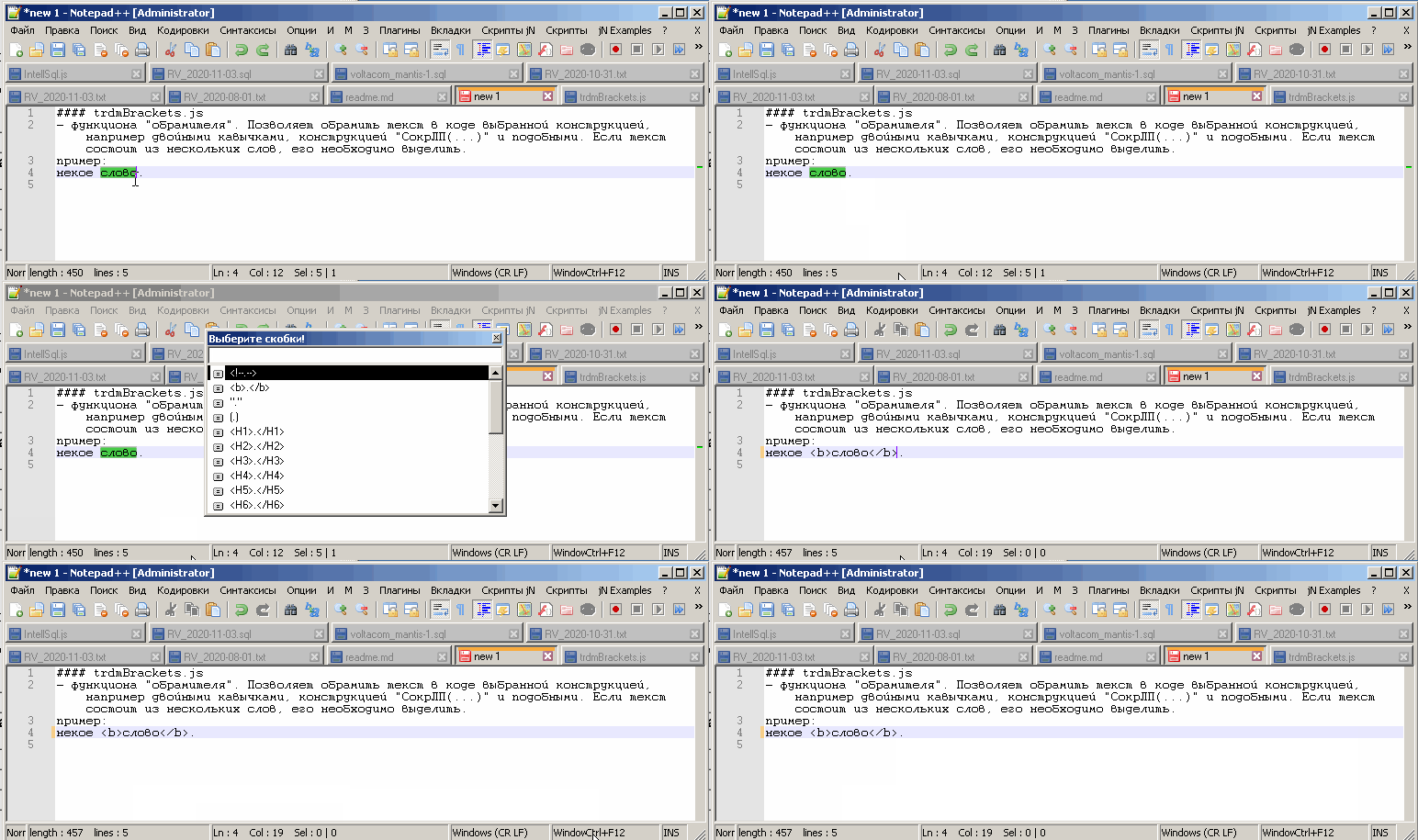
You can also modify it to process all the text. -
thank you, can you guide , from where I can copy your script
-
Hi @Faisal-Khan, All:
As long as the data provided is representative, the following regex may do the job:
Search: (?-s)^(https.+)$
Replace: \($0\)
Put the caret at the very beginning of the document, select just the
Regular Expressions modeand click onReplace All. You can record it as a macro and save it for later use.Have fun!
-
@Faisal-Khan said in line by line modification using macro:
thank you, can you guide , from where I can copy your script
My script works in conjunction with the jN plugin as well as some ActiveX, so its installation is difficult for a beginner. Additionally, I just made edits in the local repository to frame all lines. You will need to update the repo on GitHib.
-
A script feels a bit “heavy” for this simple operation.
I’d go with the regular-expression-replace method.
If it is a recurring need, record a macro out of it, then it will appear in a menu, a bit like the script’s (again showing that the simpler solution is probably better in this case). -
@Alan-Kilborn said in line by line modification using macro:
A script feels a bit “heavy” for this simple operation.
This is if we mean only this operation.
In fact, there are many possibilities as the brackets are customizable.
Often it is necessary, for example: to complete the lines on the right or left.







Hello! It looks like you're interested in this conversation, but you don't have an account yet.
Getting fed up of having to scroll through the same posts each visit? When you register for an account, you'll always come back to exactly where you were before, and choose to be notified of new replies (either via email, or push notification). You'll also be able to save bookmarks and upvote posts to show your appreciation to other community members.
With your input, this post could be even better 💗
Register Login