Notepad++ v7.9.2 Released
-
@ArkadiuszMichalski said in Notepad++ v7.9.2 Released:
Bassically on Windows for all urls/paths we can use \ or / by mixing them and it works (browsers also correct such url to correct format - try load such adress and check how it looks like).
Sure. That’s when we are doing the sourcing. When something else is doing the sourcing (e.g. Notepad++), we typically always get
\– think of right-click-tab’s Full File Path to Clipboard.For what I want to in this circumstance, it is a (minor) stopper. I’ll be elaborating on exactly what I’m doing soon in another thread. Key to what I’m doing is Notepad++ underlining-as-link the “right” thing for me, scripting can take it from there. I don’t want to have to reinvent the wheel and do my own “underlining”.
-
@Alan-Kilborn said in Notepad++ v7.9.2 Released:
When something else is doing the sourcing (e.g. Notepad++), we typically always get \ – think of right-click-tab’s Full File Path to Clipboard.
I think the
file://URI typically has another/to start with to indicate the root directory, fully qualified path. So from your examples, the actual URI should be:file:///w:\testing\test.txt file:///w:/testing/test.txt ...Typically, we “ignore” the leading
/on Windows since the driver letterC:in this example acts like the root directory in linux operating systems. But, if we consider the “extra”/mandatory, then thefoo://example works for me: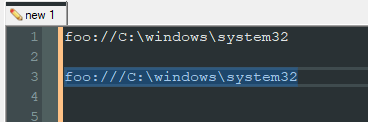
See the first one doesn’t work using just the
foo://leader, but adding the extra/in the second example to indicate a file-like URI, it works. I’ve only addedfoo://(with only 2/'s to my URI custom schemes: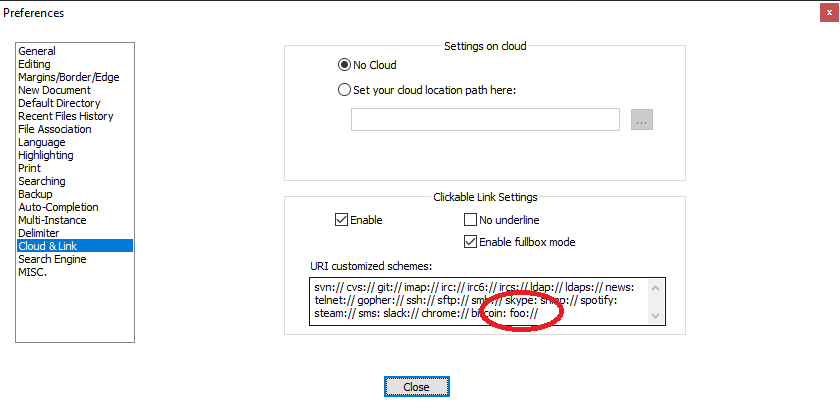
Cheers.
-
@Michael-Vincent said in Notepad++ v7.9.2 Released:
See the first one doesn’t work using just the foo:// leader, but adding the extra / in the second example to indicate a file-like URI, it works.
Ah, Michael to the rescue now. Thanks!
Typing that third/is way less of a burden than converting all of the\in the following path. (Note: it was truly only necessary to convert the one immediately after the colon of the drive letter, but that mixing of slashes was just too wacky to propagate through a bunch of data files)I’ve only added foo:// (with only 2 /'s to my URI custom schemes
Which raises another point: in the box in the Preferences, is it correct to do
foo://orfoo:alone? Maybe I don’t need the//but I am so used to seeing it as part offile://orhttp://with Notepad++ links that I just assumed… I suppose it will become more apparent as the experimentation goes on.If I’d have tried
foo:without the//from the beginning, I wouldn’t have “whined”, becausefoo:w:\blah\blah.txthighlights as a link just fine! Drat! -
@Alan-Kilborn said in Notepad++ v7.9.2 Released:
I wouldn’t have “whined”, because foo:w:\blah\blah.txt highlights as a link just fine! Drat!
Interesting. There are some URI’s that don’t use the
//- I’m thinkingmailto:user@domain.comso maybefoo:alone is fine for your use case. I think I pulled my extensive list from an issue or maybe the Notepad++ source code - I certainly didn’t type it all myself - that was cut and paste - from where, I can’t remember.Cheers.
-
@Michael-Vincent said in Notepad++ v7.9.2 Released:
I think I pulled my extensive list … I certainly didn’t type it all myself
Are you talking about then contents of the URI customized schemes you showed? :
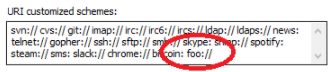
That list?
If so, then no, you didn’t do it: With the exception of thefoo://at the end, that is all default text content for that box in 7.9.2 ! -
@Alan-Kilborn said in Notepad++ v7.9.2 Released:
that is all default text content for that box in 7.9.2 !
Oh… :-) that makes sense.
-
Does not happen with 7.9.1
-
Different behavior in 7.9.1 and 7.9.2
Start Npp and open function list panel - close npp.
Restart Npp and function list panel should open automatically.
So far so good
But when one selectsRun->Open file in another instancethen- in 7.9.1 it opens the file and the function list view
- in 7.9.2 it opens
onlythe file
-
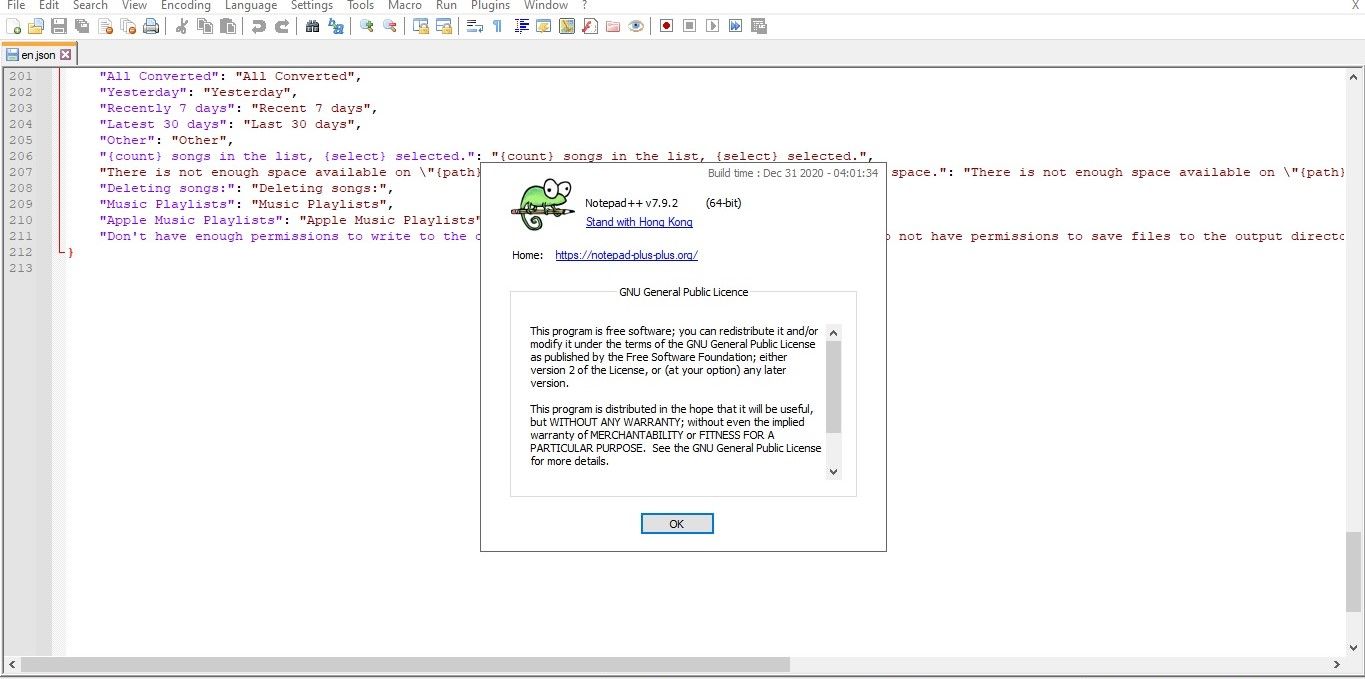
V7.9.2 is TRASH! because notepad ++ still showed blank and empty space in bellow
-
-
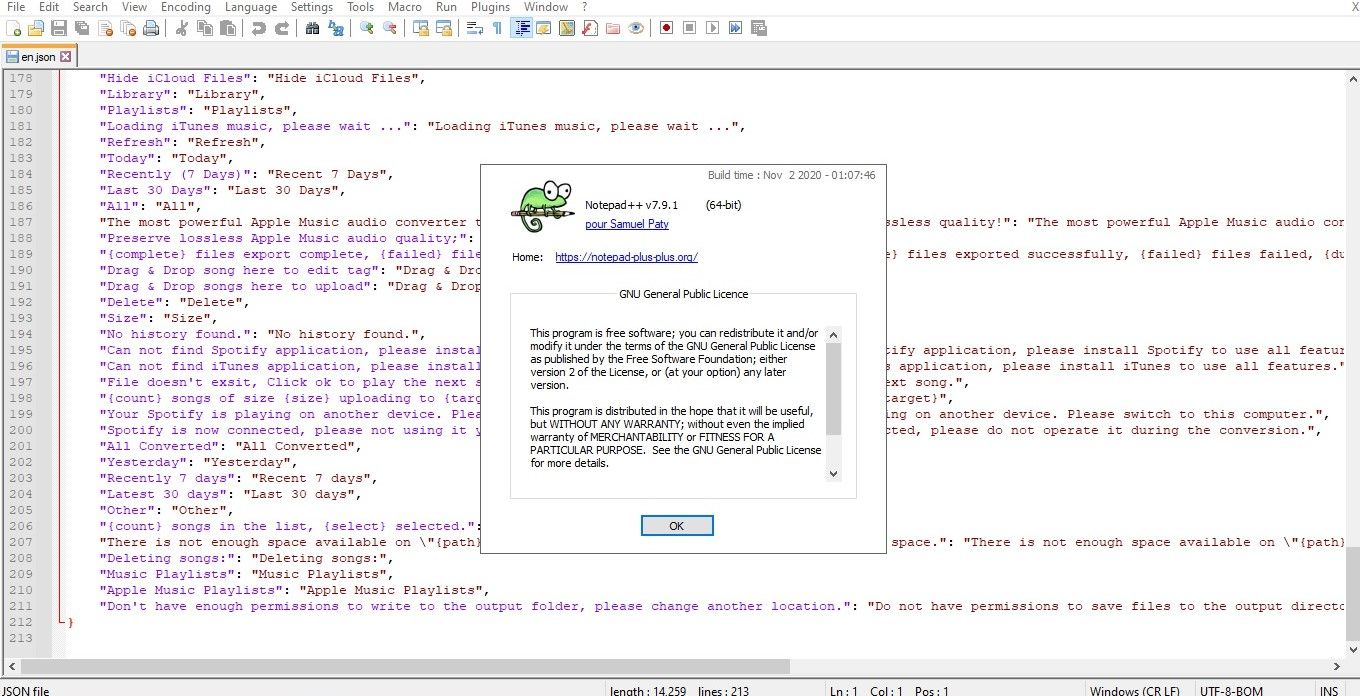
@FREEMIUM said in Notepad++ v7.9.2 Released:
Fix this issue!
What issue? You showed two screenshots, without any description of the problem you are having.
To me, it looks like you have a
.jsonfile opened in Notepad++, and it seems to be highlighted as JSON. That’s working as designed. -
Look V7.9.1 and V7.9.2… in V7.9.2 showed empty space
-
-
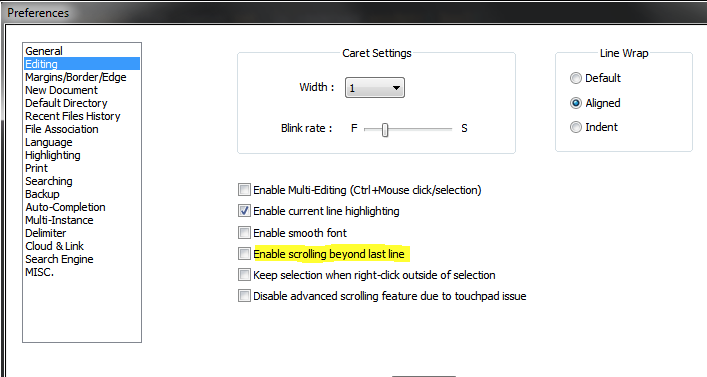
@Ekopalypse Thank you, yes it’s enabled and why is default this function enabled in v.7.9.2?
-
@FREEMIUM said in Notepad++ v7.9.2 Released:
@Ekopalypse Thank you, yes it’s enabled and why is default this function enabled in v.7.9.2?
It’s not. I just unzipped a fresh v7.9.2 portable, and that option defaulted to off:
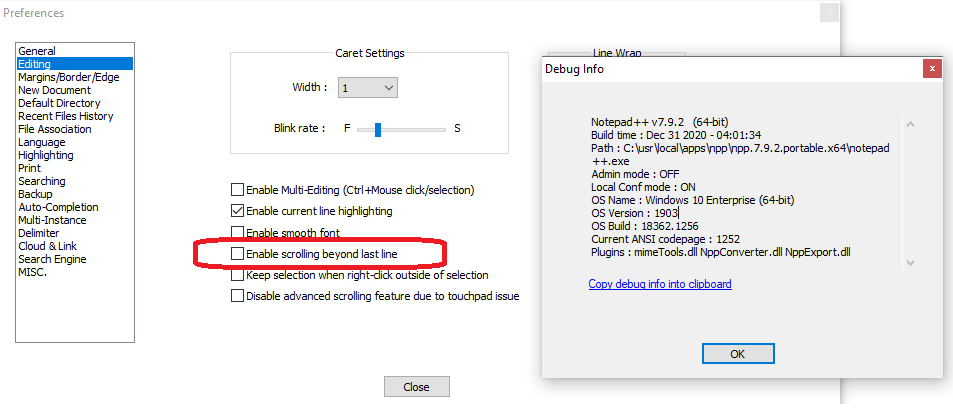
-
IMO, people like @FREEMIUM , in the way they posted here, deserve zero response. :-(
-
This post is deleted! -
@donho I would like to create a bug report on github but need advice on the best way to word it.
Like, @alan-kilborn, I have been using custom protocols. One of them is called np:// which runs Notepad++ on a file path. I have several hundred instances of np://c:\full\path\to\a\file on my system. I added np:// to my custom URI setting in npp and saw the same behavior that Alan reported.
I experimented and found one workaround which that URI with three slashes work.
np:///w:\testing\test.txtis underlined and works. The custom URI field is still set tonp://As I’m seeing what I consider to be peculiar and inconsistent behavior with v7.9.2. I’d like to understand what’s happening, and ideally, why, before making a bug report.
I created a test file using:
md c:\full\path\to\a
>c:\full\path\to\a\file echo Test file
If I set my customized URI list to
np:with no slashes then:np:c:\full\path\to\a\file works np:/c:\full\path\to\a\file works np://c:\full\path\to\a\file Not underlined! np:///c:\full\path\to\a\file worksIf I set my customized URI list to
np:/with one slash then:np:c:\full\path\to\a\file Does not work as expected np:/c:\full\path\to\a\file works np://c:\full\path\to\a\file Not underlined! np:///c:\full\path\to\a\file worksIf I set my customized URI list to
np://with two slashes then:np:c:\full\path\to\a\file Does not work as expected np:/c:\full\path\to\a\file Does not work as expected np://c:\full\path\to\a\file Not underlined! np:///c:\full\path\to\a\file worksOnce I’m at
np:///c:\full\path\to\a\filethen it does not seem to matter how many additional slashes I add after thenp:///. All forms work.As
np:///works it will be an easier to use workaround thannp://c:/full\path\to\a\file
I have been usingnp://c:\...to reference the paths to things such as .bat files. I double click to open the file in Notepad++. If I want to run the file from a command prompt the full path is already there after thenp:///and does not need to be modified.My questions are:
Why isnp://with two slashes seeming to be a special case that breaks the new URL parser?There seem to be two rather specific workarounds to using a custom URI with backslashes.
np:///c:\full\path\to\a\filetriple slash after the custom protocol or
np://c:/full\path\to\a\fileA forward slash after the second colon.
Something likenp://c:\full/path/to/a/filedoes not work. The slash after the second colon needs to either be a forward slash or you can usenp:///triple slash.
What edge case(s) are we running into here?Why is
file://c:\full\path\to\a\fileaccepted by the new URL parser? It’s underlined and works. It seems thatfile://has its own parser and not the new one. -
@mkupper said in Notepad++ v7.9.2 Released:
Why is np:// with two slashes seeming to be a special case that breaks the new URL parser?
I don’t think it is a special case. See above and here:
"
- A valid file URI must therefore begin with either file:/path, file:///path or file://hostname/path.
- file://path (i.e. two slashes, without a hostname) is never correct, but is often used.*
"
You’re expecting to create a non-existent URL scheme and the parser does not recognize that. A custom scheme still takes the form:
uri://host/fileand since you’re going right to the file part (by using backslashes), the host part is missing, so the extra slash is expected in the “standard case” (where
np://).Cheers.
-
My needs are satisfied through the earlier discussion in this thread.
My goals are similar to yours but I’m approaching it a bit differently.
All I want N++ itself to do is underline something that it sees as a link, without making me do wacky slashing in paths – after that I can take it from there (in a Pythonscript).
I’ll be publishing what I’m doing (and the script) in a future thread (I haven’t had time yet to finish my effort).
I’m saying this for 2 reasons: a) I’m not going to be an ally with you on your specific complaint – of course, you didn’t ask me to be, and b) perhaps my future posting could meet your need as well.






Hello! It looks like you're interested in this conversation, but you don't have an account yet.
Getting fed up of having to scroll through the same posts each visit? When you register for an account, you'll always come back to exactly where you were before, and choose to be notified of new replies (either via email, or push notification). You'll also be able to save bookmarks and upvote posts to show your appreciation to other community members.
With your input, this post could be even better 💗
Register Login