Commandline Parameter -l <vb> or -l vb does not set the Language to VB
-
Hello to All!
as a new Member Thomas:
I tried to start noteped++ from a vb6 application using following cmd line:
Private Sub CmdNotePad_Click()
Dim x, AppNam, AppPar
'AppNam = "C:\Program Files\Notepad++\notepad++.exe " '64bit
AppNam = “C:\Program Files (x86)\Notepad++\notepad++.exe " '32bit
AppPar = FN & " -<vb> -alwaysOnTop " '-openFoldersAsWorkspace”
x = AppNam & AppPar
Debug.Print x
x = Shell(x, vbNormalFocus)
End SubC:\Program Files (x86)\Notepad++\notepad++.exe C:\Development\BK11T\clsDlg.cls -<vb> -alwaysOnTop
any trick how I’ll get it running with VB Language instead of Normal?
Thanks for Help -
I would try:
notepad++.exe myfile.ext -lvbThat worked for me, to put this on the status bar when the file opened:
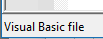
Note that I don’t know or care what extension visual basic files use, so I just used
.extabove.Also, I wasn’t out to debug your shell command in its entirety, just the part that seemed to be giving you trouble.
BTW, the manual page for command line arguments is HERE … but it seems to have a problem, as it talks about “ghost typing” where the
-lcommand line argument is described; this makes little sense…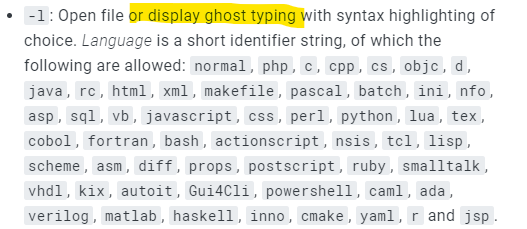
Of course, the ghost typing thing is of dubious sense…
-
@Alan-Kilborn
Thanks for your msg! I can see the selected file correctly but just in “Normal” if I swith the Langage manually it works correctly as it should! Only the command line Parameter had no effect - I tried also -lvb earlier in the 64Bit version
How ever, using -lvb works correctly now in the 32Bit version
-SOLVED


Hello! It looks like you're interested in this conversation, but you don't have an account yet.
Getting fed up of having to scroll through the same posts each visit? When you register for an account, you'll always come back to exactly where you were before, and choose to be notified of new replies (either via email, or push notification). You'll also be able to save bookmarks and upvote posts to show your appreciation to other community members.
With your input, this post could be even better 💗
Register Login