Problem with style token
-
I often need to highlight a combination of three digits, start parentheses, some more digits and end parentheses.
I´ve been using npp for a very long time and this has never been any problem, just until now. As soon as I mark the start parentheses, it´s not possible to highlight.421(0.248)
This for example, I can highlight 421 and 0.248, but I can´t highlight the entire string. -
Could you be more specific?
- What version are you using (?-menu, Debug Info)
- How are you trying to apply the “style token” or “mark” (Notepad++ has many similar concepts with similar names)
Because you said “style token”, I thought maybe Search > Mark One > Using 1st Style, which works:
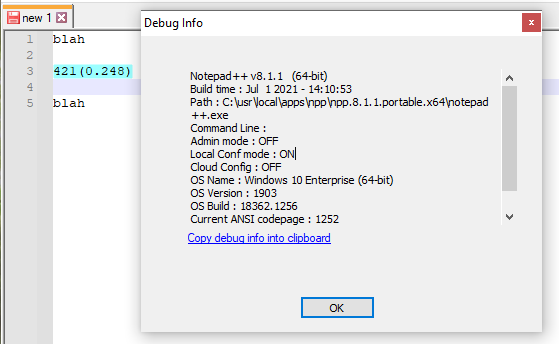
Or, select the first
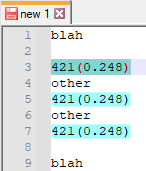
421(0.248)when there are multiple instances of that in the document, then Search > Mark All > Using 1st Style, which also works:
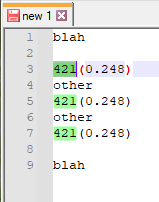
But maybe you mean the smart highlighting, where you select one instance, it will temporarily highlight all the matches. If I do that on the
421or on the248, it does the highlighting:
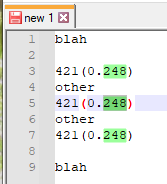
… but if I cross over the.in0.248or across a parenthesis, then it won’t:
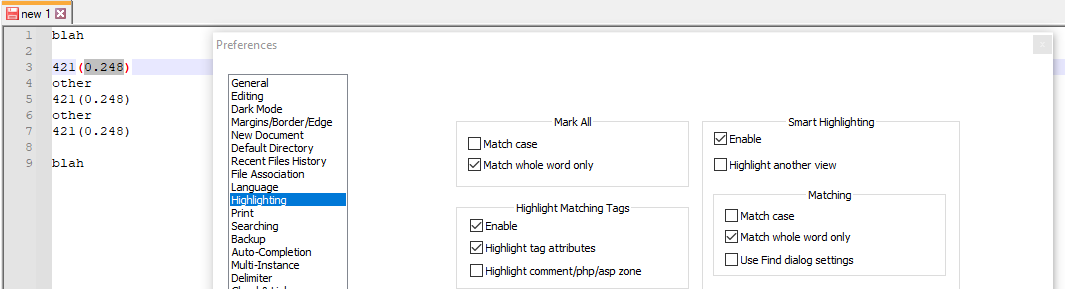
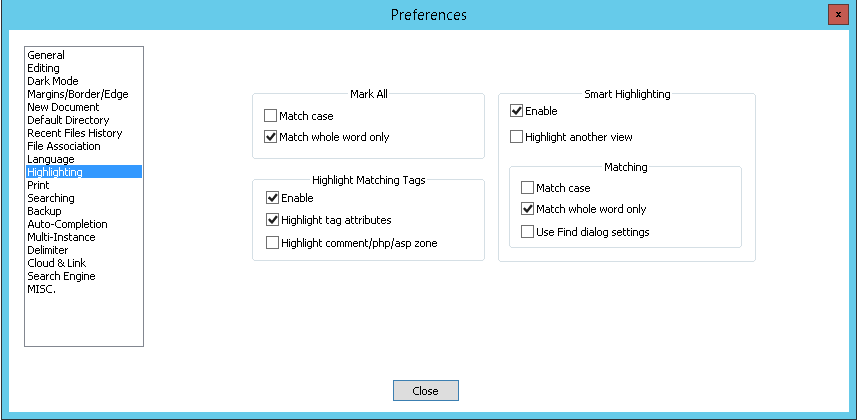
… As you might be able to guess from my wider screenshot, which shows Settings > Preferences > Highlighting, I am about to show you that by un-checking the Smart Highlighting > Matching > ☐ Match whole word only, it will go back to working, even if you cross a boundary:
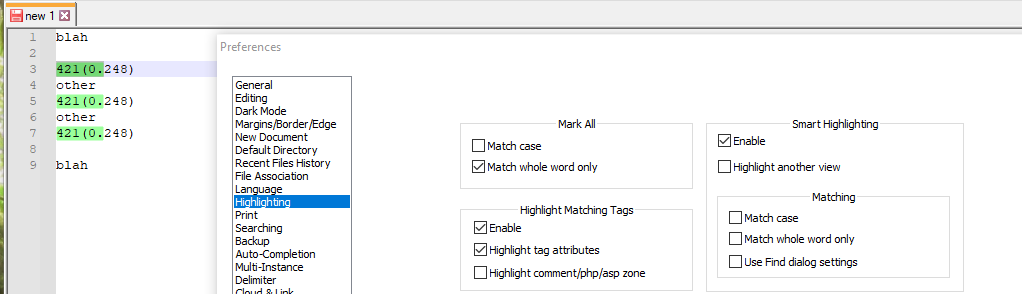
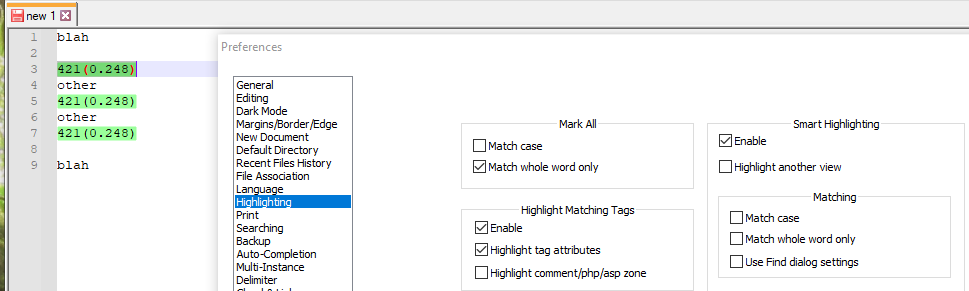
Hope this helps
-
Thanks for your reply.
I´ve got different versions of npp. On one server this is the version:
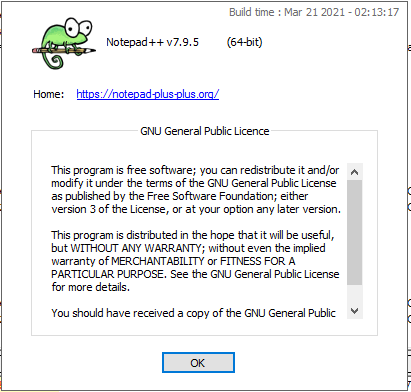
Here everything works just fine, just the way I want it. Default settings does the job;
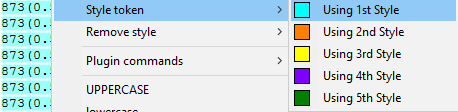
873(0.59) is highlighted with style token nr 1. This is with match whole word only ticked.
As you can see, just marking it wont highlight it:
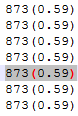
Although giving it a style token works.
Then I have another server with this version:
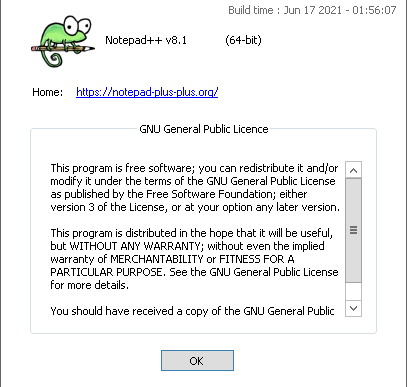
This is where it gets very strange. :-)
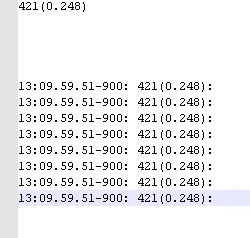
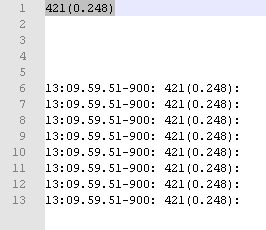
I´ve copied 421(0.248) from row 6 to row nr 1, so the format is the very same.
If I mark the first row, it doesn´t get highlighted:
These are the settings:
If I mark the same string on row 6, it still doesn´t get highlighted:
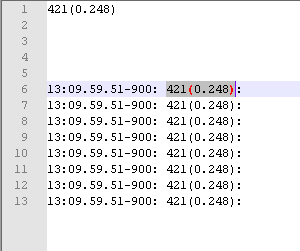
This is as it´s supposed to due to my settings.
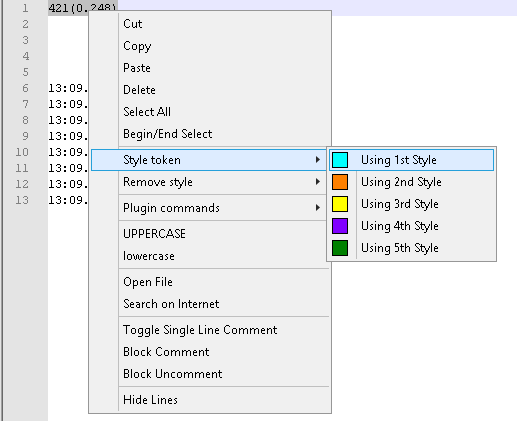
However, if I mark the first row and add a style token to it, it works, but just at the very first row:
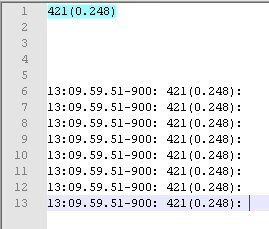
I figured the : might have something to do with it so once again I copied the string from row 6, including the :.
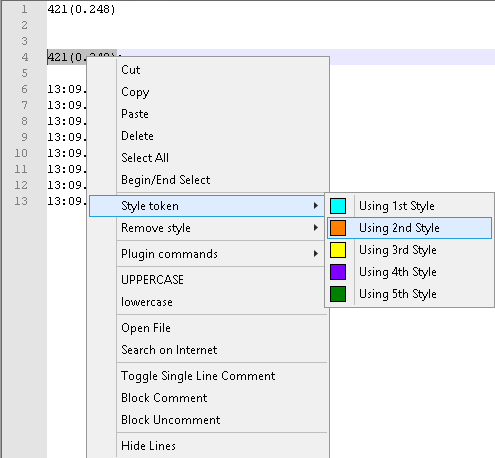
Then I get this strange result:
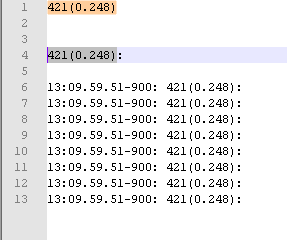
As you can see, row 4 is marked, but the token only applied to the string on row 1.
This just beats me :-)
-
For the selecting issue:
on the server where it is working, check the “word character list”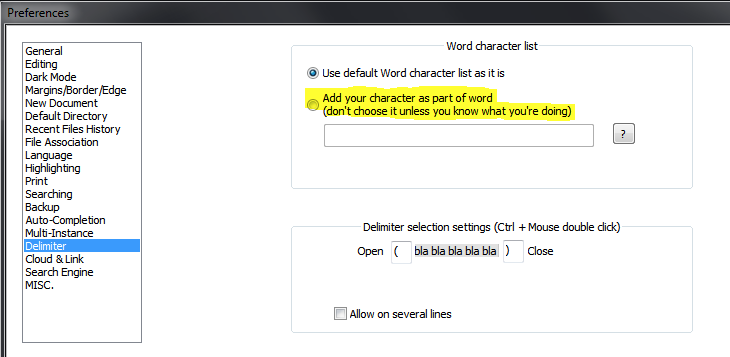
I assume this has been modified.
The styling issue looks like it is a bug.
Fresh 8.1.1 version behaves like reported.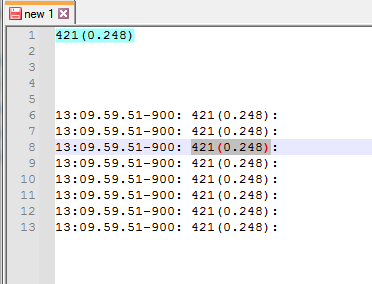
-
This post is deleted! -

Please note that your right-click context menu appears to be out of date, compared to my fresh unzips of v8.0, v8.1 and v8.1.1: There should be both “Style all occurrences of token” and “Style one token”
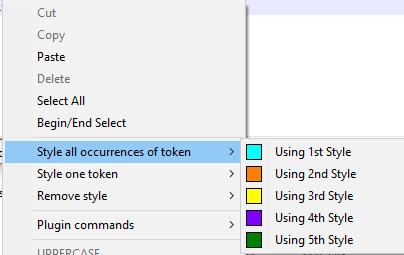
(These line up with the v8.x menu system of Search > Mark All and Search > Mark One that I referenced in my first reply.)When you look at
contextMenu.xml(Settings > Edit popup contextMenu), you should have both these groups:<Item FolderName="Style all occurrences of token" id="43022"/> <Item FolderName="Style all occurrences of token" id="43024"/> <Item FolderName="Style all occurrences of token" id="43026"/> <Item FolderName="Style all occurrences of token" id="43028"/> <Item FolderName="Style all occurrences of token" id="43030"/> <Item FolderName="Style one token" id="43062"/> <Item FolderName="Style one token" id="43063"/> <Item FolderName="Style one token" id="43064"/> <Item FolderName="Style one token" id="43065"/> <Item FolderName="Style one token" id="43066"/>If you only have one group (probably with id=“43022”-“43030” but a different FolderName), then you’ll want to paste the ones I just posted overtop, save, exit Notepad++, and re-run Notepad++. Now your right-click context menu should have both “style all occurrences of token” and “style one token”.
-----
I originally had a different reply posted after this, but some experiments after I posted proved that the rest of what I said was wrong, so I deleted it.
-----New experiments show that it’s still affected by the checkmarks in the Preferences > Highlighting settings.
-
Paste in data:
421(0.248) 13:09.69.51-900: 421(0.248): 13:09.69.51-900: 421(0.248) 13:09.69.51-900: 421(0.248): 13:09.69.51-900: 421(0.248) 13:09.69.51-900: 421(0.248): 13:09.69.51-900: 421(0.248) 13:09.69.51-900: 421(0.248): 13:09.69.51-900: 421(0.248)Note: some have colons after, some do not; this is important to show my point
-
Take the default settings in Preferences > Highlighting, select one without the colon and try to select one without the colon: It will not show any smart-match highlighting, and will only apply the marking-style to the ones without colons:

-
Change Preferences > Highlighting to un-check Mark All > ☐ Match whole word only: now if you select one without the colon: it will still not show any smart-match highlighting, but will apply to the marking-style to the ones with and without colons:

-
I won’t do a third video, but if you also un-check Smart Highlighting > Matching > ☐ Match whole word only, it will do the green smart-matching while you’re selecting it, even when you cross a boundary (like I showed in my original static screenshots)
There is a section in the manual about how the Highlighting preferences affect things, but given that “Mark” has two meanings in Notepad++ (Search > Mark… which has a Mark All button, vs Search > Mark All/Search > Mark One which are called Style all…/Style one… in the right-click context menu), that may be ambiguous as to which is meant for that preference.
-
-
@PeterJones
Thank you so very much for your time and effort!
Now I can make sure that npp works in the way I want it to.



Hello! It looks like you're interested in this conversation, but you don't have an account yet.
Getting fed up of having to scroll through the same posts each visit? When you register for an account, you'll always come back to exactly where you were before, and choose to be notified of new replies (either via email, or push notification). You'll also be able to save bookmarks and upvote posts to show your appreciation to other community members.
With your input, this post could be even better 💗
Register Login