How can I mark/bookmark within this selection block?
-
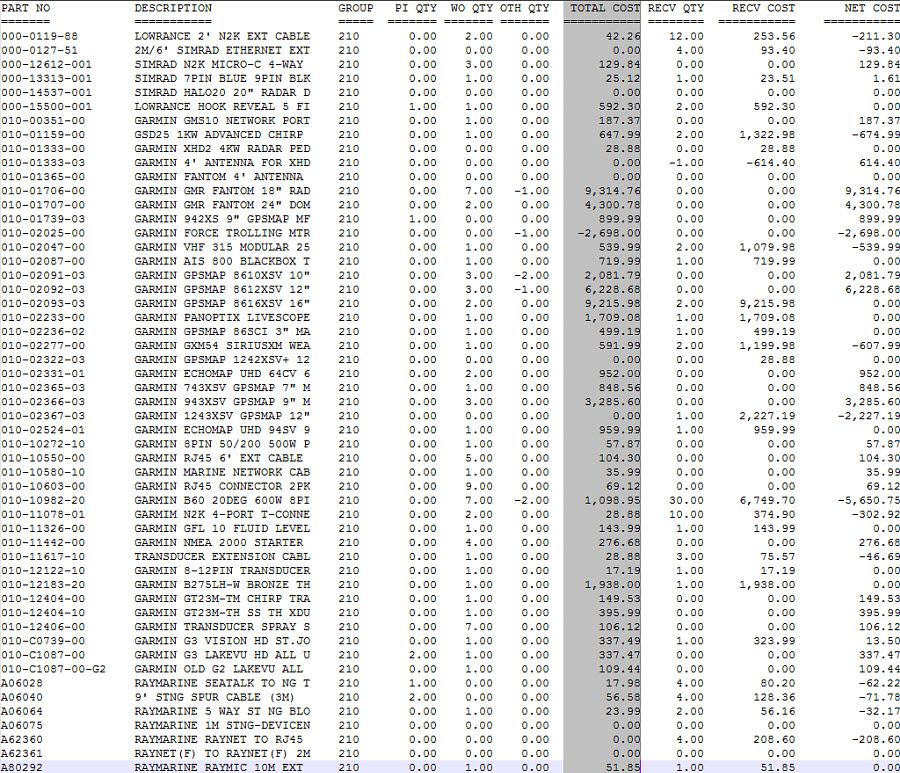
If I have selected this grouping of text like shown in screen shot, and I want to find/mark any lines that contain
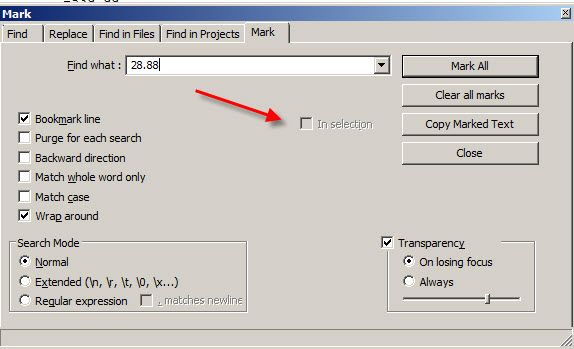
28.88, but only within my selection, the regular Notepad ‘mark’ function won’t let me choose “In selection” (box is greyed out). Tried using Toolbucket’s find feature, and yes, will let me search and find within that selection, but won’t let me mark/bookmark from there. Is there any way to accomplish this?
In other words, I don’t want to find other instances of 28.88, in any of those other columns.
-
Short answer: Nope.
Longer answer:
Perhaps you could use Toolbucket’s Replace function to change those occurrences of 28.88 into, say@@.@@(or similar) and then use N++'s mark function to bookmark lines containing that.
Then change it back. -
Thanks. “Longer answer” works for me!

Hello! It looks like you're interested in this conversation, but you don't have an account yet.
Getting fed up of having to scroll through the same posts each visit? When you register for an account, you'll always come back to exactly where you were before, and choose to be notified of new replies (either via email, or push notification). You'll also be able to save bookmarks and upvote posts to show your appreciation to other community members.
With your input, this post could be even better 💗
Register Login