Visibility of EOL
-
Is there a way of making it easier to see what EOL is being used in the current document (Windows/Unix/Mac)? This would help when working across different systems.
-
Yes, but a common complaint with it is that the effect is too “heavy”; here’s how to turn it on and a background example of what it looks like:
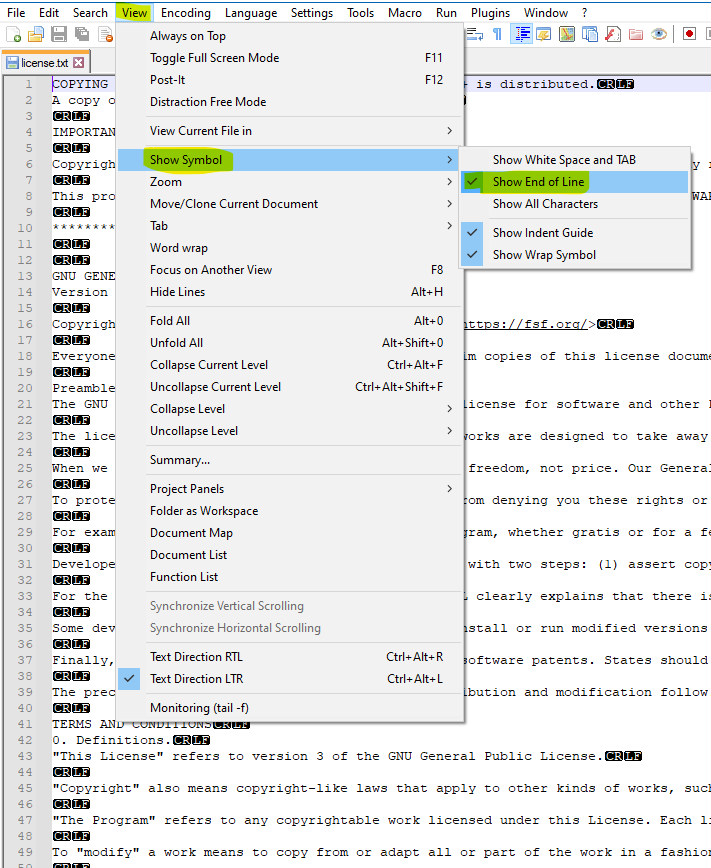
I believe that a newer Scintilla editing component than N++ (8.1.4) currently uses is available which makes the effect less pronounced, but this newer component would have to be integrated into N++ in order to work.
-
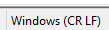
The type of line ending in use for the current file is shown on the status bar assuming it is visible:

-
@Nick-Brown said in Visibility of EOL:
The type of line ending in use for the current file is shown on the status bar assuming it is visible
Ach, I misread the question, but I will add now that although every file has a line-ending “type” (as shown on the status bar), there is no form of guarantee that the file itself will contain only those types of line-endings.
So…my method has the virtue of showing one the line-endings on any given line.
If you want a guarantee of the line-ending types all being consistent, I think you might want to check out the editor-config plugin.
-
@Alan-Kilborn I was just offering an alternative as I read the question, both seem valid answers to me.
-
Another feature relating to line-endings that I noticed is that if you paste data into your document from another source, your line-endings become unified (to the type specified on the status bar).
Example:
Start with this (I have MY ways of generating this data) – notice the “mixed” line-endings, some are
CR, some areLFand some areCRLF: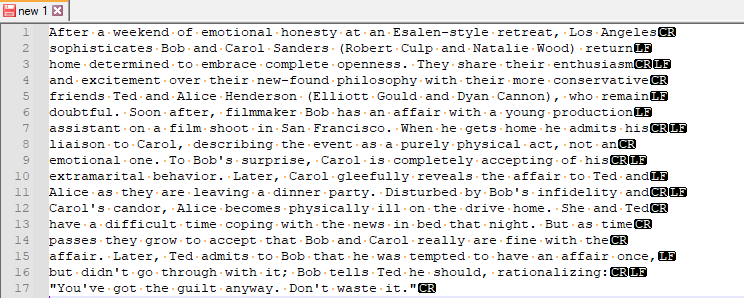
and this showing on the status bar:
In another tab, create a one-liner:
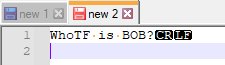
and then copy that one-liner to the clipboard.
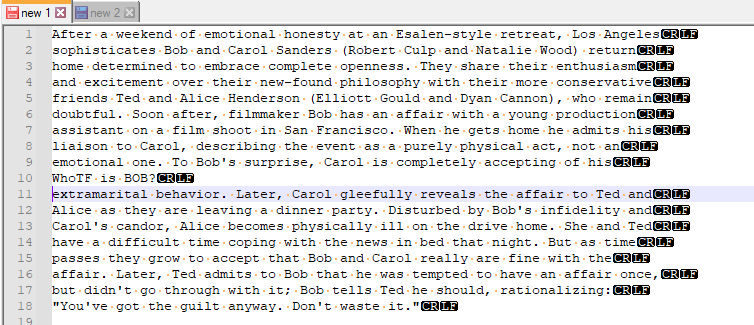
Return to the mixed line-ending tab and move to the start of line 10 and paste there using Edit > Paste or the right-context menu’s Paste item – what you’ll obtain is a unified line-ending file per the status bar setting:
-
@Alan-Kilborn said in Visibility of EOL:
I believe that a newer Scintilla editing component than N++ (8.1.4) currently uses is available which makes the effect less pronounced, but this newer component would have to be integrated into N++ in order to work.
That is correct. For the curious among you, the new feature was introduced in
Scintilla 5.1.0. See here for details.




Hello! It looks like you're interested in this conversation, but you don't have an account yet.
Getting fed up of having to scroll through the same posts each visit? When you register for an account, you'll always come back to exactly where you were before, and choose to be notified of new replies (either via email, or push notification). You'll also be able to save bookmarks and upvote posts to show your appreciation to other community members.
With your input, this post could be even better 💗
Register Login