How to delete autosaved "unnamed" `new 1` files?
-
I love to use this feature! And during a lengthy online discussion I may have used may of these - just as a short term memory. And after such a session I may have some 20 or so short messages to delete. One by one? Isn’t there a trick to delete the whole bunch of notes?
Thank you!
-
@peter-peter said in How to delete autosaved "unnamed" `new 1` files?:
Isn’t there a trick to delete the whole bunch of notes?
Assuming your set of “new X” files, because they are recently-created, are all to the right of tabs you do want to keep, what comes to mind as a first suggestion is right-clicking the tab of the right-most file you want to remain, to get this popup menu:

and then choosing the Close All to the Right choice (as I show highlighted in the screenshot).
This will cause the following to appear, where you would then answer No to all:
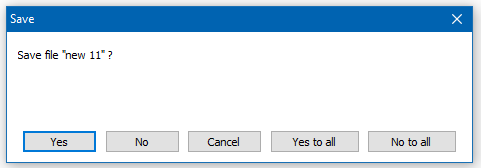
At that point, all of the “new X” files will be closed:

There are other ways as well, if the above suggestion doesn’t meet your need.
-
Exactly, great! Thank you!


Hello! It looks like you're interested in this conversation, but you don't have an account yet.
Getting fed up of having to scroll through the same posts each visit? When you register for an account, you'll always come back to exactly where you were before, and choose to be notified of new replies (either via email, or push notification). You'll also be able to save bookmarks and upvote posts to show your appreciation to other community members.
With your input, this post could be even better 💗
Register Login