Change / Save encoding How to convert 800 txt files UTF-8 to UTF-8-BOM
-
@Vasile-Caraus said in Change / Save encoding How to convert 800 txt files UTF-8 to UTF-8-BOM:
I got this error, after running the Python script
You’re probably not running it under the Notepad++ plugin called PythonScript.
-
Hello, @vasile-caraus,
Actually, when I spoke about non-latin chars, I meant :
-
If some of your files have names like
нстанты.htmlorσταθερές.html, whatever their real contents, my old tool is useless because it cannot handle these specific non-latin names :-( -
But, if all your files have filenames, with characters between
\x20and\xff, this tool should be OK !
BR
guy038
-
-
@guy038 good morning.
No, the name of my files are in english. For example:
I-love-school.htmlBut the text article, that are integrate in some html tags are in russian. For example:
<title>можешь</title>
<p class="discursiv">можешь дать мне какие-нибудь подсказки по этому поводу?</p>
<p class="discursiv2">можешь дать мне какие-нибудь подсказки по этому поводу?</p>All my files are in UTF-8 right now. Manual, if I choose to convert them to UTF-8-BOM, I can read them correctly in browser. Otherwise, there is a mess on the words.
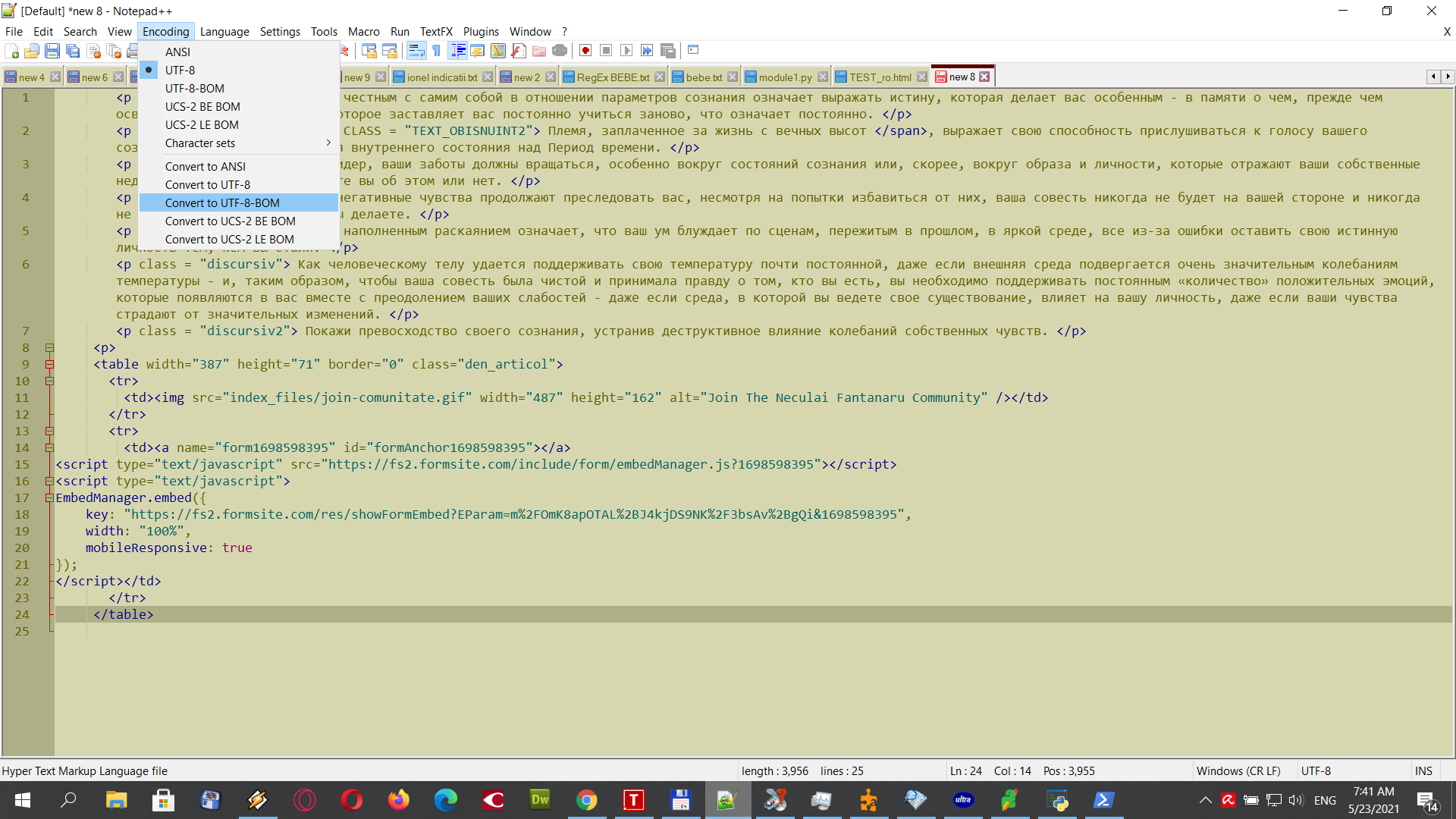
-
@Alan-Kilborn said in Change / Save encoding How to convert 800 txt files UTF-8 to UTF-8-BOM:
@Vasile-Caraus said in Change / Save encoding How to convert 800 txt files UTF-8 to UTF-8-BOM:
I got this error, after running the Python script
You’re probably not running it under the Notepad++ plugin called PythonScript.
good morning @Alan-Kilborn Yes you are right. I had to use PythonScript from Notepad++. WORKS !! Thank you
-
Hi, @Vasile-caraus, @alan-kilborn and All,
Oh, I’m really silly ! You just can do it with Notepad++, without any restriction !
So, I assume that all your
.htmlfiles, in your directory, areUTF-8encoded ( and notUTF-8-BOM! )In this case, here is the road map :
-
First back-up the directory containing all the
.htmlfiles to modify ( Wise ! ) -
Start Notepad++
-
If some
.htmlfiles, located in this specific directory, are opened in N++, it’s best to close all these files -
Now, open the Find in Files dialog (
Ctrl + Shift + F)-
SEARCH
\A -
REPLACE
\x{FEFF} -
FILTERS
*.html -
DIRECTORY
Your SPECIFIC folder -
Tick the
Regular expressionsearch mode -
Click on the
Replace in Filesbutton -
Confirm the
Are you sure?dialog
-
Voila ! Now, all your
.htmlfiles, in this specific folder, should beUTF-8-BOMencoded ;-))Best Regards,
guy038
P.S. :
Note that the opposite manipulation of changing a
UTF-8-BOMencoded file to anUTF-8encoded file is always impossible with a regex !Indeed, as the
\Ais the location between theBOM( The three bytes\xEF\xBB\xBF) and the very first byte of yourUTF-8-BOMfile, you cannot delete theByte Order Markwith a regex !! -
-
@guy038 said in Change / Save encoding How to convert 800 txt files UTF-8 to UTF-8-BOM:
\x{FEFF}
hello @guy038
I test your solution, this is the print screen. I can tell you that is not working. Nothing is change. Only the Python script of @Alan-Kilborn WORKS !
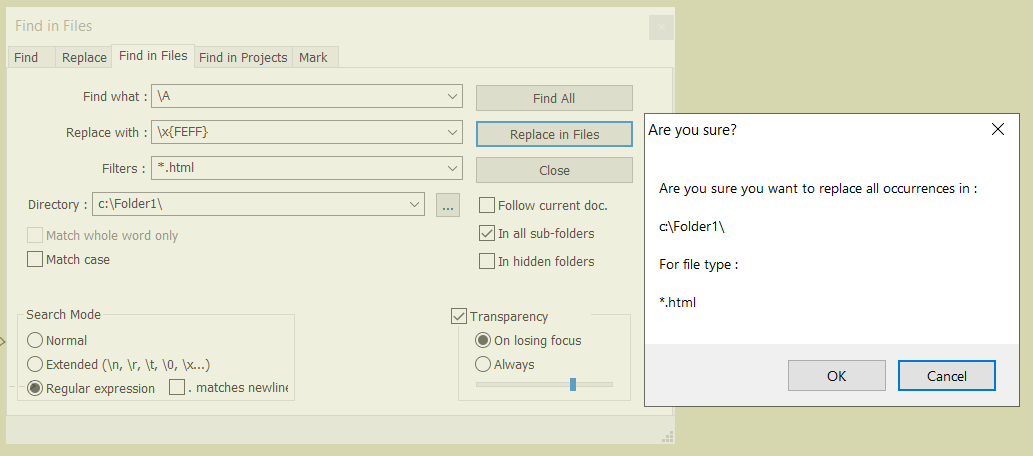
-
@guy038 's solution works for me.
But, it has some problems:
- it doesn’t check to see if a BOM is present before adding one
- if run multiple times it will keep inserting more and more BOM byte sequences at the start of file
So, if you’re sure that NONE of your files already has a BOM, it seems like the regex replacement approach will work.
-
@guy038 said in Change / Save encoding How to convert 800 txt files UTF-8 to UTF-8-BOM:
\A
Indeed. @guy038 solution is good. Except if I press CANCEL for the first times. So, as to work, after I press “Replace All” I must also press OK immediate, not cancel it and again press “Replace All” and Ok
-
If you end up with extra BOM sequences at the start of your files, you won’t see them. They’ll be zero-width-non-breaking-spaces. They’ll be there, but you won’t know it. I don’t know what that will do to the “integrity” of your files, probably nothing. But I always like to know what’s in my files.
-
@guy038 said in Change / Save encoding How to convert 800 txt files UTF-8 to UTF-8-BOM:
SEARCH
\A
REPLACE\x{FEFF}
FILTERS*.htmldoesn’t work anymore. I just test it !
Doesn’t convert anymore ANSI files to UTF-8-BOM -
Why do you think this is so? How did you test?
A quick test from my side seems to show that it still works.
The two lines in the PythonScript console show the state before and after the replace action was executed.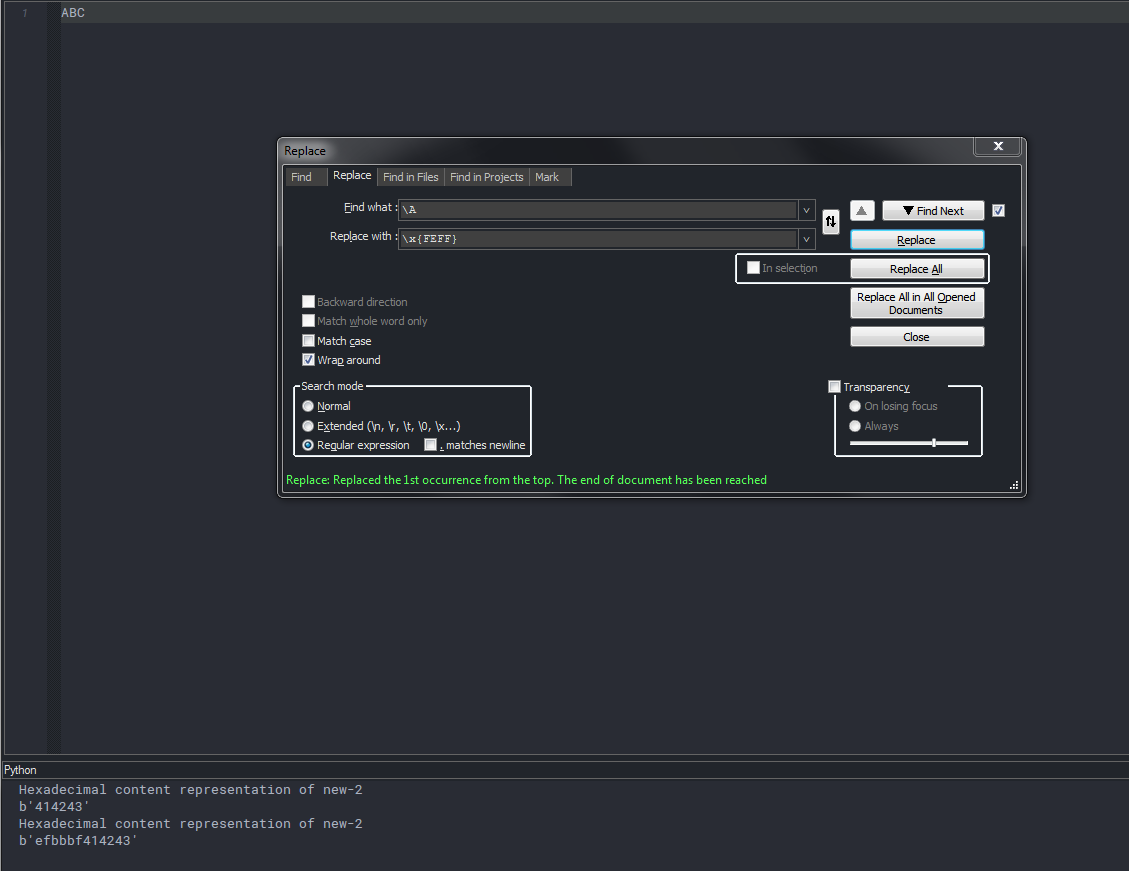
-
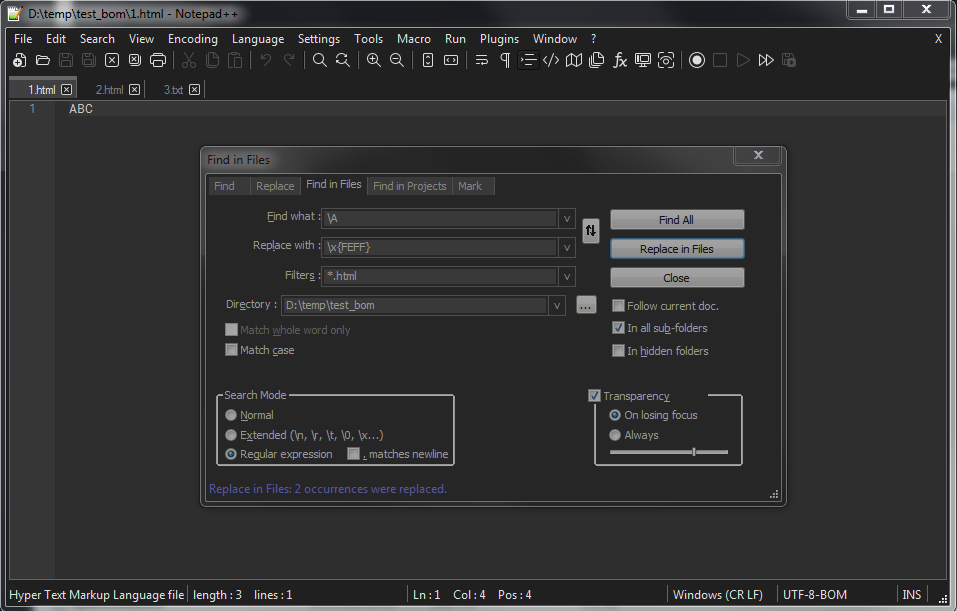
@ekopalypse ok, try “Find in files”, for multiple files.
-





Hello! It looks like you're interested in this conversation, but you don't have an account yet.
Getting fed up of having to scroll through the same posts each visit? When you register for an account, you'll always come back to exactly where you were before, and choose to be notified of new replies (either via email, or push notification). You'll also be able to save bookmarks and upvote posts to show your appreciation to other community members.
With your input, this post could be even better 💗
Register Login