Insert sequential numbers at start of lines
-
The macro language is not all-capable, unfortunately. The only dialog-based action which it can record is search/replace – and since the Column Editor is a dialog that isn’t the search/replace, the macro cannot record/replicate its action
-
@PeterJones said in Insert sequential numbers at start of lines:
The macro language is not all-capable, unfortunately. The only dialog-based action which it can record is search/replace – and since the Column Editor is a dialog that isn’t the search/replace, the macro cannot record/replicate its action
I thought that might be the case so thanks for confirming it for me :-)
-
Follow this tutorial: https://community.notepad-plus-plus.org/topic/16311/how-to-add-numbers-to-a-text-with-notepad
-
While it may not be possible as a macro, it could certainly be “scripted” if you are interested in that type of solution.
-
@Simran-Kaur said in Insert sequential numbers at start of lines:
Follow this tutorial: https://community.notepad-plus-plus.org/topic/16311/how-to-add-numbers-to-a-text-with-notepad
I don’t think you read my post because I’ve already said I know how to do that.
-
@Alan-Kilborn said in Insert sequential numbers at start of lines:
While it may not be possible as a macro, it could certainly be “scripted” if you are interested in that type of solution.
Yes I would be interested in that type of solution. Do you have a script in mind?
-
You didn’t really say a whole lot about what you want to end up with, but here’s a script that demos some capability. I call it
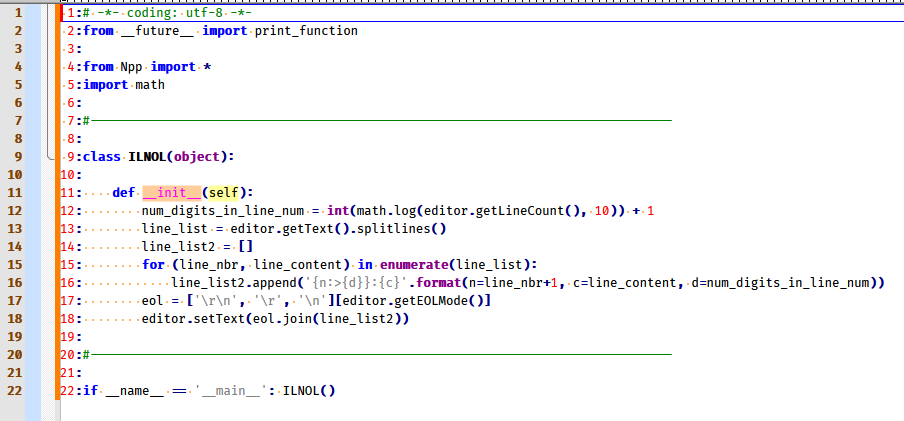
InsertLineNumbersOnLines.py:# -*- coding: utf-8 -*- from __future__ import print_function from Npp import * import math #------------------------------------------------------------------------------- class ILNOL(object): def __init__(self): num_digits_in_line_num = int(math.log(editor.getLineCount(), 10)) + 1 line_list = editor.getText().splitlines() line_list2 = [] for (line_nbr, line_content) in enumerate(line_list): line_list2.append('{n:>{d}}:{c}'.format(n=line_nbr+1, c=line_content, d=num_digits_in_line_num)) eol = ['\r\n', '\r', '\n'][editor.getEOLMode()] editor.setText(eol.join(line_list2)) #------------------------------------------------------------------------------- if __name__ == '__main__': ILNOL()The script will put line numbers at the start of every line, example:
-
It may be worth noting that the script above is similar to the functionality of the deprecated TextFX plugin’s function: TextFX > TextFX Tools > Insert Line Numbers.
Here’s a slightly modified version that is even more similar, I call this one
TextFxInsertLineNumbers.py:# -*- coding: utf-8 -*- from __future__ import print_function from Npp import * import inspect import os #------------------------------------------------------------------------------- class TFILN(object): def __init__(self): self.this_script_name = inspect.getframeinfo(inspect.currentframe()).filename.split(os.sep)[-1].rsplit('.', 1)[0] if editor.getSelectionEmpty(): self.mb('No text selected') return (start_line, end_line) = editor.getUserLineSelection() start_pos = editor.positionFromLine(start_line) end_pos = editor.getLineEndPosition(end_line) line_list = editor.getRangePointer(start_pos, end_pos - start_pos).splitlines() line_list2 = [] for (line_nbr, line_content) in enumerate(line_list): line_list2.append('{n:08} {c}'.format(n=line_nbr+1, c=line_content)) eol = ['\r\n', '\r', '\n'][editor.getEOLMode()] editor.setTarget(start_pos, end_pos) editor.beginUndoAction() editor.replaceTarget(eol.join(line_list2)) editor.endUndoAction() def mb(self, msg, flags=0, title=''): # a message-box function return notepad.messageBox(msg, title if title else self.this_script_name, flags) #------------------------------------------------------------------------------- if __name__ == '__main__': TFILN() -
@Alan-Kilborn said in Insert sequential numbers at start of lines:
It may be worth noting that the script above is similar to the functionality of the deprecated TextFX plugin’s function: TextFX > TextFX Tools > Insert Line Numbers.
Here’s a slightly modified version that is even more similar, I call this one
TextFxInsertLineNumbers.py:# -*- coding: utf-8 -*- from __future__ import print_function from Npp import * import inspect import os #------------------------------------------------------------------------------- class TFILN(object): def __init__(self): self.this_script_name = inspect.getframeinfo(inspect.currentframe()).filename.split(os.sep)[-1].rsplit('.', 1)[0] if editor.getSelectionEmpty(): self.mb('No text selected') return (start_line, end_line) = editor.getUserLineSelection() start_pos = editor.positionFromLine(start_line) end_pos = editor.getLineEndPosition(end_line) line_list = editor.getRangePointer(start_pos, end_pos - start_pos).splitlines() line_list2 = [] for (line_nbr, line_content) in enumerate(line_list): line_list2.append('{n:08} {c}'.format(n=line_nbr+1, c=line_content)) eol = ['\r\n', '\r', '\n'][editor.getEOLMode()] editor.setTarget(start_pos, end_pos) editor.beginUndoAction() editor.replaceTarget(eol.join(line_list2)) editor.endUndoAction() def mb(self, msg, flags=0, title=''): # a message-box function return notepad.messageBox(msg, title if title else self.this_script_name, flags) #------------------------------------------------------------------------------- if __name__ == '__main__': TFILN()Thanks for both of these. Sorry I wasn’t more specific. What would be great would be a script where I just select the lines I want numbered and insert sequential numbers starting from one followed by a closing parentheses ie: 1) 2) 3)
Now I’m not exactly a coding newbie but I’ve not really dealt with Python before. If I have Python installed on my PC do I just run the script or do I load it into Npp (as a macro or some other method)?
-
@deleelee said in Insert sequential numbers at start of lines:
f I have Python installed on my PC do I just run the script or do I load it into Npp
No. You install the PythonScript plugin, which comes with an embedded Python interpreter, and follow the instructions in the FAQ on how to run a script using PythonScript
-
@PeterJones said in Insert sequential numbers at start of lines:
No. You install the PythonScript plugin, which comes with an embedded Python interpreter, and follow the instructions in the FAQ on how to run a script using PythonScript
Thank you so much, Peter! :-D
-
P PeterJones referenced this topic on
-
@deleelee said in Insert sequential numbers at start of lines:
Here’s a slightly modified version
Sorry it’s taken me so long to check your scripts out. Thank you so much, they’re great but I’d like a kind of hybrid of them both.
InsertLineNumbersOnLines - Inserts numbers on all lines with the numbers followed by a colon.
TextFxInsertLineNumbers - Inserts numbers only on selected lines but with leading zeros.
I’d like to insert numbers only on selected lines, with no leading zeros, and numbers followed by a colon or a closing parentheses.
-
@deleelee said in Insert sequential numbers at start of lines:
@deleelee said in Insert sequential numbers at start of lines:
I’d like a kind of hybrid of them both.UPDATE: I managed to figure it out myself and modified your TextFxInsertLineNumbers script. I now have it inserting numbers with no leading zeros followed by a closing parentheses. Thank you so much for your help.
However, is it possible to have it insert numbers only for selected lines but exclude any selected lines that are empty?
-
@deleelee said in Insert sequential numbers at start of lines:
but exclude any selected lines that are empty?
Sure, most anything is possible with programming.
You’d want to look for a line-length of zero (e.g.len(line_content) == 0) and then NOT insert a line number at the start of such lines, by appending only the content to the second list. Of course, this would cause gaps in your line numbering any time a blank line occurs, so you might need to maintain the line number counter yourself.Since you’ve already made changes to the script, go ahead and make some more! :-)
-
@Alan-Kilborn said in Insert sequential numbers at start of lines:
You’d want to look for a line-length of zero (e.g.
len(line_content) == 0) and then NOT insert a line number at the start of such lines, by appending only the content to the second list. Of course, this would cause gaps in your line numbering any time a blank line occurs, so you might need to maintain the line number counter yourself.Thanks yet again. I’ll check it out :-D
-
@Alan-Kilborn I know it’s years later, but i found myself using your script. I’m a total noob when it comes to programming, all i could do is modify what goes after the numbers.
Now, how could i delete what the script just did (i.e delete the numbers, but leave the lines like they were before the script ran) ? I know i can use Undo to do it on the spot, but let’s say i wanna undo the numbering a day after. -
You don’t need programming to delete the line numbers that were inserted.
Here’s how to do it:
- Move the caret to line 1 and column 1
- Press Shift+Alt+b to Begin Select in Column mode
- Move the caret to the last line and put it right after the last digit of the line number (previously added by the script)
- Press Shift+Alt+b again to End Select in Column mode
At this point you should have the line numbers selected in a rectangular block so simply pressing Delete should eliminate them.
-
@Alan-Kilborn Okay, i knew how to do that, but it does not help me.
First, i’d have to do it twice, because i set the script up to put a number, then :, then a space (5: ), so till 9 its 3 characters long and after is 4 characters long.
And again, i have to do this multiple times in a document, every day and using the column mode is a bit tedious. I was hoping that i could do it with a script.
Now, i select the text i need, press a key and your script instantly does its job. I’d like to have the same thing with deleting, but i don’t know if it’s possible or not. :) -
@Ionut-Dorin said in Insert sequential numbers at start of lines:
i set the script up to put a number, then :, then a space (5: ), so till 9 its 3 characters long and after is 4 characters long
It would have been better to just show some of this text rather than describing it…
But I think if you do a replacement operation it will be good?:
Find:
^\d+:
Replace: set to nothing
Search mode: Regular expression
Options: Wrap around
Action: Replace allYou can record this replacement op as a macro.
-
@Alan-Kilborn
1: Line content
2: Line content
3: Line content
4: Line content
5: Line content
6: Line content
7: Line content
8: Line content
9: Line content
10: Line content
11: Line content
12: Line content
… and to become
Line content
Line content
Line content
Line content
etc.
Find: ^\d+: doesn’t work and plus, i don’t need it for the whole document, just for the lines i select.




Hello! It looks like you're interested in this conversation, but you don't have an account yet.
Getting fed up of having to scroll through the same posts each visit? When you register for an account, you'll always come back to exactly where you were before, and choose to be notified of new replies (either via email, or push notification). You'll also be able to save bookmarks and upvote posts to show your appreciation to other community members.
With your input, this post could be even better 💗
Register Login