How do I use the custom folding global in Notepad++?
-
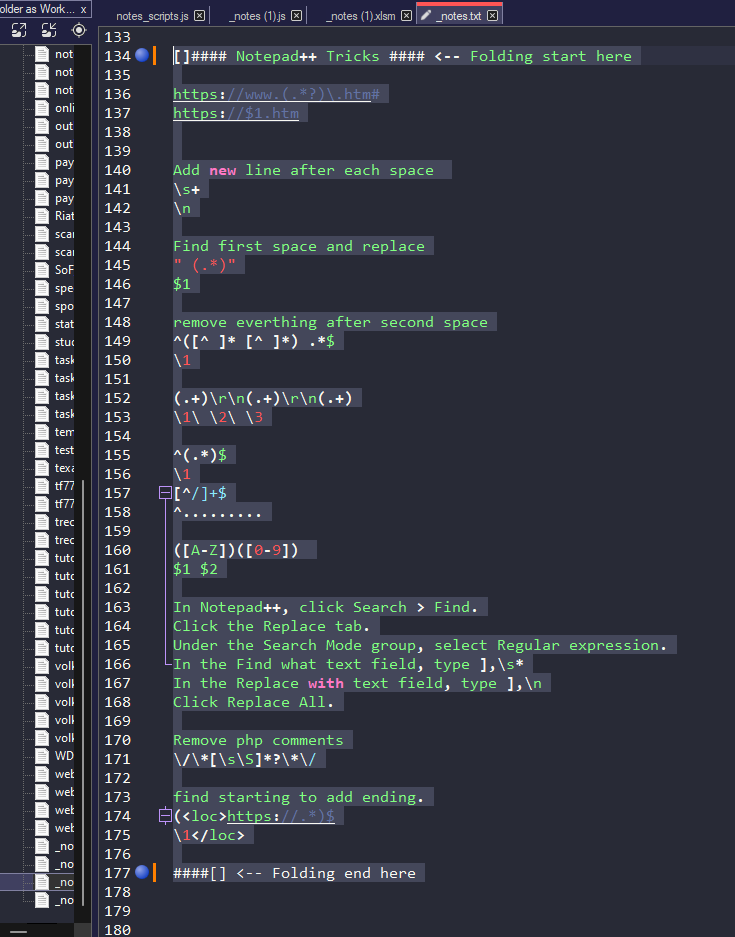
I want to use the default JavaScript language to open all of my .js and .txt files with Notepad++, and I need to create custom folding something starts with “[]####” and ends with “####[]” to organize all of my topics and notes. I have tried using the Language and User-Defined Language options, but without success. Is there a way to create custom folding with the JavaScript language without any interference from auto-updates in Notepad++?
I would appreciate any inputs, opinions, or advice. Thank you!
-
I’m not sure, but I think you may need to check out the EnhanceAnyLexer plugin available in the plugin manager.
Someone may be able to give you a direct link for information and such, I’m not sure where it is just right now. -
No, EnhanceAnyLexer can
ONLYdo foreground coloring.
Folding is not supported, nor do I see a way to do it without getting into a fight between the original source (UDL and built-in lexer) and a third-party plugin. I’m afraid such a feature cannot be supported. -
@Ekopalypse ,
Noted. I haven’t used it, so of course, I had no idea, but I keep reading the positive reviews of it, so was unsure how far it goes. Thank you for explaining that aspect.



Hello! It looks like you're interested in this conversation, but you don't have an account yet.
Getting fed up of having to scroll through the same posts each visit? When you register for an account, you'll always come back to exactly where you were before, and choose to be notified of new replies (either via email, or push notification). You'll also be able to save bookmarks and upvote posts to show your appreciation to other community members.
With your input, this post could be even better 💗
Register Login