User Defined Language doesn't exclude sign in front of numbers
-
I’m trying to finish a user defined language for OCL files, but the Operators 1 section that allows for numbers without spaces isn’t excluding the sign when directly in front of numbers. Is there a way around this?
From the example you can see it works fine for <num><sign><num>, <num><sign><text>, and <text><sign><text>, but the style seems to assume + or - constitute a number sign for this specific whether it is wanted or not - and in this case it is never wanted.
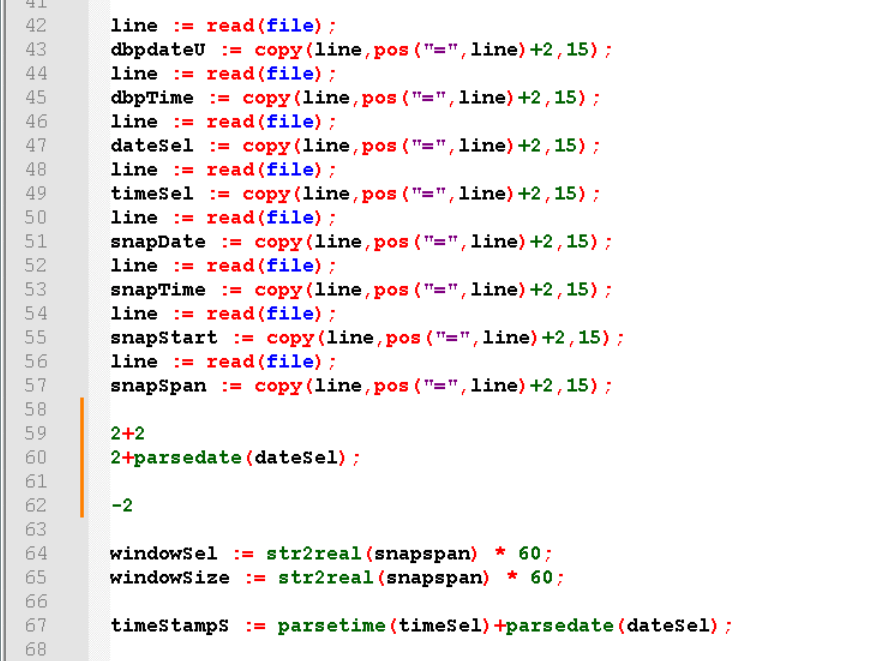
These are customer files, so I don’t get to modify them. Is there a workaround for this that will provide what is needed? I tried to accomplish this with Keywords Lists, but it doesn’t seem to treat non-alpha text as valid, at least not in a way that seems to work here, so even when I remove all operators, it isn’t allowing me to use special cases like “)+”, etc.
I haven’t done a lot of this before, so I could easily be missing something and it would be great to know.
Thanks,
Mickey -
UDL has its limitations.
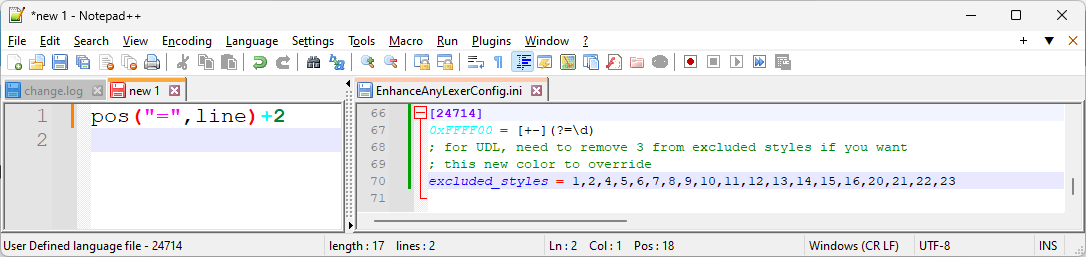
+or-prefixing a number with no intervening space will always be treated as part of the number.If you add the EnhanceAnyLexer plugin using Plugins Admin, you can use that plugin to have a regular expression apply foreground coloring:
0xFFFF00 = [+-](?=\d)
; for UDL, need to remove 3 from excluded styles if you want
; this new color to override the number styling
excluded_styles = 1,2,4,5,6,7,8,9,10,11,12,13,14,15,16,20,21,22,23
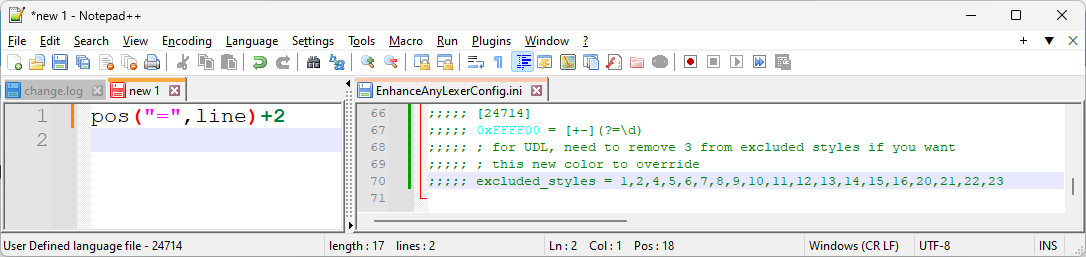
I used cyan in my example (0xGGBBRR=0xFFFF00) to make it obvious:
with EnhanceAnyLexer:
without EnhanceAnyLexer (or with the definition commented out):
The 24 style numbers are defined in the Notepad++ UDL source code (a similar link is present in the default EnhanceAnyLexerConfig.ini, if anyone reads the comments there…)


Hello! It looks like you're interested in this conversation, but you don't have an account yet.
Getting fed up of having to scroll through the same posts each visit? When you register for an account, you'll always come back to exactly where you were before, and choose to be notified of new replies (either via email, or push notification). You'll also be able to save bookmarks and upvote posts to show your appreciation to other community members.
With your input, this post could be even better 💗
Register Login