Replace with "[\U\1]" always make word missing inside squared bracket
-
As the title say when I type “[\U\1]” it always made the word missing.
Before
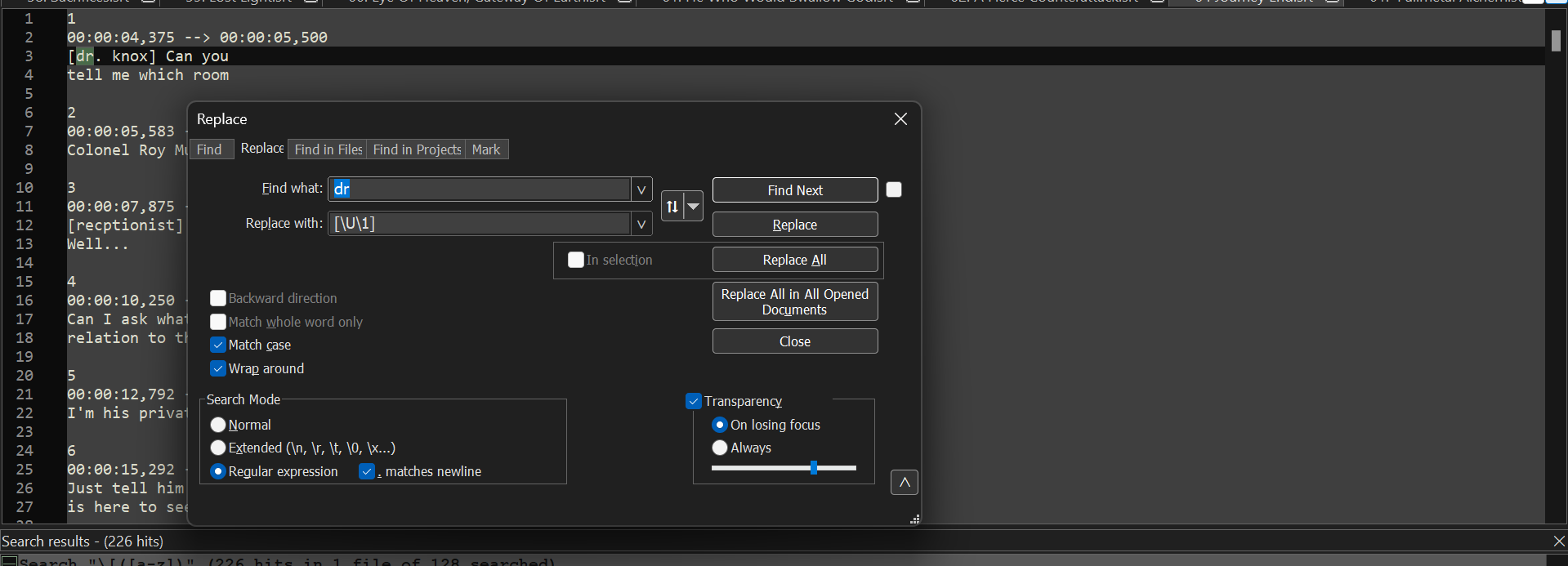
After
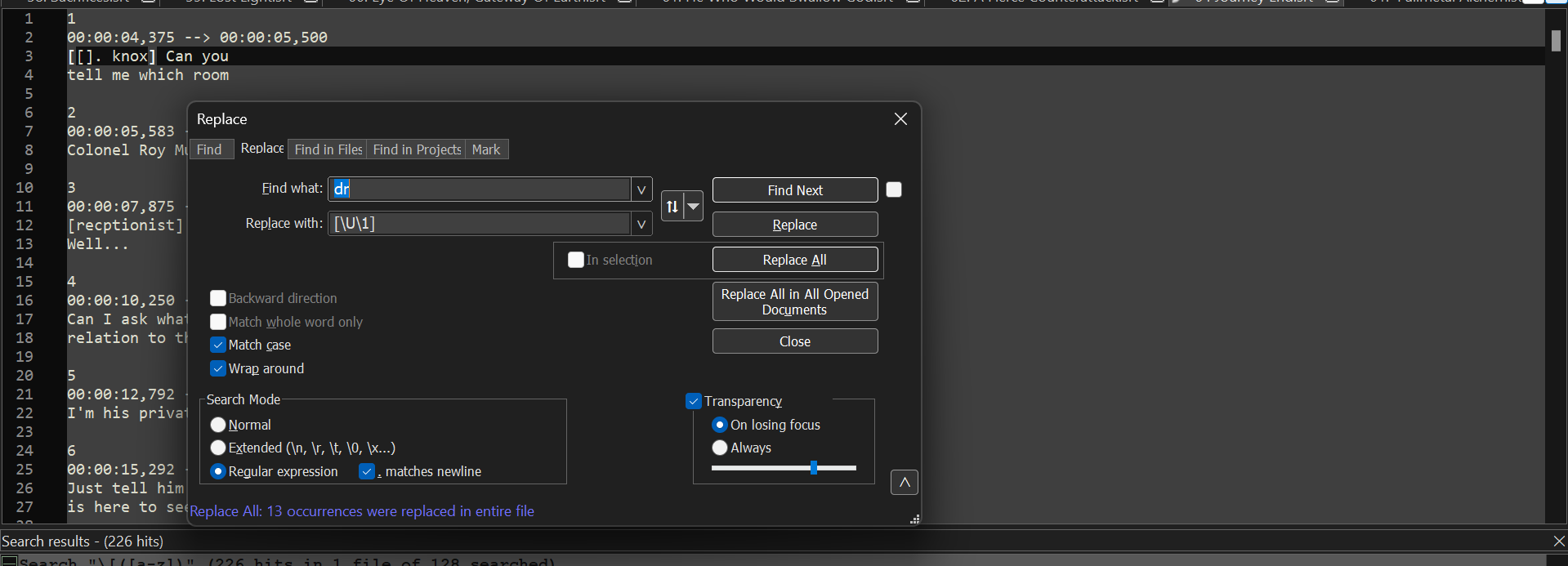
-
@Mohamed-Mohamed
I am somewhat of a beginner when it comes to regular expressions, but I think your problem is with the “find what” section that don’t group the dr.
You could try this:
Find what: (dr)
Replace with: [\U\1]This is if you want the result to be [DR] if you are expecting the result DR you just replace with \U\1 instead.
-
@Pierre-Åberg Actually I want to be [Dr Knox]
-
@Mohamed-Mohamed
Given the picture I would assume that it’s now [dr. knox]
If this assumption is right you could try this:
Find what: (\<dr\>)
Replace with \u\1This will replace the lowercase d with an uppercase d.
Updated the post just in case you have dr somewhere in the middle of a word, such as android.
This will make sure that it looks for the word dr and not the letter d directly followed by the letter r. -
@Pierre-Åberg Thanks.


Hello! It looks like you're interested in this conversation, but you don't have an account yet.
Getting fed up of having to scroll through the same posts each visit? When you register for an account, you'll always come back to exactly where you were before, and choose to be notified of new replies (either via email, or push notification). You'll also be able to save bookmarks and upvote posts to show your appreciation to other community members.
With your input, this post could be even better 💗
Register Login