Let Comment Flags Keep Aligned

-
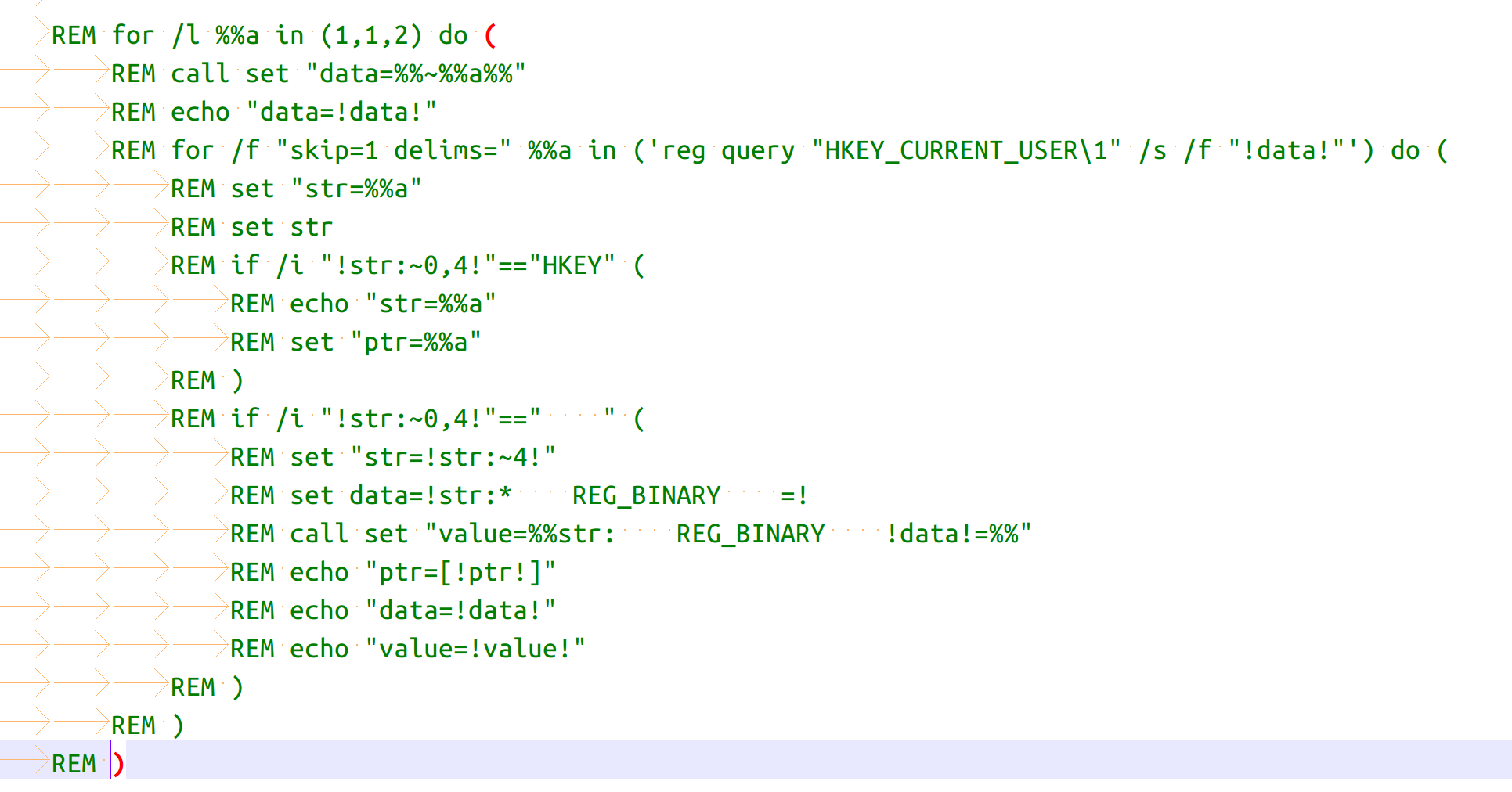
When I press ctrl+q to comments the code lines, the comments flag “rem” not to be placed at the front of the line. Can you make it keeping aligned.
Just as follow:
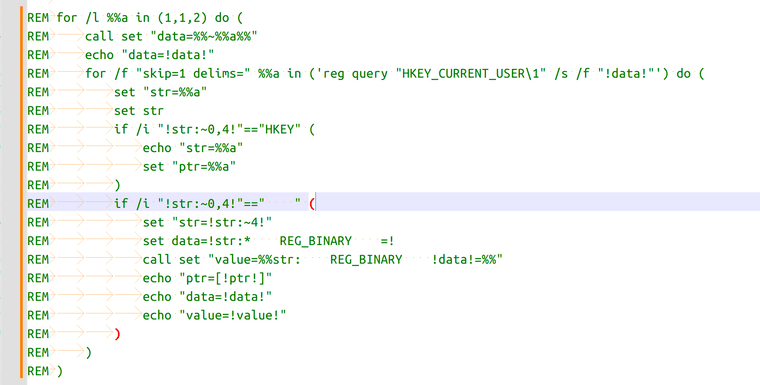
-
Here’s what I do for this. Add this to the
<Macros>section of yourshortcuts.xmlfile:<Macro name="Col. 1 Remark" Ctrl="yes" Alt="yes" Shift="no" Key="75"> <Action type="0" message="2349" wParam="0" lParam="0" sParam="" /> <Action type="1" message="2170" wParam="0" lParam="0" sParam="REM " /> </Macro>Key
75is the letter K, so this adds a Ctrl-Alt-K keystroke to your configuration (you said Ctrl-Q, but my solution isn’t a toggle like that keystroke; if you want Ctrl-Alt-Q, change75to81); message2349says to go to the beginning of the line (unconditionally, i.e. not just the beginning of the text on the line); and message2170says to type the given text -REMand a space (the forum won’t let me show the space in red here). If you edit other types of files this way, you can change to the comment string for whatever language you’re using, and assign a different key for that one.


Hello! It looks like you're interested in this conversation, but you don't have an account yet.
Getting fed up of having to scroll through the same posts each visit? When you register for an account, you'll always come back to exactly where you were before, and choose to be notified of new replies (either via email, or push notification). You'll also be able to save bookmarks and upvote posts to show your appreciation to other community members.
With your input, this post could be even better 💗
Register Login