-
New feature in the forum: if you are trying to get input from other users, you can create a new Topic in the Blogs section (or other appropriate section), then click the new Create a poll button:
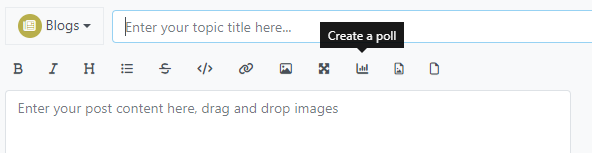
Then fill out the Create a poll dialog:
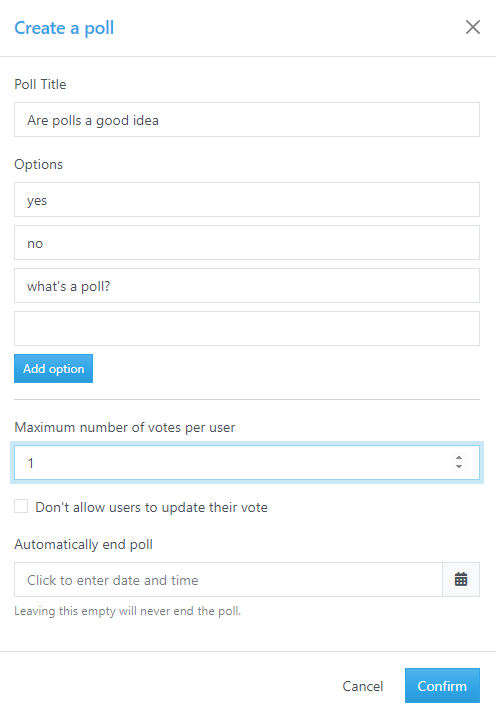
You can also use manual syntax, as defined here:
[poll maxvotes="1" title="Poll title"]
- Poll option
- Another option
[/poll]
Caveats
- A poll can only go in the first post in a Topic, so will not work in a Reply.
- Once you post your poll, it cannot be edited. (Even when I look at the post with moderator powers, I cannot edit the options in a poll.)
- If bad users figure out how to abuse the polling system, the feature will be turned off again.
-
Shouldn’t this post be in the FAQ section, since it’s describing a feature of the forum?
-
P PeterJones moved this topic from Blogs on
-
Moved.
-
M mkupper referenced this topic on

Hello! It looks like you're interested in this conversation, but you don't have an account yet.
Getting fed up of having to scroll through the same posts each visit? When you register for an account, you'll always come back to exactly where you were before, and choose to be notified of new replies (either via email, or push notification). You'll also be able to save bookmarks and upvote posts to show your appreciation to other community members.
With your input, this post could be even better 💗
Register Login