Folder as workspace doesn't update symbolic link folders
-
Folder as workspace automatically updates folders when files are changed. However, when the “folder” is in fact a symbolic link, the folder does not update the files when the files are changed.
In all other aspects the symbolic links do in fact behave like normal folders.
File content modification appears to work as expected. The only issue is that the symlink folder view doesn’t refresh when files are changed.If this can be verified on a system other than mine, I shall create a bug report on the github. However, I am nervous to do so right off the bat.
To illustrate an example:
I have, for instance, a folder “G:/lmms”. I have created a symbolic link (usingmklink /d "*link*" "*target*") in “%username%/Documents/lmms” to point to “G:/lmms”.
I have folder as workspace open. I have added my Documents folder and the folder “G:/lmms”.
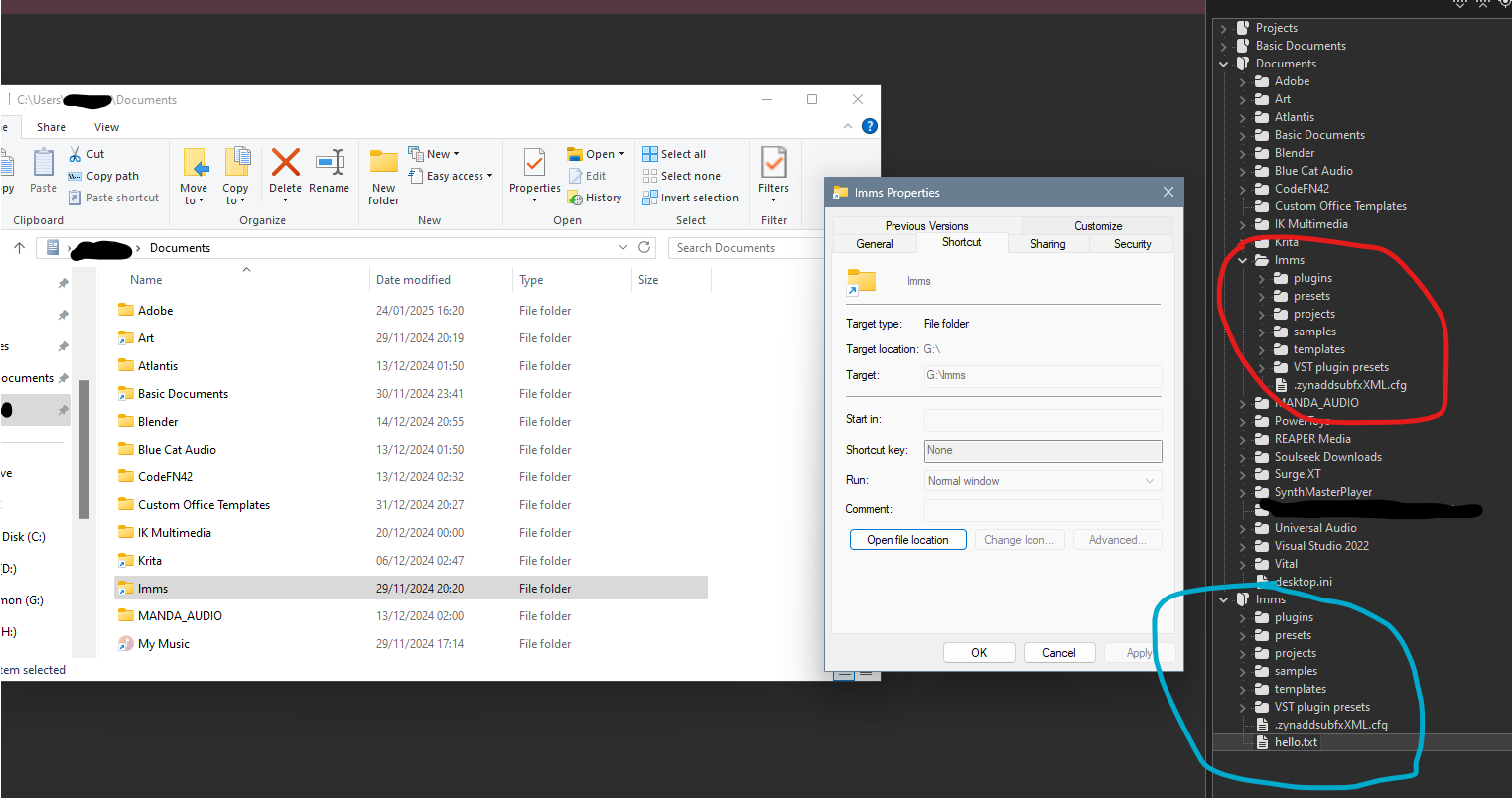
Circled in BLUE is the actual folder G:/lmms. Circled in RED is the symlink folder.
If I create a file in G:/lmms it does not show up in the symbolic link version. (hello.txtin the blue-circled set does not show up in the red circle. It was created during this N++ session.)
If I wish to update this view I am forced to close and reopen the app. -
I have created an issue on the github as https://github.com/notepad-plus-plus/notepad-plus-plus/issues/16127

Hello! It looks like you're interested in this conversation, but you don't have an account yet.
Getting fed up of having to scroll through the same posts each visit? When you register for an account, you'll always come back to exactly where you were before, and choose to be notified of new replies (either via email, or push notification). You'll also be able to save bookmarks and upvote posts to show your appreciation to other community members.
With your input, this post could be even better 💗
Register Login