Community
    • Login

    Is there a distraction-free writing mode like Vimroom(a plugin of Vim)?

    Scheduled Pinned Locked Moved Help wanted · · · – – – · · ·
    15 Posts 7 Posters 4.7k Views 5 Watching
    Loading More Posts
    • Oldest to Newest
    • Newest to Oldest
    • Most Votes
    Reply
    • Reply as topic
    Log in to reply
    This topic has been deleted. Only users with topic management privileges can see it.
    • Scott SumnerS Offline
      Scott Sumner @Joey1986
      last edited by

      @Joey1986

      The closest you might find could be on the View menu. Try “full screen” and “post-it” modes, although neither give the distraction-free appearance of Vimroom that you are seeking. In the world of Notepad++, we look for things that get us most or some of the way to where we want to be when we can’t have it all. :-)

      1 Reply Last reply Reply Quote 1
      • dailD Offline
        dail
        last edited by

        With a quick bit of plugin coding you can make it look something like this (note this is a full sized screen shot):

        It would take a bit more work to make it a fully-fleshed-out and usable plugin though.

        1 Reply Last reply Reply Quote 1
        • donhoD Offline
          donho
          last edited by

          It will be in the next release (v7.9.6).

          EkopalypseE 1 Reply Last reply Reply Quote 3
          • EkopalypseE Offline
            Ekopalypse @donho
            last edited by Ekopalypse

            @donho - I’m confused, isn’t that already implemented? F12 aka post-it mode?

            1 Reply Last reply Reply Quote 2
            • donhoD Offline
              donho
              last edited by

              @Ekopalypse
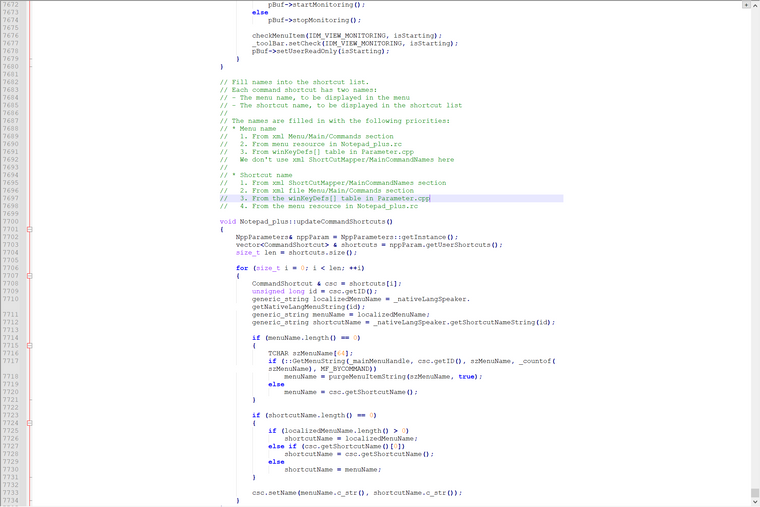
              You mean Fullscreen mode (F11) + PostIt (F12) I suppose.
              Basically Distraction Free Mode is implemented with both features above combined, but plus the padding on the left & right side.
              It looks like that:
              995826bc-4327-4ae8-8ae3-918019fd37e9-image.png

              EkopalypseE 1 Reply Last reply Reply Quote 0
              • EkopalypseE Offline
                Ekopalypse @donho
                last edited by

                @donho

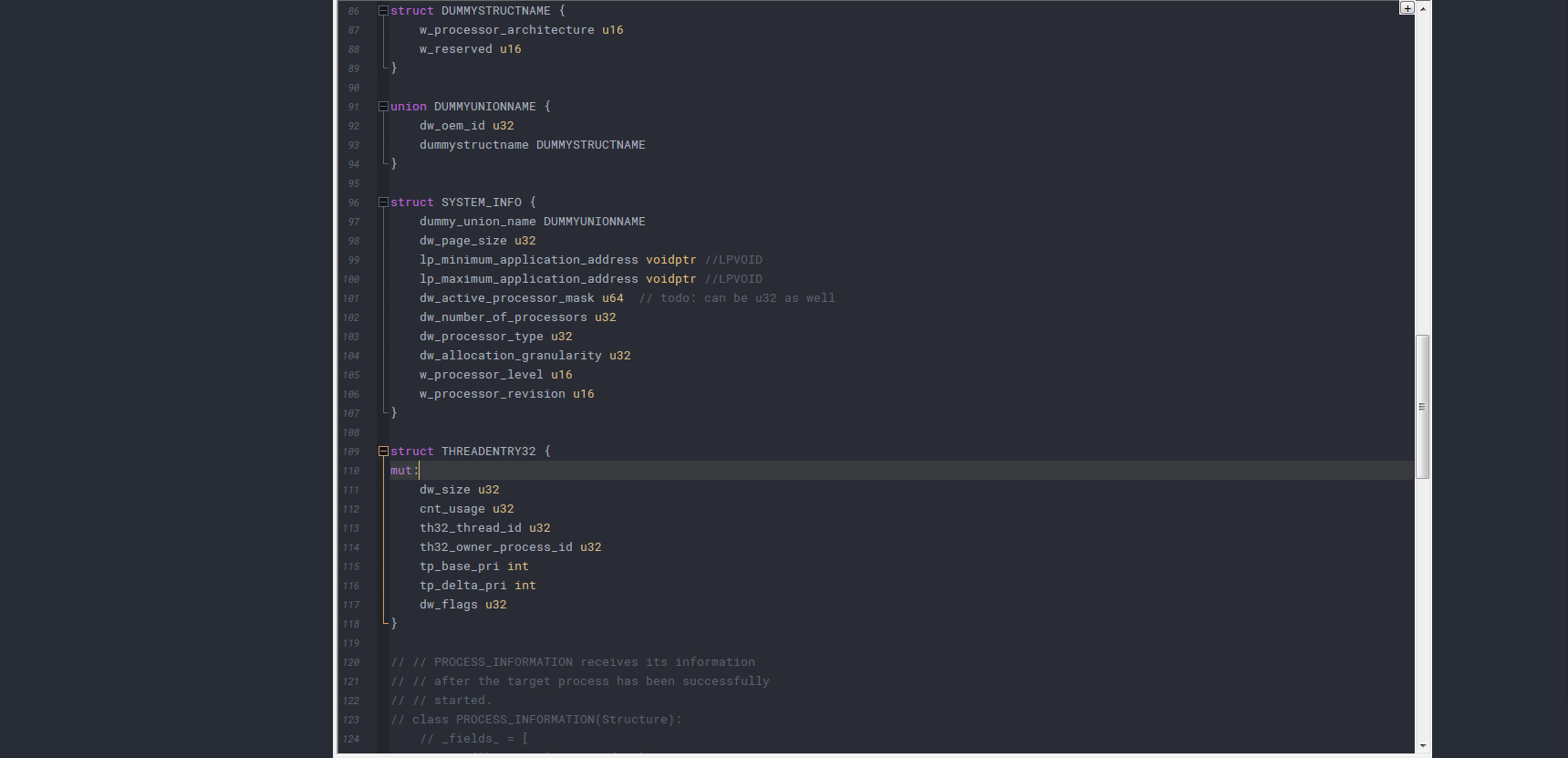
                correct, except that I do not use the full screen mode, but the current window size like this
                d86eea5b-76f5-4180-b4c6-24a589c8ff18-image.png

                1 Reply Last reply Reply Quote 0
                • donhoD Offline
                  donho
                  last edited by

                  @Ekopalypse
                  So this mode may be useful for you :)

                  EkopalypseE 1 Reply Last reply Reply Quote 2
                  • EkopalypseE Offline
                    Ekopalypse @donho
                    last edited by

                    @donho - I assume, yes :-D

                    But how is it different to the current implementation??

                    Alan KilbornA PeterJonesP 2 Replies Last reply Reply Quote 0
                    • Alan KilbornA Offline
                      Alan Kilborn @Ekopalypse
                      last edited by

                      @Ekopalypse

                      The difference appears to be some artificial whiteness between line number area and column 1 data. IMO this is not too useful but I’m sure some users requested it.

                      1 Reply Last reply Reply Quote 3
                      • EkopalypseE Offline
                        Ekopalypse
                        last edited by

                        @Alan-Kilborn - oh - I see, hmm … not sure I like it, but who knows, maybe I do when I get used to it :)

                        1 Reply Last reply Reply Quote 0
                        • PeterJonesP Online
                          PeterJones @Ekopalypse
                          last edited by

                          @Ekopalypse said in Is there a distraction-free writing mode like Vimroom(a plugin of Vim)?:

                          But how is it different to the current implementation??

                          Other than what @Alan-Kilborn mentioned, it also appears that your post-it-mode–without–fullscreen leaves your desktop background visible, whereas “distraction free” appears to be using a full screen but with margins to keep the text from getting annoyingly wide, so the remaining portion of the monitor is set to the same background color as your text editing, rather than to whatever Windows background image or color you have set. (At least, when I do just F12 PostIt without F11 FullScreen, I can see my background image.) So maybe some people consider their Desktop image to be a “distraction” as well.

                          EkopalypseE 1 Reply Last reply Reply Quote 3
                          • EkopalypseE Offline
                            Ekopalypse @PeterJones
                            last edited by

                            @PeterJones said in Is there a distraction-free writing mode like Vimroom(a plugin of Vim)?:

                            So maybe some people consider their Desktop image to be a “distraction” as well.

                            Well, then … :-D
                            My background color is the same as in npp, hence no distraction :)

                            Alan KilbornA 1 Reply Last reply Reply Quote 1
                            • Alan KilbornA Offline
                              Alan Kilborn @Ekopalypse
                              last edited by

                              @Ekopalypse said in Is there a distraction-free writing mode like Vimroom(a plugin of Vim)?:

                              My background color is the same as in npp,

                              You must be eagerly awaiting “dark mode”! :-)

                              1 Reply Last reply Reply Quote 0
                              • EkopalypseE Offline
                                Ekopalypse
                                last edited by

                                @Alan-Kilborn

                                :-( there is unfortunately no candy for me, as I am still on Windows7 :-(

                                1 Reply Last reply Reply Quote 2
                                • Alan KilbornA Alan Kilborn referenced this topic on

                                Hello! It looks like you're interested in this conversation, but you don't have an account yet.

                                Getting fed up of having to scroll through the same posts each visit? When you register for an account, you'll always come back to exactly where you were before, and choose to be notified of new replies (either via email, or push notification). You'll also be able to save bookmarks and upvote posts to show your appreciation to other community members.

                                With your input, this post could be even better 💗

                                Register Login
                                • First post
                                  Last post
                                The Community of users of the Notepad++ text editor.
                                Powered by NodeBB | Contributors

