What is equivalent of TextPad's 'Workspace'
-
Hi, first post. Just installed as a likely replacement for TextPad. Used that for decades so may take me a while to get comfortable with new UI. One immediate point: When I reopen TextPad it displays my choice of frequently used files in a ‘workspace’. Is Npp’s equivalent what it calls a Session?
I tentatively tried File > Save Session but was surprised that the Save dialog did not specify a specific extension.
Alternatively, is it this left hand pane ‘Folder as Workspace’? If so how do I set that up please?
Terry, East Grinstead, UK
-
I don’t know TextPad so can’t say for sure whether Sessions are what you are looking for.
Sessions are a group of file which you have defined or a automatically defined when you set Remember current session for next launch from
settings->preferences->Backup
If you save it manually, then you have to load it manually. The file extension is normally set to xml as those files are xml files.Folder as Workspace is a dockable dialog which gives you an
explorer like treeview of a folder and its subfolders and files.
Right-click into the area and a context menu pops up which allows
to add and folder. -
Thanks @Ekopalypse, that’s helpful. It does seem that ‘session’ is the equivalent I need. That option Remember current session for next launch was set by default so I see that normally I won’t need to manually save a session.
I’ll need to play with that Folder as Workspace, as the penny hasn’t dropped on its purpose. I would usually either d-click or drag files into a text editor from their Win 10 File Explorer folders. How do most Npp users work with this ‘workspace’?
-
I can’t tell what most Npp users do :)
but if I had to bet,
then I would bet my money on drag & drop from explorer :) -
or maybe I misunderstood your question.
Folder as workspace(FAW) is useful in case you want to have a directory always
available from within notepad++. If this directory gets changed
from outside of npp it is automatically reflected within FAW.
Means, npp listens to creation and deletion of files within this directory.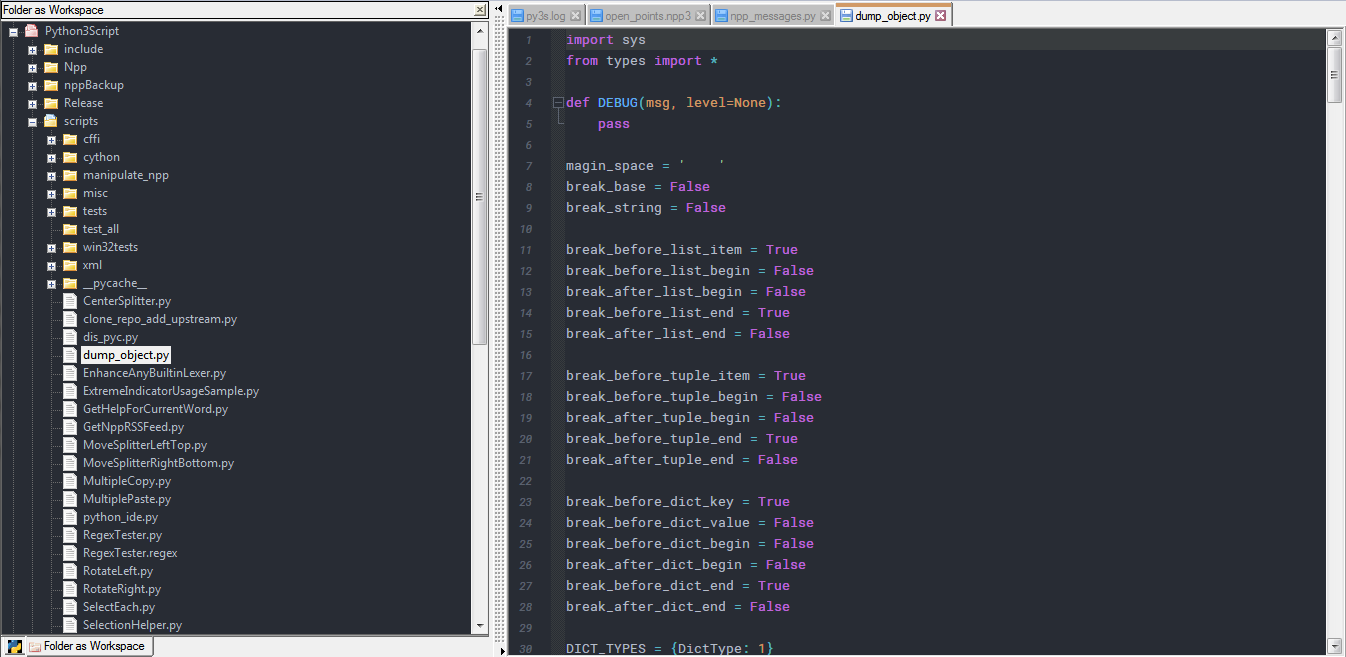
-
I use the Explorer plugin which gives me a Windows Explorer like file manager like Folder as Workspace, but with all the right-click context menu goodness of Windows Explorer.
Cheers.
-
Thanks both, understood.
-
@Michael-Vincent said in What is equivalent of TextPad's 'Workspace':
but with all the right-click context menu goodness of Windows Explorer.
I use the Explorer plugin, but I’ve maybe only discovered some of the “goodness”? Maybe there is something I am missing?
-
With the Explorer plugin I’m using, right-click context menu shows:
New File...
New Folder...
Find in Files...
----
Standard Menu >
NppExec Script(s) >
Open Command Window Here
---
Add to 'Favorites'...
Full File Path(s) to Clipboard
File Name(s) to Clipboard
---
Cut
Copy
---
Create Shortcut
Delete
---
Properties
Using the “Standard Menu” expanding menu item, I get pretty much all the other stuff as if I just do a right-click context menu in the Windows Explorer app. This includes Tortoise Git which I have installed so I get “Git integration” with N++.
Cheers.




Hello! It looks like you're interested in this conversation, but you don't have an account yet.
Getting fed up of having to scroll through the same posts each visit? When you register for an account, you'll always come back to exactly where you were before, and choose to be notified of new replies (either via email, or push notification). You'll also be able to save bookmarks and upvote posts to show your appreciation to other community members.
With your input, this post could be even better 💗
Register Login