Code Completion doesn't work in notepad++ . Help!!!!
-
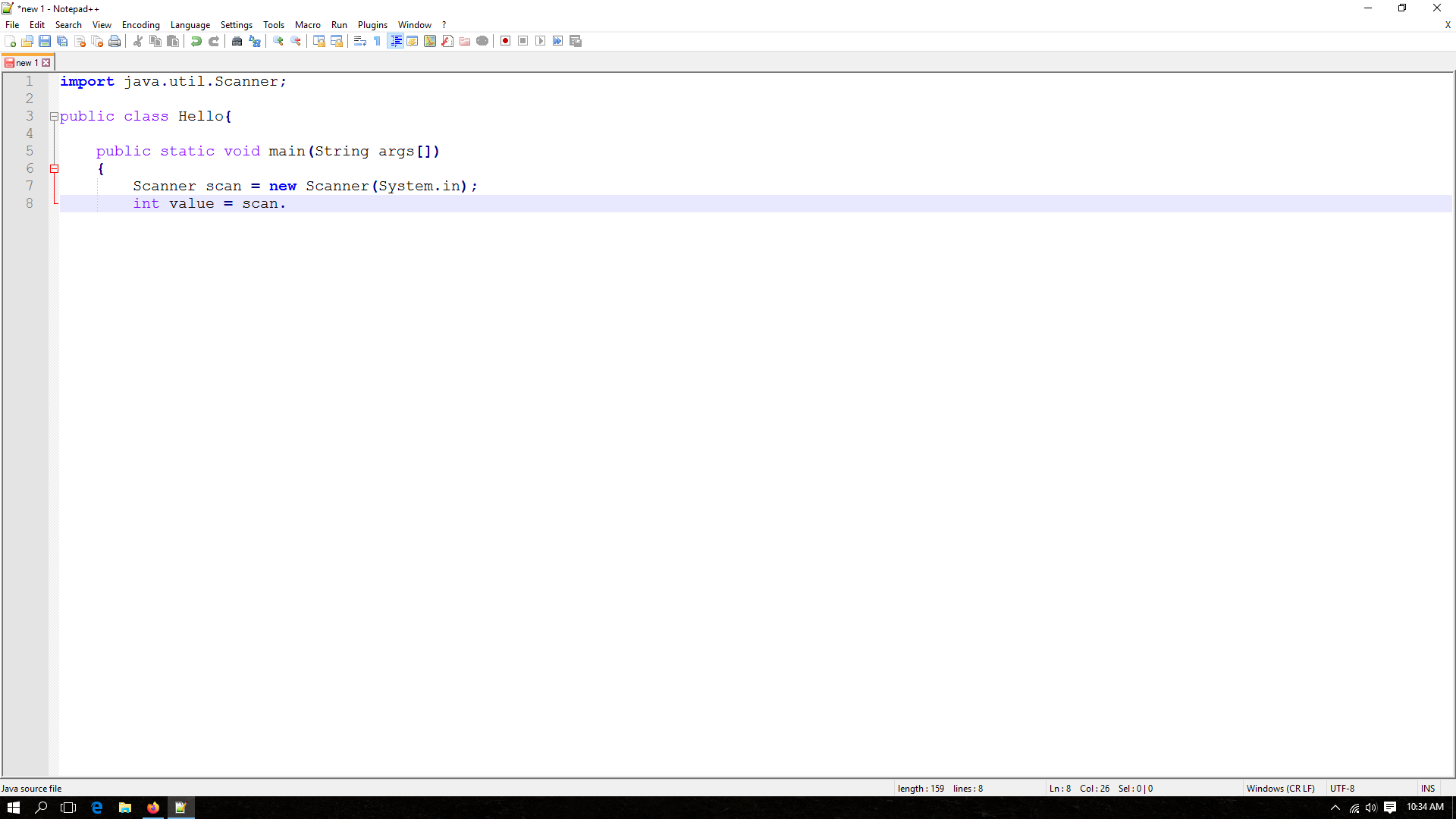
I was trying to code in java on notepad++ and i couldn’t find any auto completion for it.
For example :i used
Scanner scan = new Scanner(System.in);
int cal = scan.
after i press scan. it should show me the available methods in Scanner class , but it doesn’t do that. What can i do.
Here is the picture
-
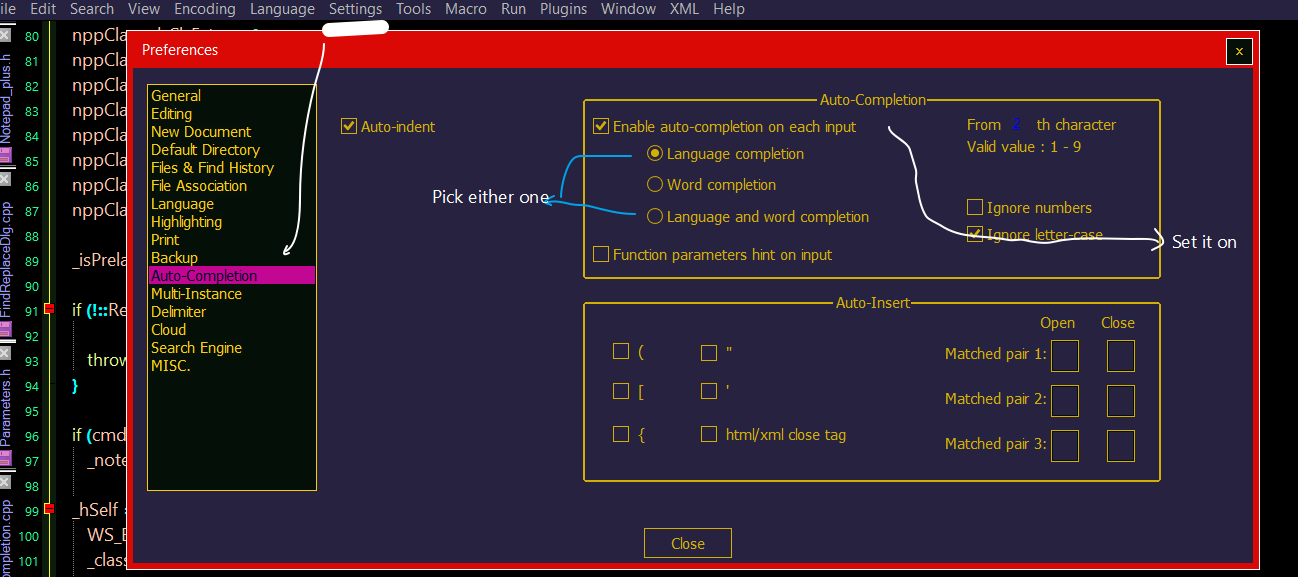
Make sure its configuration was set
-
Apologize me as above is:
https://github.com/abdulbadii/notepad-plus-minusDon’t be confused as It has “Language completion” instead of “Function completion” and
an extra “ignore letter-case” option for auto completion response. -
Please don’t discuss or advertise your forked version here!!
Haven’t you been asked to NOT do this before? -
That said, other than the wording on the preferences screen, the official Notepad++ v7.8.5 Settings > Preferences > Auto-Completion does have those options:
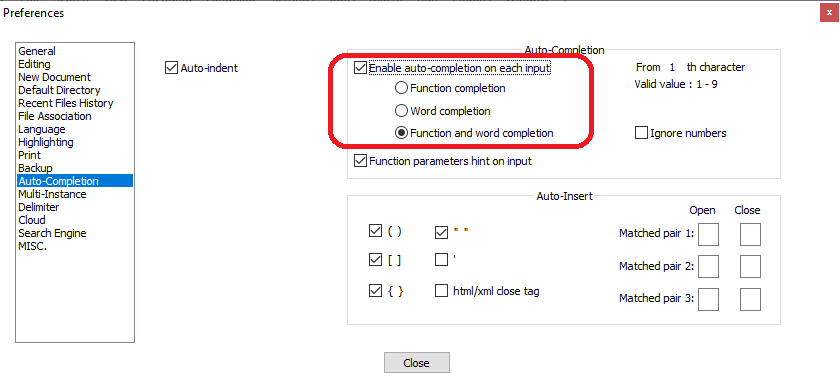
Unfortunately, I’m not sure it will do completely what @Gourav-Das wants. It has function completion for known functions (and word completion for words found elsewhere in your document); and it has Function parameters hint on input for helping you input the arguments/parameters to known functions. But I don’t know if the
<installdir>\autoCompletion\java.xmlhas all (or even any) of thejava.util.Scannermethods in the auto-completion list.And the more I think about it, even if it did, Notepad++ doesn’t have the necessary language-awareness to be able to see that you’ve declared
scanas aScannerinstance, and to thus later be able to tell “if the user wants to autocomplete on methods available toscan, I can remember thatscanis aScannerand supply onlyScannermethods”. I know there are editors out there that can do such – but from the ones I’ve seen(*), it’s generally only for one or a limited set of languages; Notepad++ has syntax highlighters for dozens of languages, and the development team cannot be expected to be expert enough in all of those languages to build in that level of language-awareness. It might be possible to add that level of awareness using a plugin, but I don’t know whether such a plugin exists for Java-awareness or not.(*: For example: the Visual Basic for Applications GUI, and thus the VBA macro-editors for MS Office products, can do that… but it’s for just the one VBA language. And I think Microsoft Visual Studio has some of that… but from what I understand, you have to install each language separately into VS, and you tend to get the whole benefit of the paid MS staff behind such feature sets. There may be custom-purpose Java editors/IDE out there that bring that level of Java-awareness; but I don’t know of any general-purpose editors like Notepad++ that can track a specific variable’s class in whatever programming language you happen to have chosen, and can autocomplete appropriately for that language and class.)



Hello! It looks like you're interested in this conversation, but you don't have an account yet.
Getting fed up of having to scroll through the same posts each visit? When you register for an account, you'll always come back to exactly where you were before, and choose to be notified of new replies (either via email, or push notification). You'll also be able to save bookmarks and upvote posts to show your appreciation to other community members.
With your input, this post could be even better 💗
Register Login