"Find Previous" custom keyboard shortcut not working in v7.8.9
-
I am new to the community and not sure where the best place is to post bug reports, so please redirect me if I should repost elsewhere.
I use NPP across multiple devices and use the cloud settings backup option for setting up new devices with the same styles and custom keyboard shortcuts. On multiple new machines, I have noticed that the “Find Previous” keyboard shortcut no longer seems to be working with my non-default value of F2, which I have insured is not conflicting with other keyboard shortcuts within NPP. See the screenshot below for the setting to which I am referring.
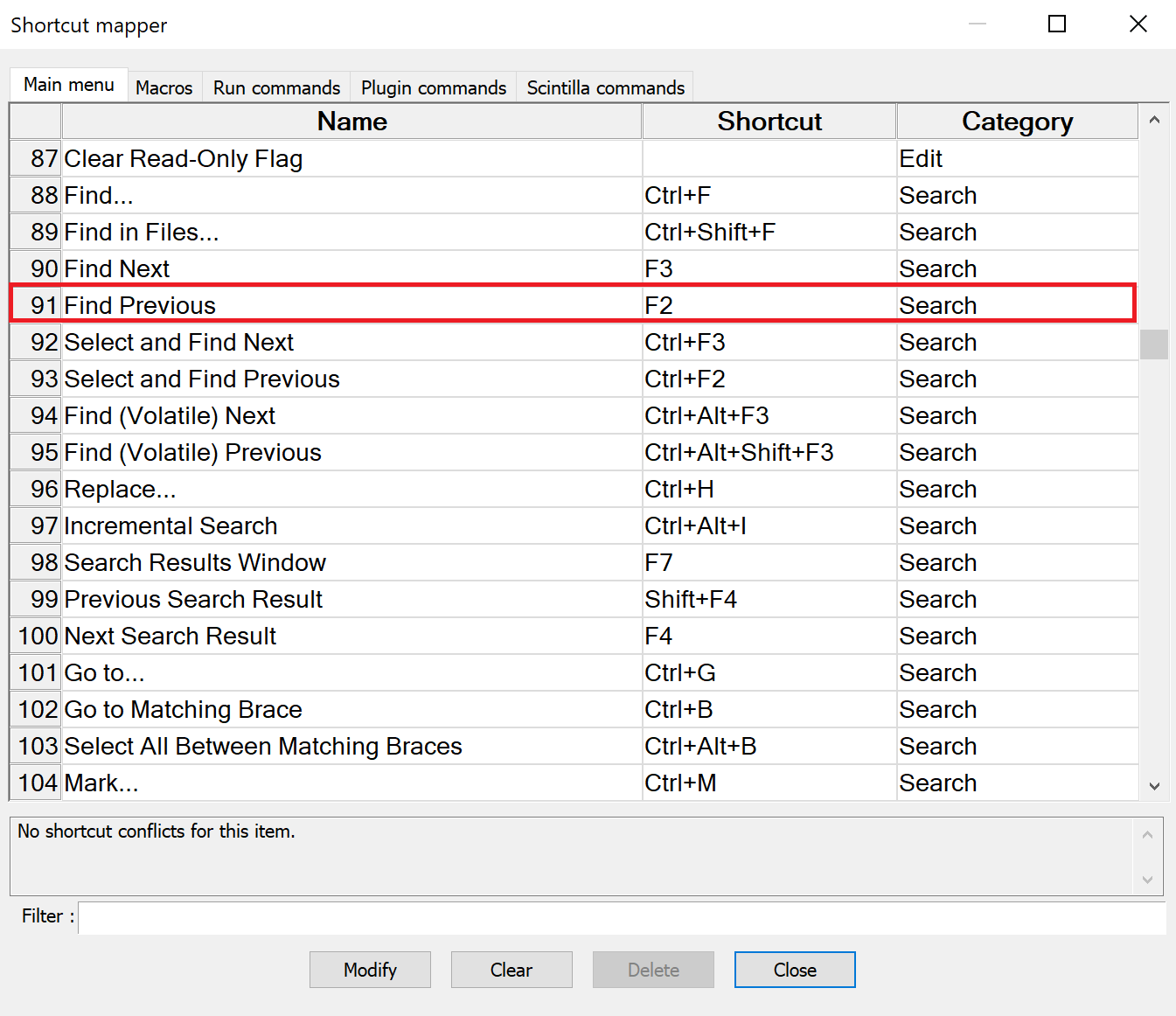
“Find Next”, “Select and Find Next”, and “Select and Find Previous” all seem to be working just fine. It is only “Find Previous” that I have particularly noticed has stopped working. Is anyone else experiencing anything similar or have any direction for how I may fix this? I have tried both 32-bit and 64-bit installs on the same machine, and neither seem to be working with this setting.
Any help would be greatly appreciated! Thanks!
-
Just gave it a try and reconfigured the shortcut like you did and it is working for me.
-
I looked into this a bit further, and it only seems to not work properly when “Regular expression” is chosen as the “Search Mode”. “Find Previous” is working just fine with “Search Mode” set to “Normal” or “Extended”.
Do you see any differences when running in other "Search Mode"s @Ekopalypse?
-
With Npp 7.8.7 the backward search for regular expressions was disabled by default.
To reactivate this, follow the Instructions as described here. -
That fixed it! Thank you so much @Ekopalypse!

Hello! It looks like you're interested in this conversation, but you don't have an account yet.
Getting fed up of having to scroll through the same posts each visit? When you register for an account, you'll always come back to exactly where you were before, and choose to be notified of new replies (either via email, or push notification). You'll also be able to save bookmarks and upvote posts to show your appreciation to other community members.
With your input, this post could be even better 💗
Register Login