open Tabs as Dropdown List
-
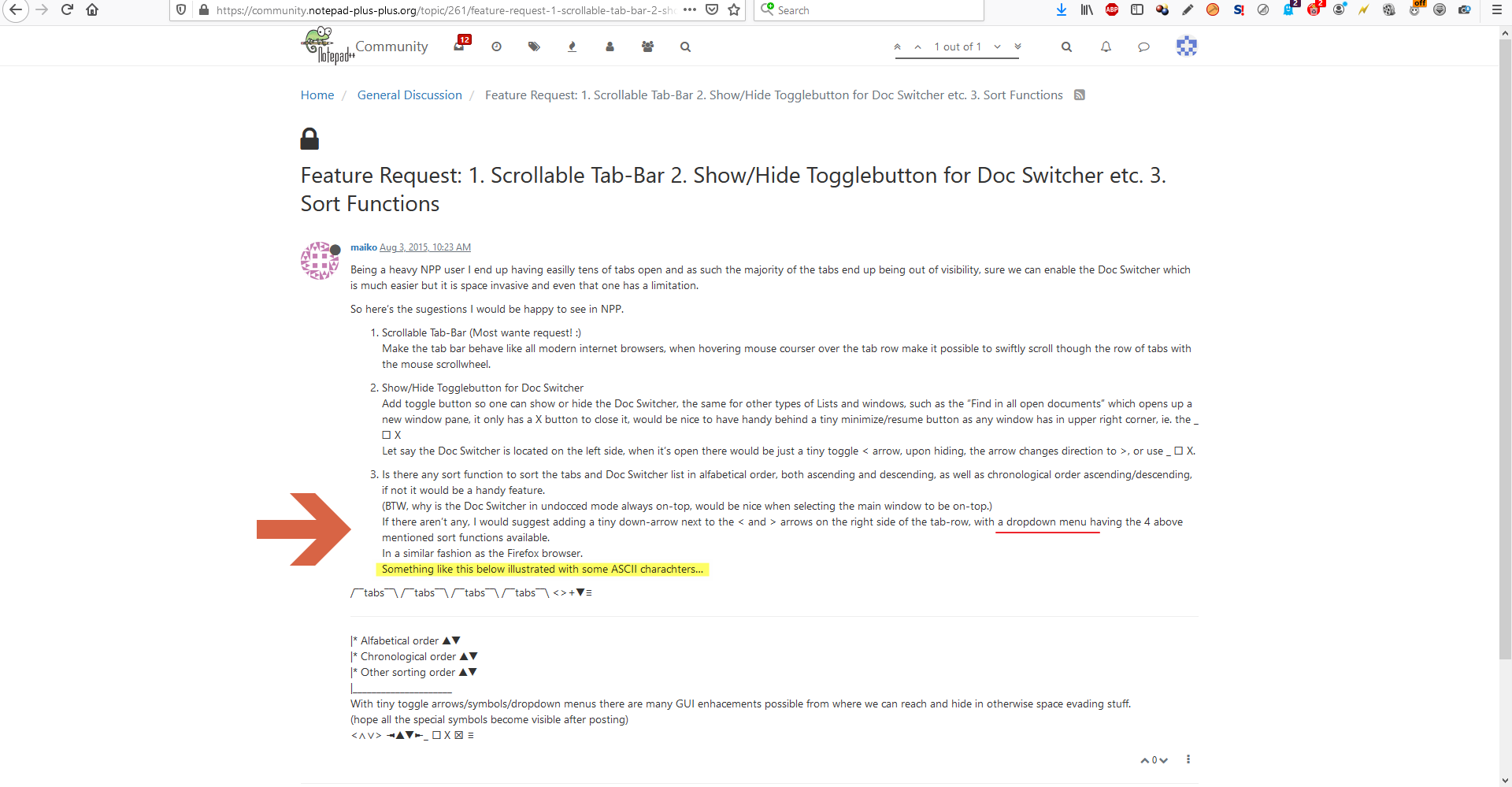
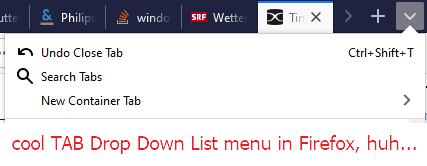
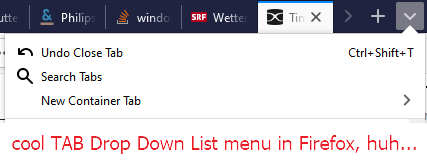
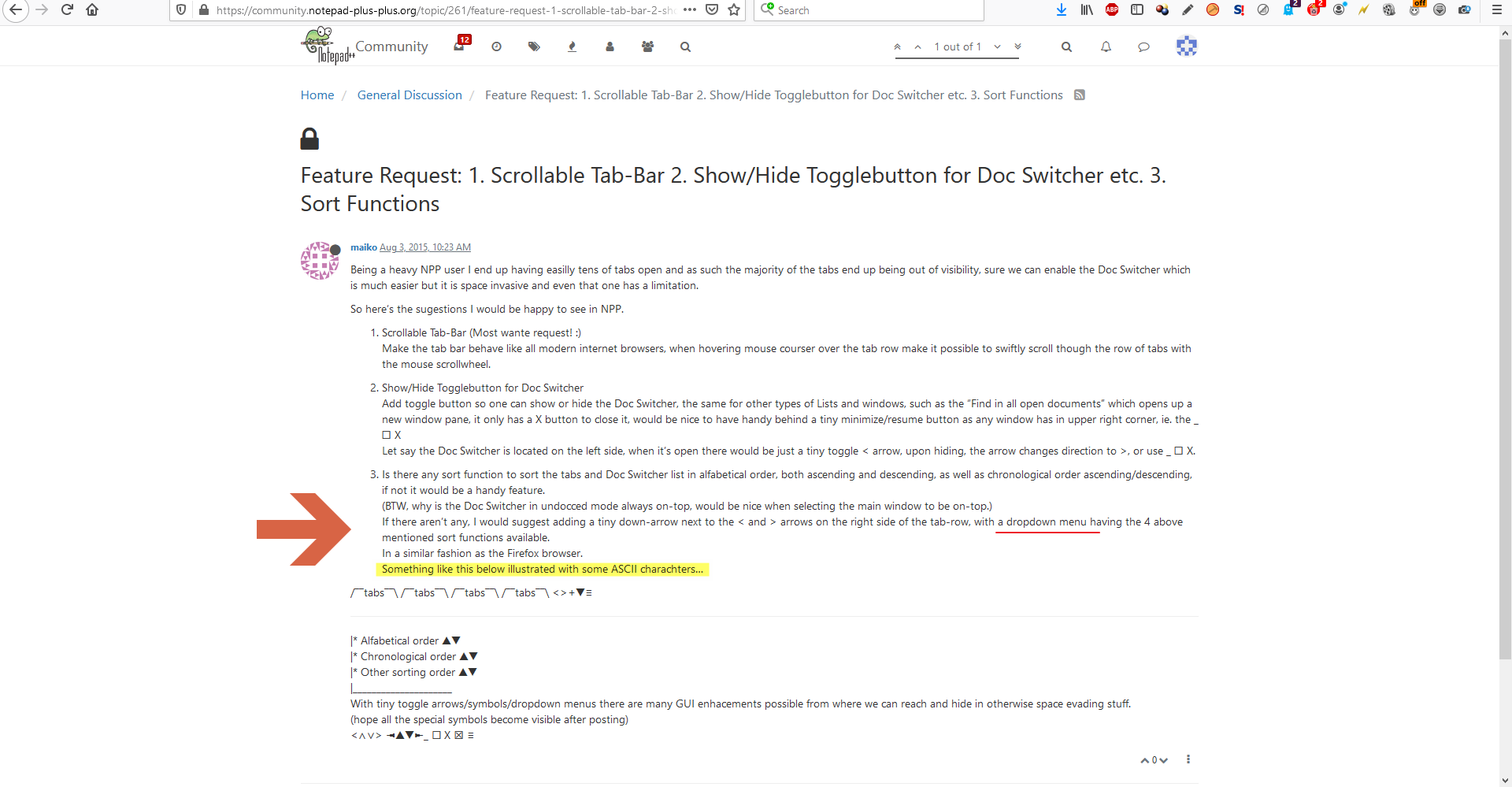
is there a way (for a better overview) I had over 40 Files open to implement a Combi Dropdown List like in Firefox to:
a) see all the open Tabs for a quick selection
b) to search within all the tabsthe case is allready discused but I think no solution until today ;-(
Thanks for any Advise!
-
@eyeq-git said in open Tabs as Dropdown List:
to search within all the tabs
There is a plugin called “NavigateTo” available here:
https://github.com/young-developer/nppNavigateToI see the latest version is 2 years old, and it’s in both 32bt and 64bit versions.
I don’t use it and cannot verify as to it’s capabilities or even if it still functions within the most recent versions of Notepad++ (these are created by people other than the developer of NPP)
It seems to have a search function but other than that you will need to try it for yourself to see if it fits your needs.
Terry
-
a better overview…I had over 40 Files open
Not really sure what you’re looking for; only you know that for sure.
Perhaps it is a 100% replication of what you mentioned (of which I have no knowledge), and nothing else will satisfy. If that’s the case, stop reading right now. :-)Otherwise, here are some options in Notepad++:
Press Ctrl+Tab and you’ll get something like this (yellowish vertical popup):
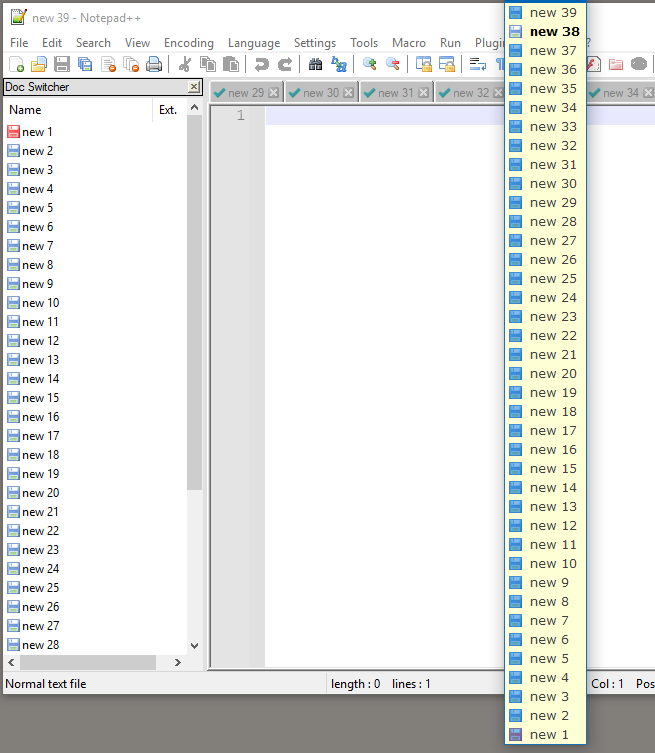
Perhaps that meets the (unknown) need?
Otherwise, look to the left for something called Doc Switcher.
Perhaps that meets the need?My screenshot shows ~40 tabs open, but the tab bar leaves something to be desired as it is single-line by default. What you can do is turn “multiline” on to (eat up some real estate and) look like this:
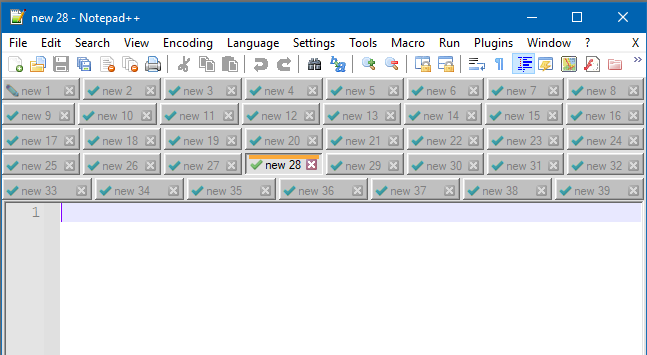
You can show open tabs vertically if you’d like, although that is mainly for the sadistic:
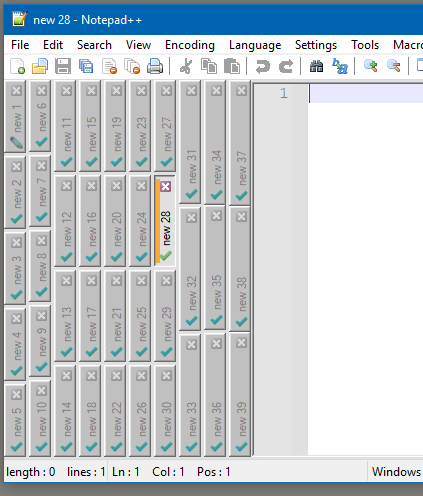
The bottom line is that you have options, but we don’t know what you’ve tried and discarded, or what you’re really after.
search within all the tabs
Have you tried the Find dialog’s Find All in All Opened Documents button?


Hello! It looks like you're interested in this conversation, but you don't have an account yet.
Getting fed up of having to scroll through the same posts each visit? When you register for an account, you'll always come back to exactly where you were before, and choose to be notified of new replies (either via email, or push notification). You'll also be able to save bookmarks and upvote posts to show your appreciation to other community members.
With your input, this post could be even better 💗
Register Login