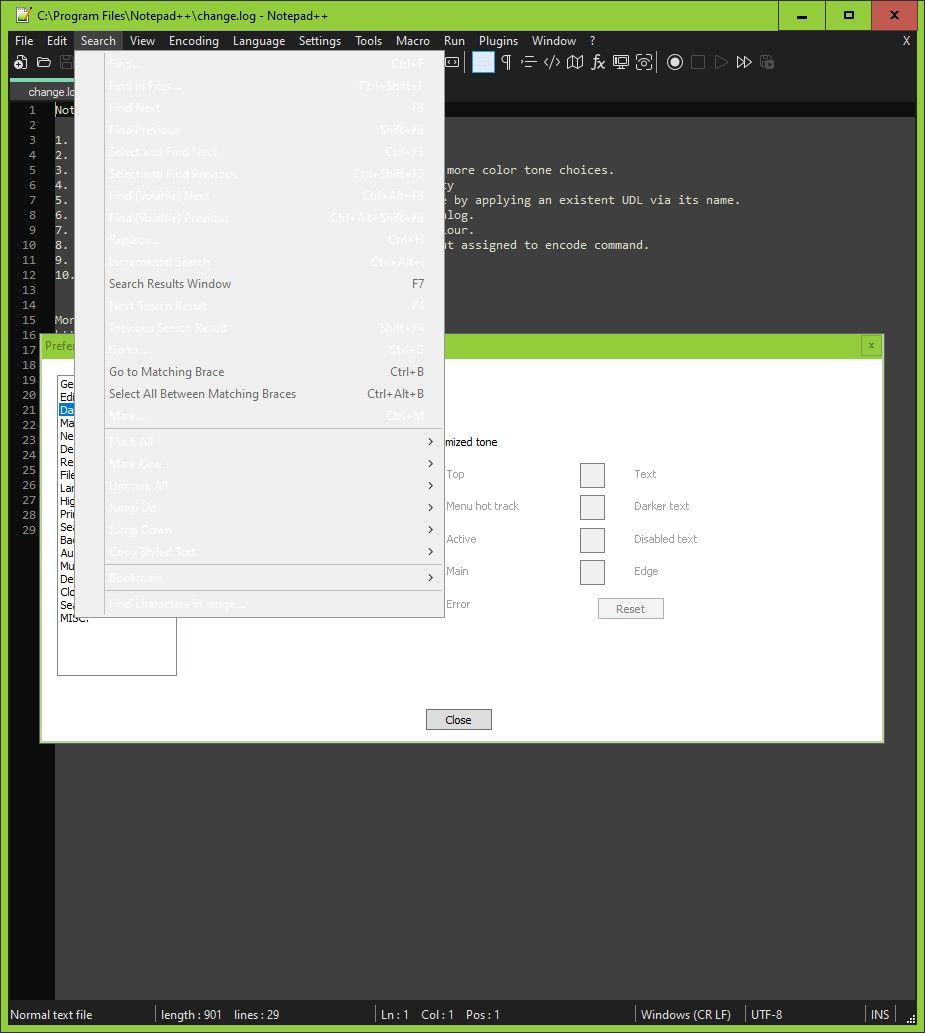
Menus are unreadable in dark mode for me
-
@artie-finkelstein Thanks. I’d earlier looked at that and couldn’t see any way I could control menu text colour. I’m not using the Global override so the Default style is active, and that has Foreground colour black, and background white.
I did try changing back/foreground colours in Global override and using that, but it made no difference to menu text colours.
I will experiment with Windows dark mode, but I don’t want to use that permanently. I use the green border because I find borderless windows a bad UI - windows appear to merge. -
@Roy-Grubb Correction - In Windows Settings, Windows is set to dark mode, Apps to light.
-
@Stefan-Pendl Thanks for further suggestions.
What I have is default Windows mode set to Dark already, default app mode set to light. Whether Windows app mode is set to dark or light, the response of n++ to its own dark mode doesn’t change. Meaning the main editing window shows dark mode nicely and the menus are as shown in the attached image, so basically unusable.
-
It could be nice to see the Debug Info here (in “?” menu).
-
@mere-human OK, never spotted that.
Notepad++ v8.1.2 (64-bit)
Build time : Jul 16 2021 - 01:59:50
Path : C:\Program Files\Notepad++\notepad++.exe
Command Line :
Admin mode : OFF
Local Conf mode : OFF
Cloud Config : OFF
OS Name : Windows 10 Pro (64-bit)
OS Version : 2009
OS Build : 19043.1165
Current ANSI codepage : 1252
Plugins : mimeTools.dll NppConverter.dll NppExport.dll -
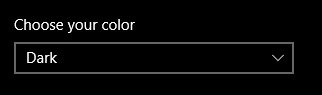
Maybe, it is related to your setup of Windows colors in Settings > Personalization.
I’d also try changing something there and see if it helps.
If you want someone from the developers to look at this problem, you can create a GitHub issue and provide all the details.
https://github.com/notepad-plus-plus/notepad-plus-plus/blob/master/CONTRIBUTING.md#reporting-issues -
@mere-human Thanks, yes, I’ve tried that and haven’t found any combination that works. I’ll see if the developers consider it to be a bug.
Thanks again.
-
@Roy-Grubb
exactly the same here, also with NPP 8.1.3; just want to open a discussion about it, but now will wait what happens here :o) -
by the way,
fresh install on a server 2012R2 shows also in dark mode menus as expected
(black foreground, grey background, perfectly readable)
so something is missconfigured on my W10, I guess :o( -
Here is a GitHub issue:
https://github.com/notepad-plus-plus/notepad-plus-plus/issues/10386
You can see some additional comments there.


Hello! It looks like you're interested in this conversation, but you don't have an account yet.
Getting fed up of having to scroll through the same posts each visit? When you register for an account, you'll always come back to exactly where you were before, and choose to be notified of new replies (either via email, or push notification). You'll also be able to save bookmarks and upvote posts to show your appreciation to other community members.
With your input, this post could be even better 💗
Register Login