Notepad++ 8.1.5 RC 3
-
8.1.5 Release Candidate 3 is available for testing:
http://download.notepad-plus-plus.org/repository/8.x/8.1.5.RC3/The fix in RC3 (from RC2) is:
[Fix a regression of pluginsAdmin](link url)
https://github.com/notepad-plus-plus/notepad-plus-plus/commit/a7a700145d2c7641826a0f81d6a96766da664e0bNotepad++ v8.1.5 new features, enhancements & bug-fixes:
- Make Insert date time customizable. (Fix #10467)
- Make date time order reversible for short & long format. (Fix #10445)
- Add Insert Date/Time commands shortcut & macro capacities. (Fix #10567)
- Fix regression: no error message when locked file could not be saved - Show file locked warning now. (Fix #9994)
- Make “Confirm Save All” dialog more clear: use “Always Yes” button instead of “Cancel”. (Fix #10339)
- Improve JSON, PHP, PYTHON, CSS, BANNC and VHDL syntax highlighting in dark mode. (Fix #10502, #10425, commit)
- Fix inconsistency of Document List context menu. (Fix #10463)
- Enable/disable ext column via Document list context menu directly. (Fix #10468)
- Add path column in Document list panel. (Fix #9679)
- Allow custom color for Document Map. (Fix #10052)
- Fix docked/float panels in RTL layout issue. (Fix #10488)
- Fix CSS pseudo-elements not recognized issue. Update CSS keywords and add new styles. (Fix #10425)
- Fix issue that current directory not been applied after changing current directory option in preferences. (Fix #10396)
- Sort Default language combobox of “New Document” section in Preferences. (Fix #10513)
The new release will be available in about 3-7 days if no regression found.
Thank @Michael-Vincent for his heads up. -
Hello.
Regarding Point 10. Allow custom color for Document Map. This is not solved since I cannot see the option to view it.
Regards and great job BTW.
-
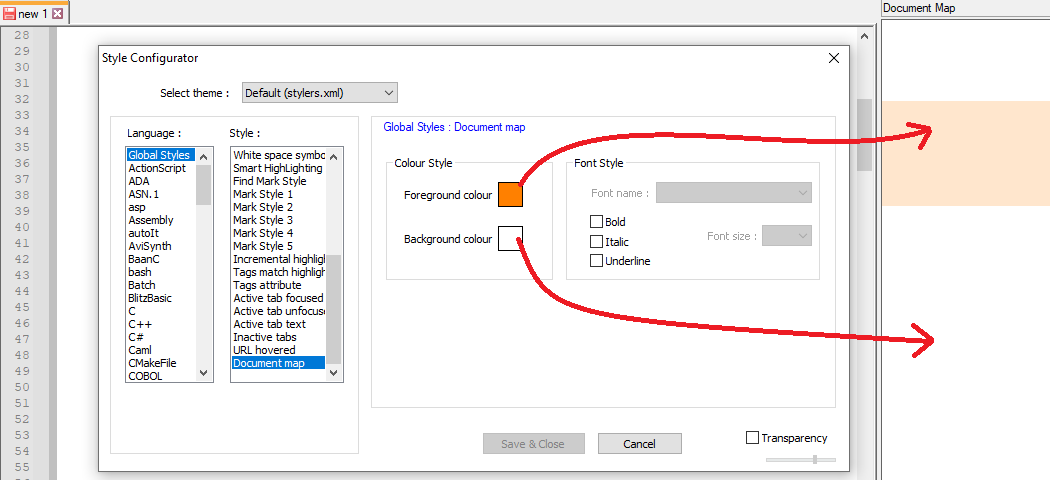
The colors will look slightly different in the Panel because it’s actually applied with transparency overtop whatever’s underneath. But Settings > Style Configurator > Global Styles > Document Map contains the color settings for the Document Map, as advertised in #10.
-
@Javier-Villajos said in Notepad++ 8.1.5 RC 3:
This is not solved since I cannot see the option to view it.
Are you using a custom theme? You will not see it unless you add it to the custom theme:
Notepad++/themes/myCustomTheme.xml<GlobalStyles> <!-- Attention : Don't modify the name of styleID="0" --> [...] <WidgetStyle name="Document map" styleID="0" fgColor="2F393C" bgColor="81969A" fontStyle="0" /> </GlobalStyles> </NotepadPlus>Note, change the
fgColorandbgColorvalues to match the theme you want or just put anything and then you should see it in the Style Configurator (after a close and restart Notepad++) and can configure it there.Cheers.
-
@Michael-Vincent said in Notepad++ 8.1.5 RC 3:
stom theme? You will not
Thanks!! This solved the problem!! Thank you all for your help
-
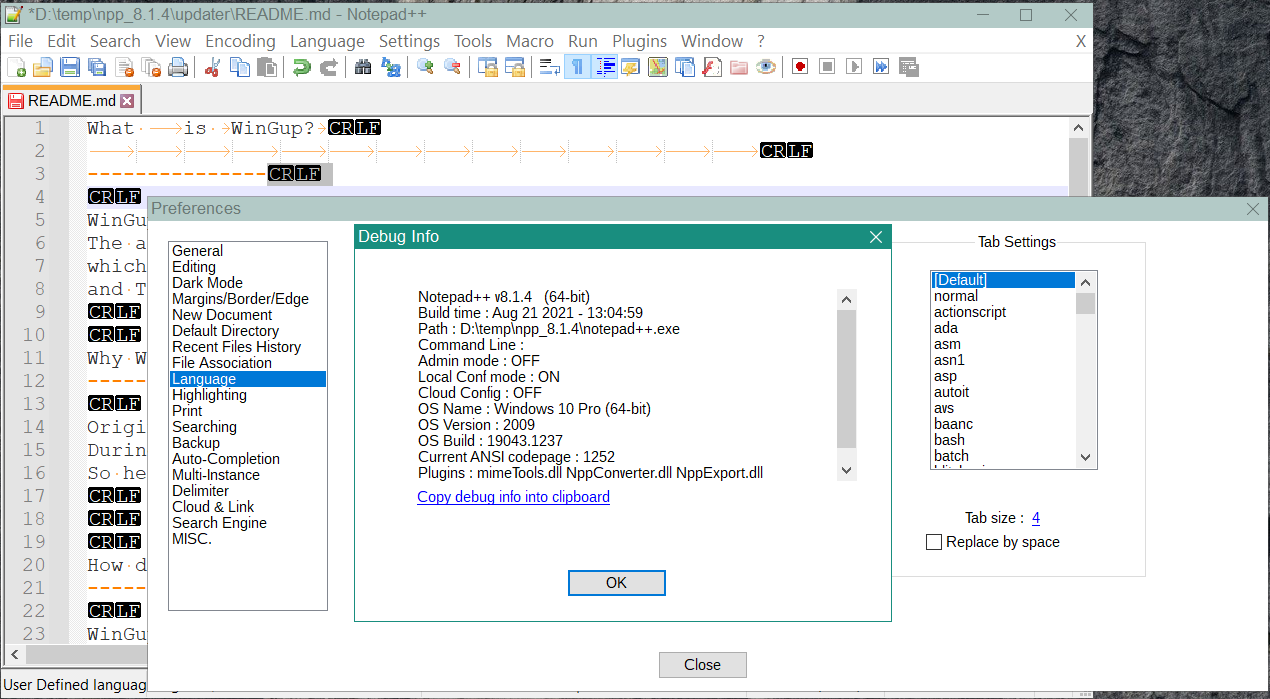
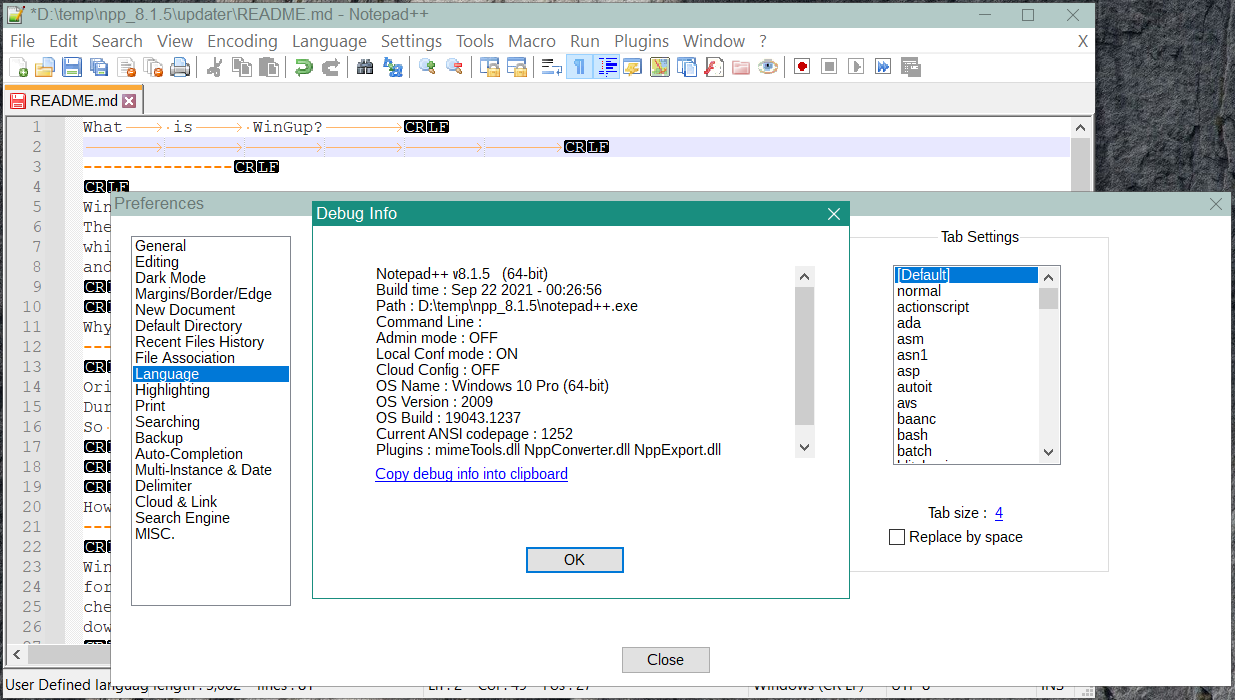
It seems to me that there may be a problem with tab width in UDLs in this version compared with v8.1.4. That is in 8.1.5 the tab size in UDLs seems to not respect the preference but is 8 spaces long. Sometimes you have to save and reopen the file to see this.
-
@ludamo-0
Thank you for the bug report.
It’s fixed in the master, and it’ll be in the next release:
https://github.com/notepad-plus-plus/notepad-plus-plus/commit/2f7490abab7b22ac2e5b578627c96cbdea395689


Hello! It looks like you're interested in this conversation, but you don't have an account yet.
Getting fed up of having to scroll through the same posts each visit? When you register for an account, you'll always come back to exactly where you were before, and choose to be notified of new replies (either via email, or push notification). You'll also be able to save bookmarks and upvote posts to show your appreciation to other community members.
With your input, this post could be even better 💗
Register Login