Recent/Pinned documents missing from the right-click pop-up menu
-
Fellow Notepad++ Users,
Could you please help me the the following right-click pop up menu problem I am having?
I recently changed work computers and lost a feature I was using on my old machine. Both machines were win10 but it is possible the old computer was not as up to date as the new computer.
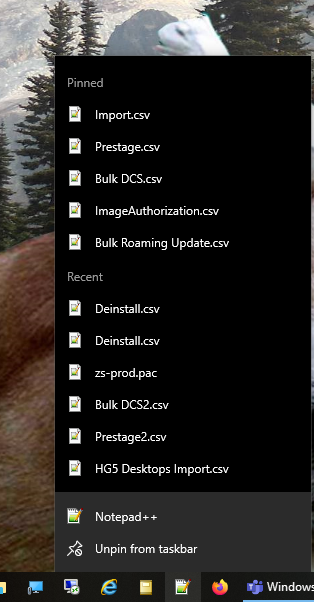
On the new computer the pinned documents and recent documents sections of the right-click pop-up menu are gone. I have tried installing old versions and new versions of notepad++ but have not had any luck.
Any advice or ideas would be greatly appreciated.
Thank you
-
The Jump List you are showing is a feature of the Windows operating system, not of Notepad++ in particular.
And mine is working just fine with the most recent Notepad++ v8.1.9.2 without having done anything special in Notepad++. So there isn’t anything in Notepad++ that is necessary.
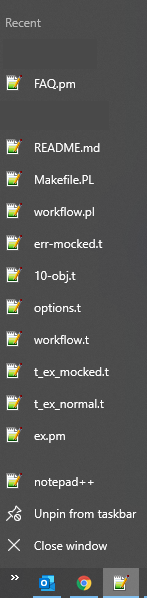
the interwebs tell me that you might have to enable that feature in Windows: Start Menu>Settings>Personalization>Start>“Show recently opened items in Jump Lists” (see here)
That said, there is a NppJumpList plugin which may or may not add extra JumpList features that you want. You can also search this forum for
jumplistto read more about similar issues.(But again, even without that plugin, Windows Jump List works just fine.)
-
Thank you for your reply! I left my new PC at home today so I will have to check that later tonight. The odd thing was that the Jump Menus (recent/pinned documents) were working in other apps (Word, Excel, etc.). The only app that I noticed having issues was Notepad++.
-
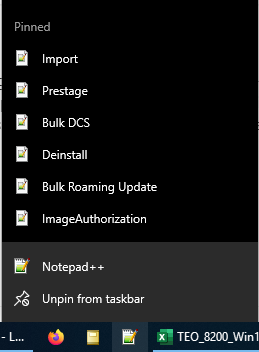
I was able to add pins by dragging documents onto the notepad++ icon. I got the idea here. So I guess the main issue now is that recents are not showing up.


Hello! It looks like you're interested in this conversation, but you don't have an account yet.
Getting fed up of having to scroll through the same posts each visit? When you register for an account, you'll always come back to exactly where you were before, and choose to be notified of new replies (either via email, or push notification). You'll also be able to save bookmarks and upvote posts to show your appreciation to other community members.
With your input, this post could be even better 💗
Register Login