How to delete multiple words/part of lines in log
-
Hi!
Lots of time I’m editing huge log files, for ex. today I’m editing ~ 600 lines. How can I use regex to delete specific stuff to save time? To be precise:
access-list xxx extended permit udp host 10.10.10.10 20.20.20.20 255.255.255.0 eq snmptrap (hitcnt=0) 0xc1bfb91f
access-list xxx extended permit udp host 10.10.10.10 20.20.20.20 255.255.255.0 eq snmptrap (hitcnt=500) 0xc1bfb91fSo afterwards it’s just:
access-list xxx extended permit udp host 10.10.10.10 20.20.20.20 255.255.255.0 eq snmptrap
access-list xxx extended permit udp host 10.10.10.10 20.20.20.20 255.255.255.0 eq snmptrapSo basically, I just need to delete any stuff after (
Tnx
-
You can try
CTRL+F
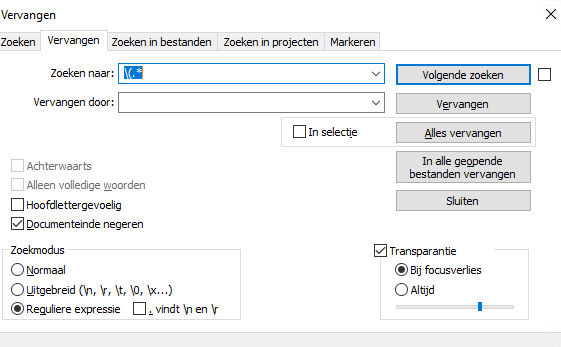
Then click on Change and search for: (.*It search for text that contains ( and all after the ( will removed
-
-
Done it!
It’s going with: \ (.*Thanks! :)


Hello! It looks like you're interested in this conversation, but you don't have an account yet.
Getting fed up of having to scroll through the same posts each visit? When you register for an account, you'll always come back to exactly where you were before, and choose to be notified of new replies (either via email, or push notification). You'll also be able to save bookmarks and upvote posts to show your appreciation to other community members.
With your input, this post could be even better 💗
Register Login