Lexicographically ascending with index
-
Hello, how can we retrieve the index values of the ascending sort data while performing a lexicographical ascend?
For example:cat ant bat elephant dogwill get sorted as
ant
bat
cat
dog
elephant
but how to get the index values of this sort, i.e.
2
3
1
5
4
Thanks.
-
@amazon-books
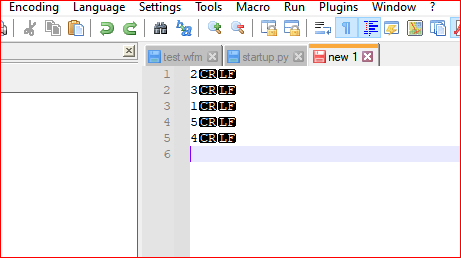
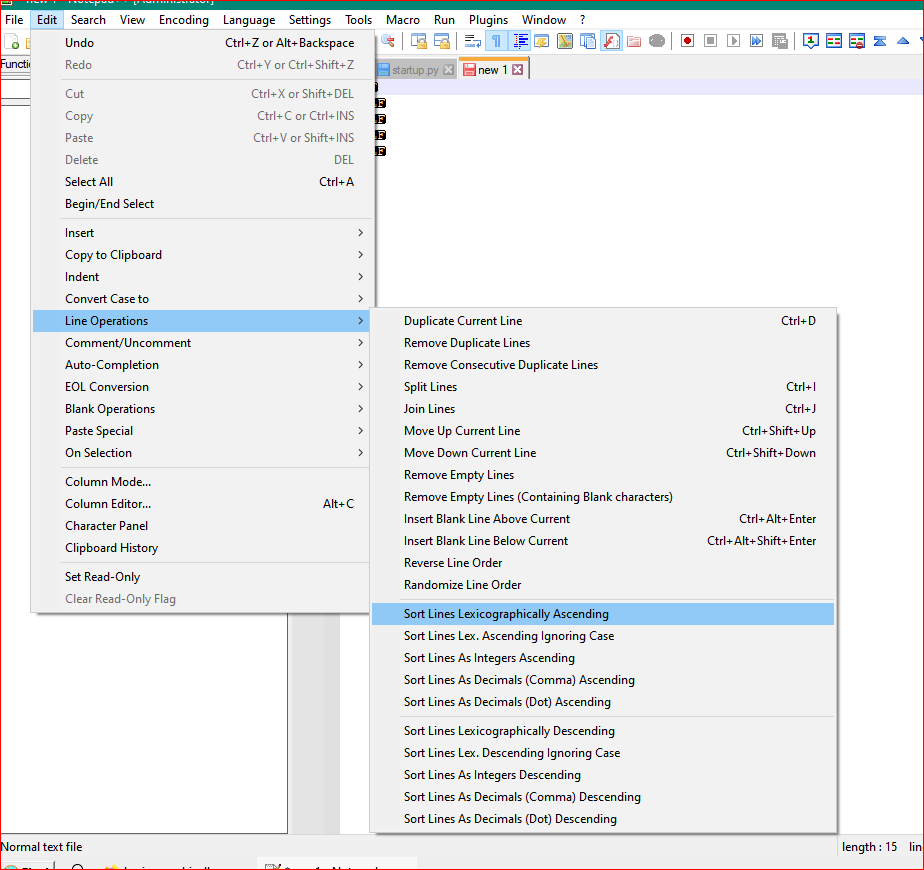
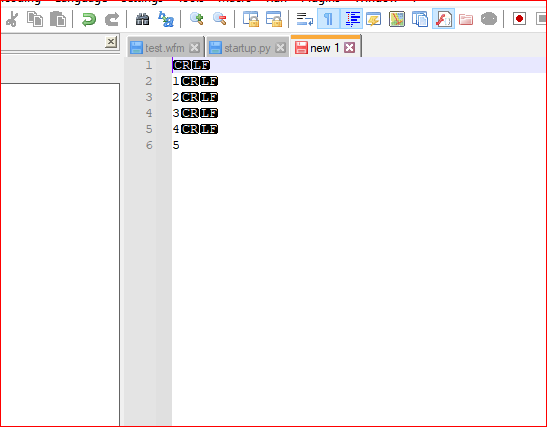
The same way you’s sort the word list. Using your list of numbers, I just sorted it Lexicographically Ascending as the screenshots show.
Using the Edit Menu:
And Viola:
Lee
-
No, not like this.
The list is linguistic-only, made of words, not numbers.
‘Ant’ is at line#2, hence when the list of animals is sorted alphabetically, it rises to the top and occupies position#1. However, in the original list, its index-value was 2. How to recover this index value?
Similarly, the word ‘Dog’ was at line#5 before sorting. After sort, its position is at line#4. How to get the information that its original index-value was 5?
Here is the table of new versus old index-values of the given animal list:new old 1 2 2 3 3 1 4 5 5 4How can we get this table? The list to be sorted is non-numerical, containing only words.
-
@amazon-books You can insert a column of ascending numbers to the right of your text. See Edit|Column Editor.
After sorting, you can use column select (Alt-mouse, or Alt-Shift-arrows) and cut, and perhaps Edit|Blank Operations|Trim Trailing to clean up.
What you’re trying to do is done much more naturally in a spreadsheet.
-
Elaborating on Neil’s reply:
Hold Alt while left-clicking on the first line, in the whitespace out to the far right (in a column number greater than the length of the longest line you are going to sort), and then drag down in the same column, to get a “selection” that looks like this:
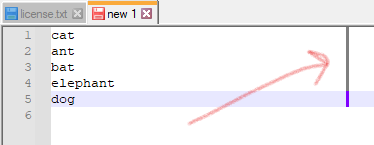
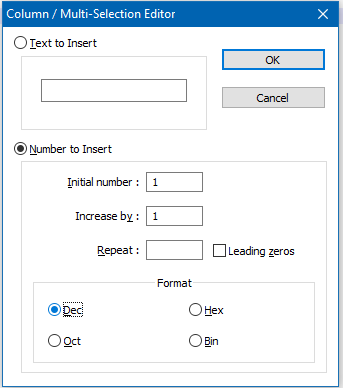
Press Alt+c and set up the box that appears like this:
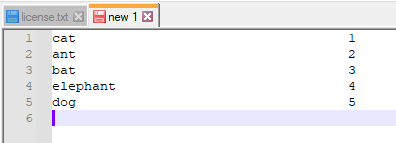
Press OK and your data will be transformed like this:
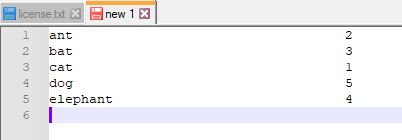
Do your sort to obtain:
-
@alan-kilborn Many thanks.
-
@neil-schipper Thanks.
-
 N Neil Schipper referenced this topic on



Hello! It looks like you're interested in this conversation, but you don't have an account yet.
Getting fed up of having to scroll through the same posts each visit? When you register for an account, you'll always come back to exactly where you were before, and choose to be notified of new replies (either via email, or push notification). You'll also be able to save bookmarks and upvote posts to show your appreciation to other community members.
With your input, this post could be even better 💗
Register Login