RegEx set number of spaces bevore captured group in replace
-
Hi everyone,
Hi to the RegEx Masters, ;)I often have long text files, that are written in a Pseudo-Code, those files are basically
instructiosn how to print something, they also have “blanks bevor starts” now some of them have 3 othres 10 or another number.now when I’m chekcing theese files in notepad++, which is greate because of some custom syntax-highlighing i worte, i have a need to see the positinos of the elements on there true posistions. In order to get this i usa the find and replace function with regex:
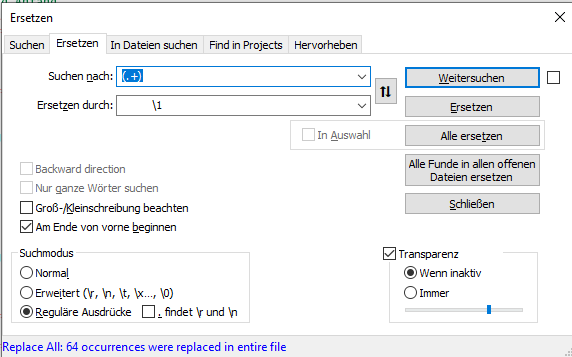
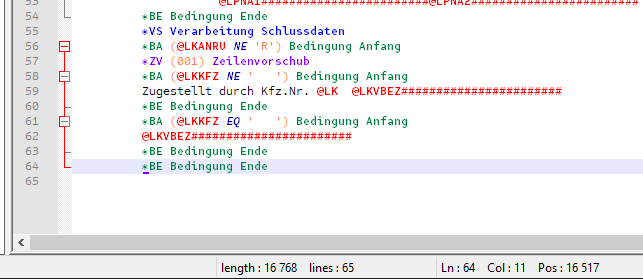
this works but is somewhat anoying.
Now to the Question:
is there a way to set the number spaces liek [space]{10}\1
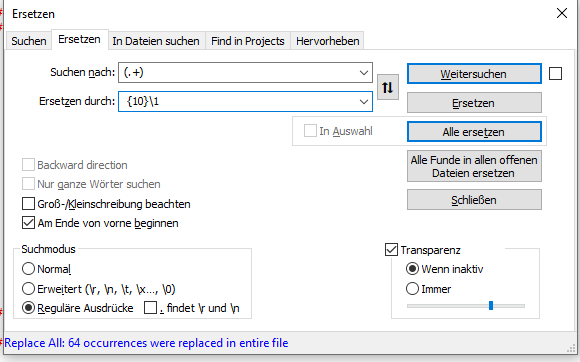
this does not work:
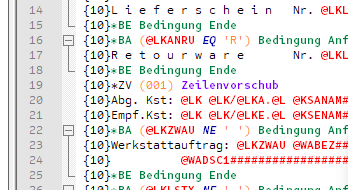
What am I missing? Or is this a limitation of RegEx , or our RegEx flavour?
-
@black_cat said in RegEx set number of spaces bevore captured group in replace:
Or is this a limitation of RegEx , or our RegEx flavour?
I have never seen a flavor of regex that has quantifiers in the replacement section. That might be nice, but I haven’t seen it before. Sorry.
-
@black_cat said in RegEx set number of spaces bevore captured group in replace:
is there a way to set the number spaces liek [space]{10}\1
What the other guy said.
But also be aware that you can use the numeric codes for spaces, as in
\x20\x20\x20\x20\x20\x20\x20\x20\x20\x20\1which makes the expression longer (and so in a way uglier) but also prevents having to look at a sea of white space which is cumbersome to determine length of. -
Thanks to both of you, know that I know that it’s not just my own “not knowing”
i can stop thinking about it so much whenever i work with this.@Neil-Schipper if I have to use a larger number of blanks i usually mark them in notepad++ in an empty new tab and count the selection:
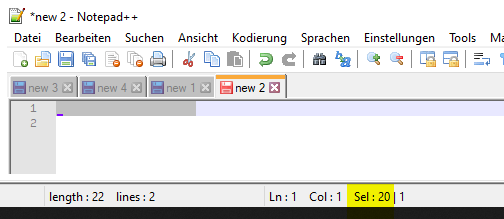
It just would have been niche to sovle this with a RegEx quantifier, but if it isn’t there it isn’t there. ^-^
-
@black_cat Do you know about Edit -> Colum Editor? If your files are well behaved, it can be used to insert a rectangle (full of blanks) to left of existing text.
Also, do you know about recording macros? You can record a macro that does, for ex.
<Home><3 spaces><Home><Down>
and then run it on the whole file when you want to prepend 3 spaces. You can save it as a named macro. You can make a separate macro for each width you routinely need.



Hello! It looks like you're interested in this conversation, but you don't have an account yet.
Getting fed up of having to scroll through the same posts each visit? When you register for an account, you'll always come back to exactly where you were before, and choose to be notified of new replies (either via email, or push notification). You'll also be able to save bookmarks and upvote posts to show your appreciation to other community members.
With your input, this post could be even better 💗
Register Login