Double-click to highlight words not working in Dark Mode
-
In windows 10 and 11 I can only get this functionality to work if Dark Mode is OFF.
-
It works fine for me:

The thing I would check if I were you is if your Settings > Preferences > Global Styles > Selected text colour > Background colour is compatible with Dark Mode – that is, if it contrasts with … > Current line background > Background colour and with … > Default Style > Background colour.
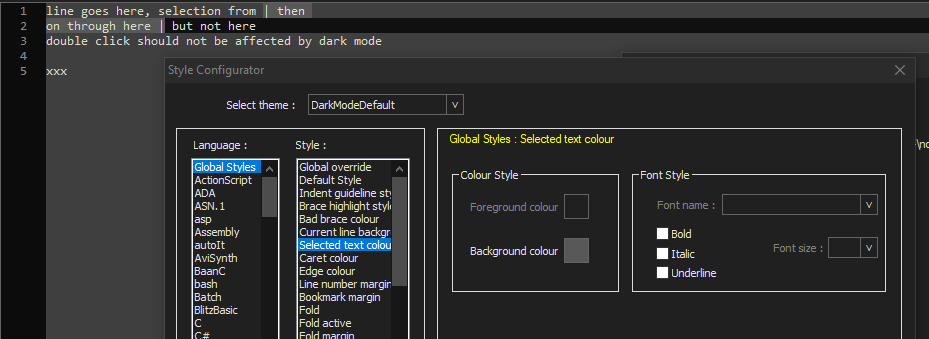
For a fresh download, the DefaultDarkMode theme (which is auto-selected when you switch to Dark Mode) has DefaultStyle=(63,63,63), CurrentLine=(16,16,16), and SelectedText=(88,88,88). Some might not see enough contrast between DefaultStyle and SelectedText with those selections.


Hello! It looks like you're interested in this conversation, but you don't have an account yet.
Getting fed up of having to scroll through the same posts each visit? When you register for an account, you'll always come back to exactly where you were before, and choose to be notified of new replies (either via email, or push notification). You'll also be able to save bookmarks and upvote posts to show your appreciation to other community members.
With your input, this post could be even better 💗
Register Login