Selected text goes funky when N++ loses focus
-
After some delay (and a slow afternoon before a long weekend), I’m starting to work with version 8.4.1 now.
I noticed this peculiarity that I’m wondering if others have seen it. I’d rather not pollute the 8.4.1 announcement thread unless and until I have some confirmation that I’m not unique.
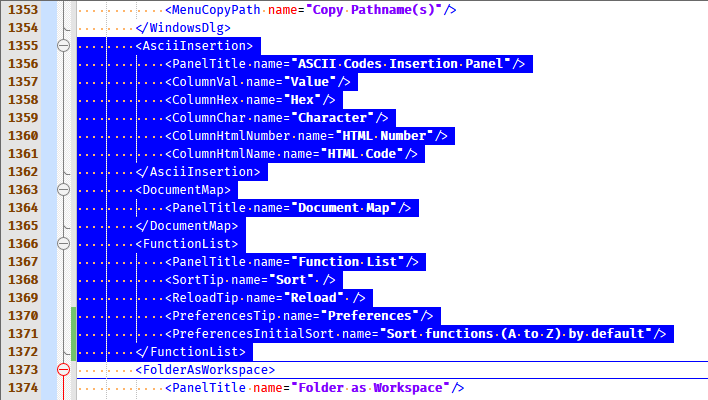
So if I select some text it appears like this:
If I then switch focus to another application, here’s what I see in N++:
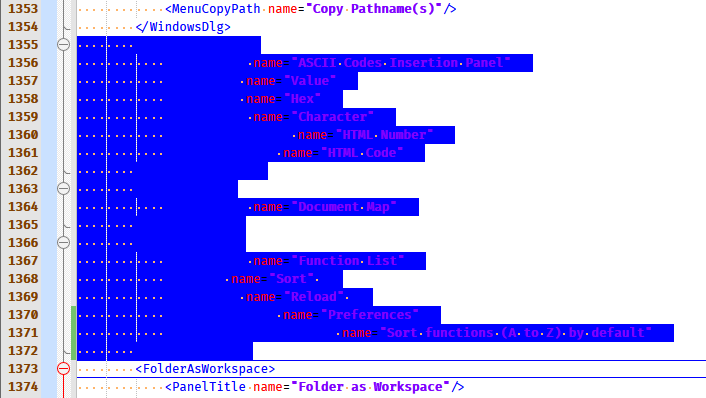
Switching the active app back to N++ restores the first rendering of my text.
Anyone else?
-
I cannot replicate.
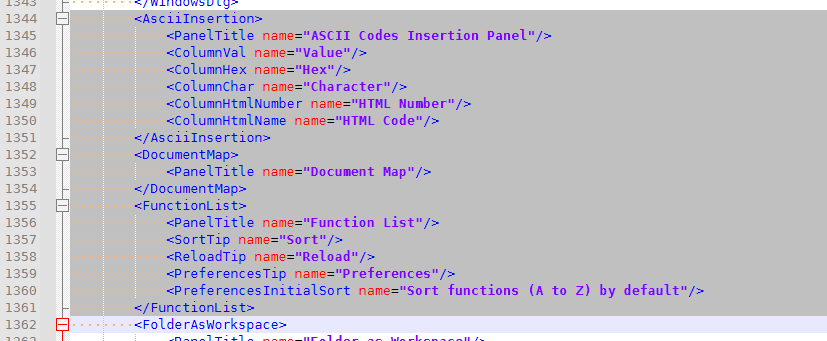
Maybe theme related (though that would be surprising)? Or maybe one of your plugins?
-
@alan-kilborn ,
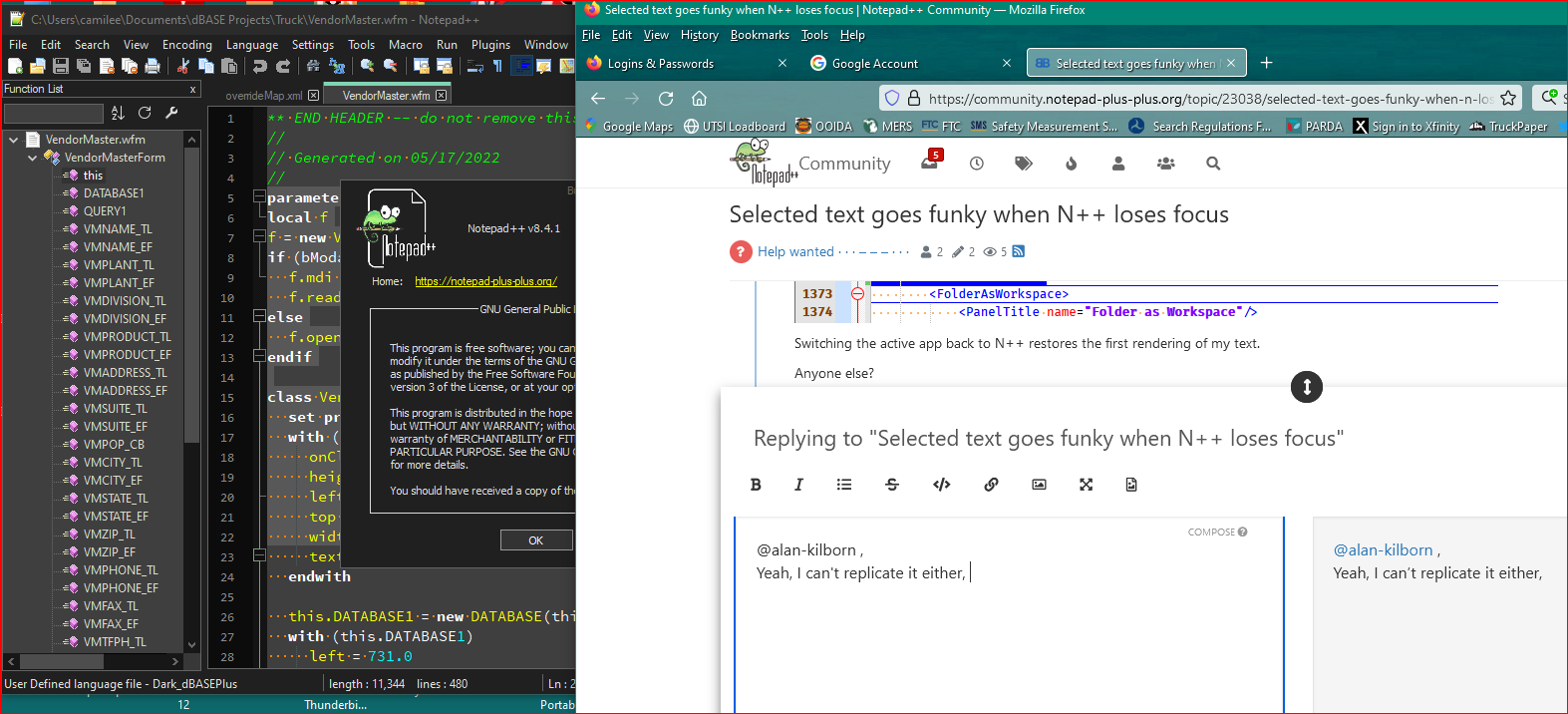
Yeah, I can’t replicate it either, Alan. Sorry. I’m sure you’re not imagining it, but it might not be NPP related either…perhaps refresh rate with Monitor? The interesting thing, is the parts not showing are only the opening tag, and that text is originally white. The red attribute is showing as is the purple text in quotes, so maybe it’s color related? A background color that makes it look like it disappeared? Screenshot:
-
I found a way to reproduce, and I found that it exists in 8.4.2RC1 as well, so I reported it in the announcement thread for that: https://community.notepad-plus-plus.org/post/77104
-
Bad behavior persists in released version 8.4.2. :-(
-
It appears a fix is made (but not yet released of course).



Hello! It looks like you're interested in this conversation, but you don't have an account yet.
Getting fed up of having to scroll through the same posts each visit? When you register for an account, you'll always come back to exactly where you were before, and choose to be notified of new replies (either via email, or push notification). You'll also be able to save bookmarks and upvote posts to show your appreciation to other community members.
With your input, this post could be even better 💗
Register Login