Problem in CSS alignment in same line . css not working
-
Hey my html file is working but my css file not working please help me. Like i want to align all of these order list in the right side and also in same line.
Please help me my assignment Due date is soon.
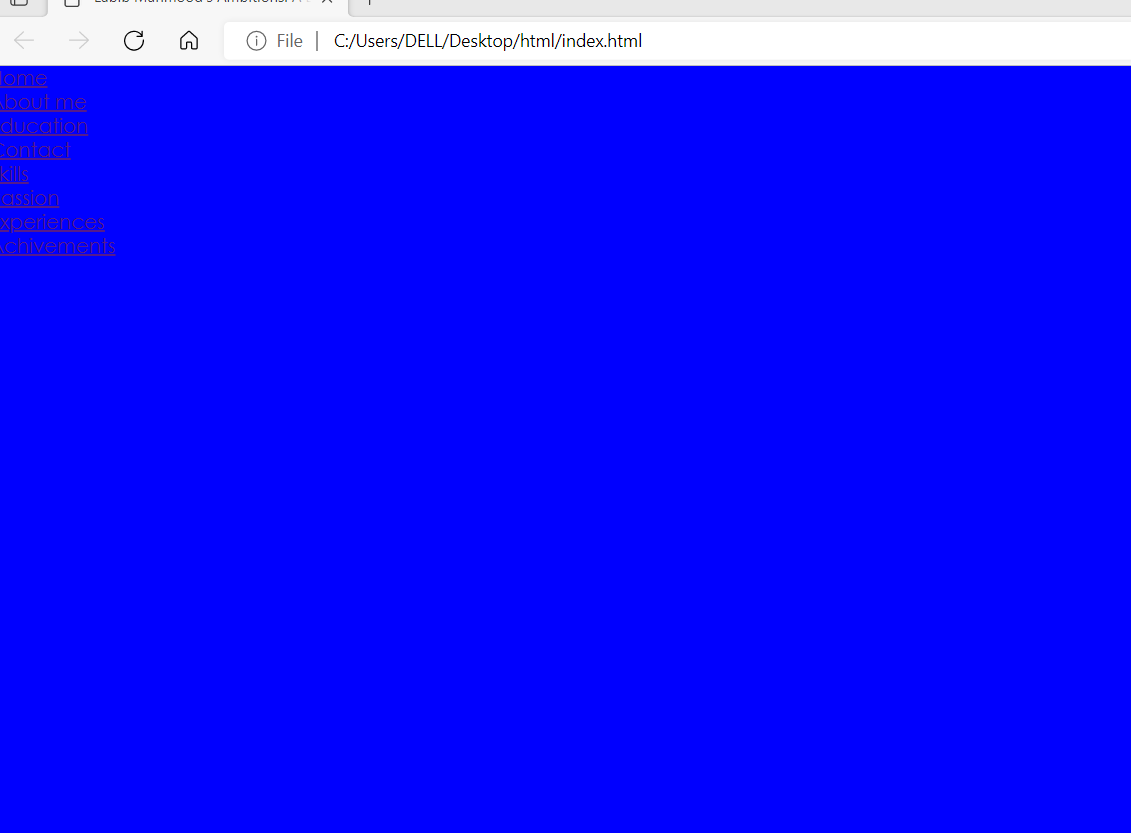
-
See HERE.
-
To align all the ordered lists (ol) to the right side and make them appear in the same line, you can use CSS Flexbox. Here’s how you can do it:
<div class="container">
  <ol>
    <li>Item 1</li>
    <li>Item 2</li>
    <li>Item 3</li>
  </ol>
  <ol>
    <li>Item A</li>
    <li>Item B</li>
    <li>Item C</li>
  </ol>
  <ol>
    <li>Item X</li>
    <li>Item Y</li>
    <li>Item Z</li>
  </ol>
</div>
.container { display: flex; justify-content: flex-end; /* Aligns the ol elements to the right */ } ol { display: inline-block; /* Ensures that each ol appears in the same line */ margin: 0; /* Removes default margin */ padding: 0; /* Removes default padding */ }Explanation:
We wrap all the <ol> elements inside a container <div> for easier styling.
We apply display: flex; to the container to use a flexbox layout.
justify-content: flex-end; aligns the items to the right within the container.
Each <ol> is styled with display: inline-block; to ensure they appear in the same line.We reset default margins and paddings on the <ol> elements to avoid unwanted spacing.
Make sure to link your HTML file to the CSS file correctly. If you still face issues, ensure that your CSS file is properly referenced in your HTML file using the <link> tag within the <head> section:
<head>
  <link rel="stylesheet" type="text/css" href="styles.css">
</head>
Replace “styles.css” with the actual path to your CSS file.
-
The original query was a non Notepad++ related question.
Please don’t answer those type of questions, it only encourages people to ask any kind of question here, when we want to focus on Notepad++ discussion. -
P PeterJones locked this topic on



Hello! It looks like you're interested in this conversation, but you don't have an account yet.
Getting fed up of having to scroll through the same posts each visit? When you register for an account, you'll always come back to exactly where you were before, and choose to be notified of new replies (either via email, or push notification). You'll also be able to save bookmarks and upvote posts to show your appreciation to other community members.
With your input, this post could be even better 💗
Register Login