select products with a certain category (tag)
-
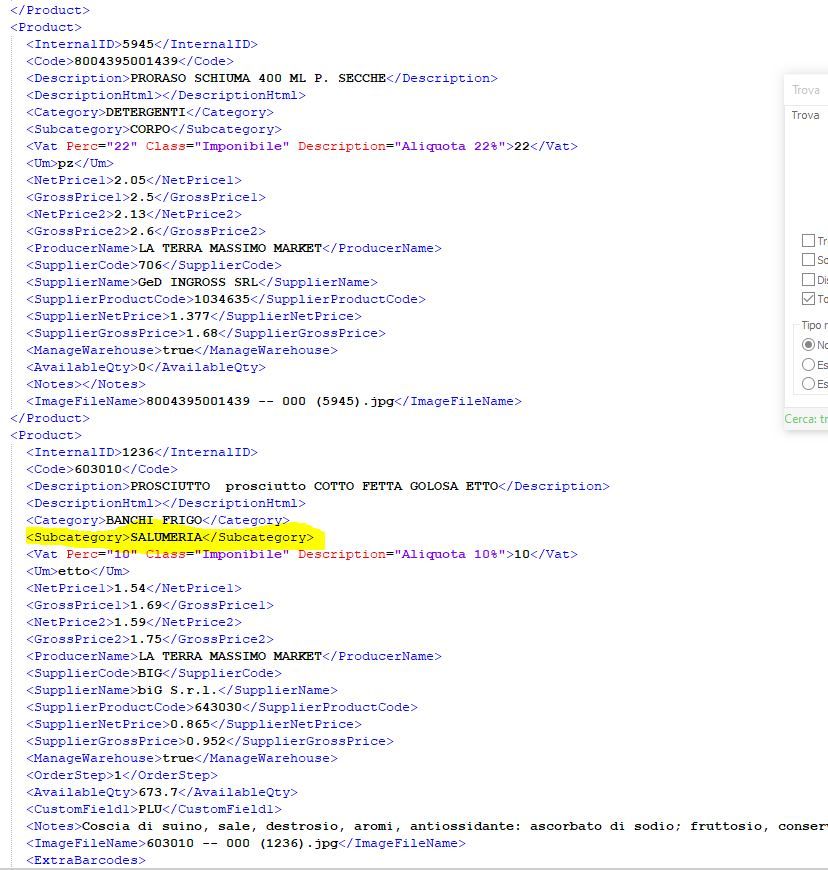
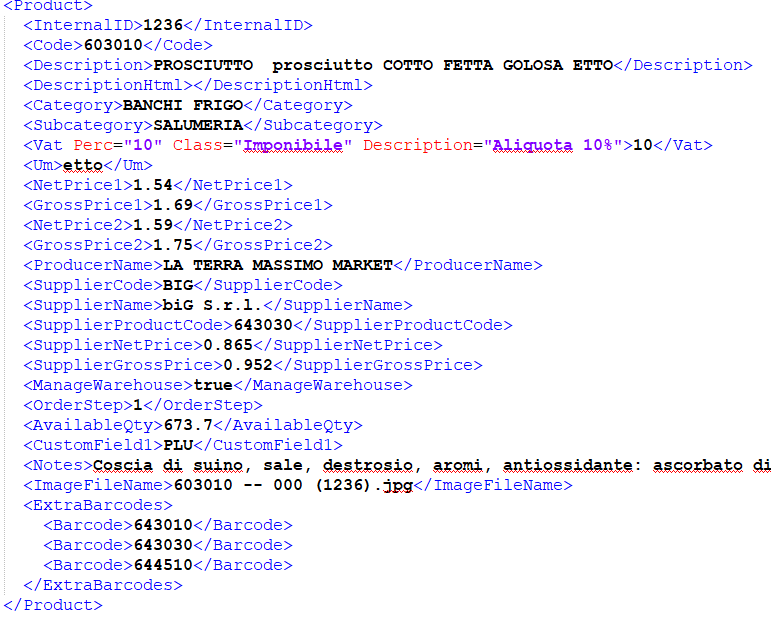
I have an xml file with many products selected by category and subcategory, how can I view only the subcategory I prefer? example subcategory "salumeria"
-
It depends on what you want. In one instance, you say “view”, in another, you say “select”, and those are two different things.
For “view”, take for instance the following simplified data:
<parent>
<Product>
    <id>11111</id>
    <code>22222</code>
    <Subcategory>CORPO</Subcategory>
</Product>
<Product>
    <id>333</id>
    <code>4444</code>
    <Subcategory>SALUMERIA</Subcategory>
</Product>
</parent>
If I do View > Fold All (
Alt+0), it will collapse it down to only showing the parent: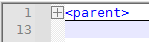
At this point, if I search for
SALUMERIA, it will just uncollapse the segment necessary to show the line containingSALUMERIA:
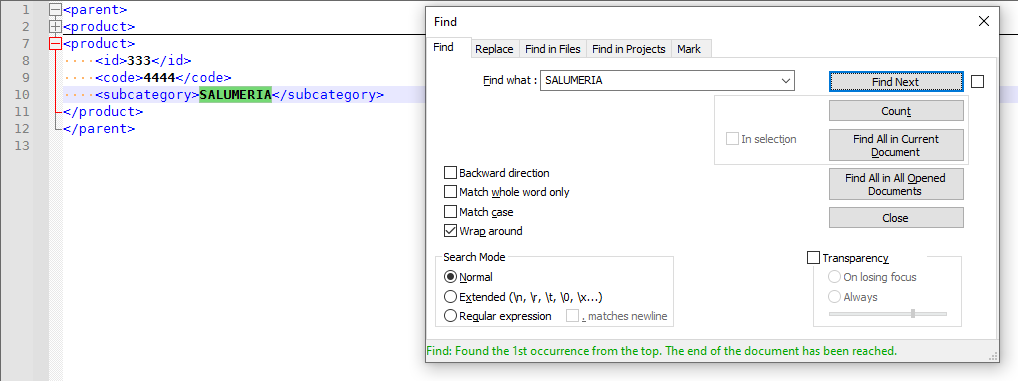
(sorry, my screenshots above were taken when I had all lowercase for the tags; I uppercased them after I realized it would affect the regex below)
-----
On the other hand, if you want to select the whole
<Product>...</Product>which contains<Subcategory>SALUMERIA</Subcategory>, then a search similar to Find what =(?s)<Product>(?:(?!</Product>).)*?<Subcategory>SALUMERIA</Subcategory>(?:(?!</Product>).)*?</Product>\R?with Search Mode =Regular Expressionshould be used.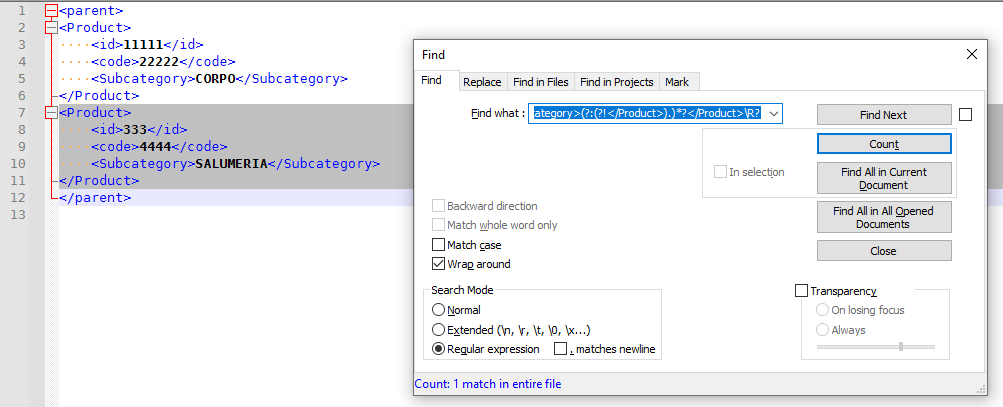
-
thanks for the answer, sorry for my translated English, in practice with a click I would like to display only the products of the Subcategory> SALUMERIA </Subcategory>
-
@massimo-la-terra said in select products with a certain category (tag):
thanks for the answer, sorry for my translated English, in practice with a click I would like to display only the products of the Subcategory> SALUMERIA </Subcategory>
Notepad++ is an editor, not an XML Presentation filter, so it will never give you exactly that. Its job is to make it easy to edit the raw text as a whole, not easy to just see filter the sub-categories you want
My first set of instructions will allow you to hide everything, and then you just do the search (as described above) to find the next occurrence of that; after you’ve cycled through enough “Find Next”, you will have shown all the product groups with the subcategory SALUMERIA. Problem solved.
For example,
- start with
<Product>
	<irrelvant>...</irrelvant>
	<Subcategory>SALUMERIA</Subcategory>
	<irrelvant>...</irrelvant>
</Product>
<Product>
	<irrelvant>...</irrelvant>
	<Subcategory>OTHER</Subcategory>
	<irrelvant>...</irrelvant>
</Product>
<Product>
	<irrelvant>...</irrelvant>
	<Subcategory>SALUMERIA</Subcategory>
	<irrelvant>...</irrelvant>
</Product>
<Product>
	<irrelvant>...</irrelvant>
	<Subcategory>OTHER</Subcategory>
	<irrelvant>...</irrelvant>
</Product>
So there are two products in the SALUMERIA subcategory, and two that aren’t.
2. Hit Alt+0 to hide everything
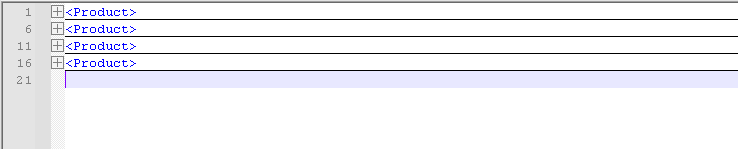
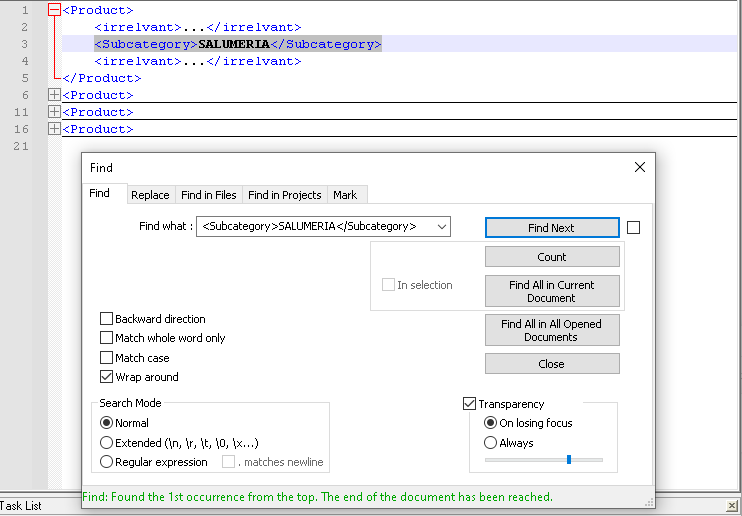
3. FIND =<Subcategory>SALUMERIA</Subcategory>
4. FIND NEXT will show the second one as well:
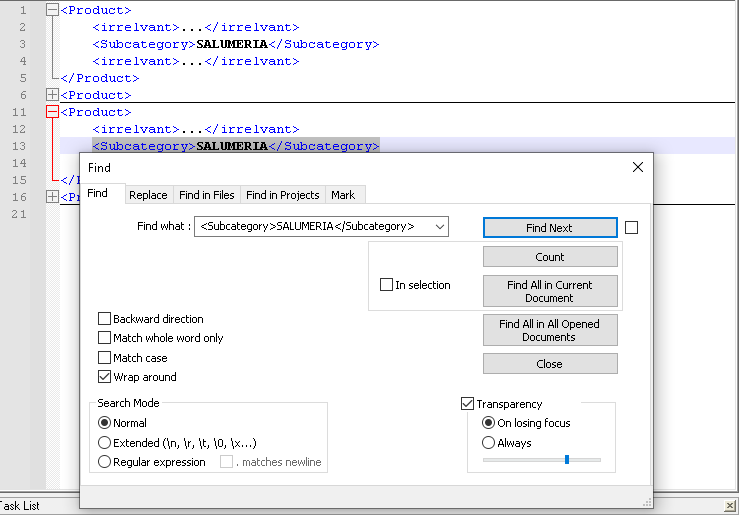
5. Repeat FIND NEXT until they have all been revealed.It’s not a single click, but it doesn’t take all that long.


Hello! It looks like you're interested in this conversation, but you don't have an account yet.
Getting fed up of having to scroll through the same posts each visit? When you register for an account, you'll always come back to exactly where you were before, and choose to be notified of new replies (either via email, or push notification). You'll also be able to save bookmarks and upvote posts to show your appreciation to other community members.
With your input, this post could be even better 💗
Register Login