Notepad++ is getting slower
-
Hi community,
My notepad++ always get slower and slower after using for a while, it’s lagging when typing or open a sub-window. Also, there’s a bunch of progress as screenshot below running in background and didn’t be clear out when I close the window.
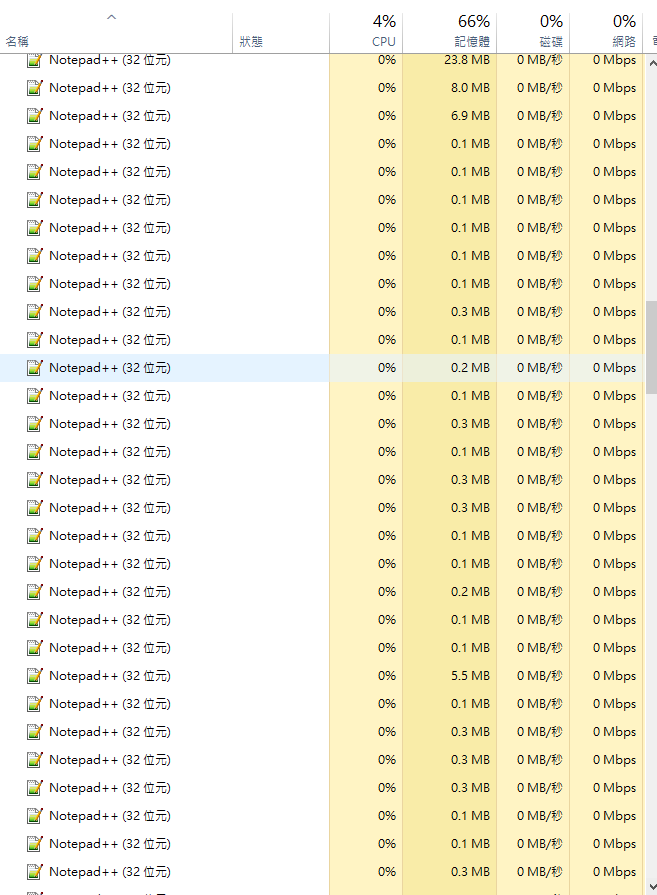
Does anyone know why and how to fix it? is that result in using too much multiple windows( 5 - 7 ) at same time? >"<
For your reference, the version of my Notepad++ is v8.4.4(32-bit) and the following are the plugins I’ve installed.
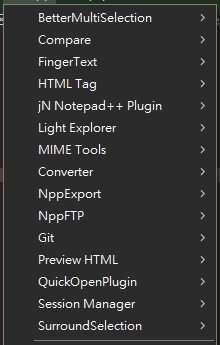
Many thanks.
-
@inu20 said in Notepad++ is getting slower:
My notepad++ always get slower and slower after using for a while,
Are you opening each new tab or file in a “new instance” of Notepad++? This would be dependent on having the setting to allow “multi-instance”, see image below and note my setting is “mono-instance”.
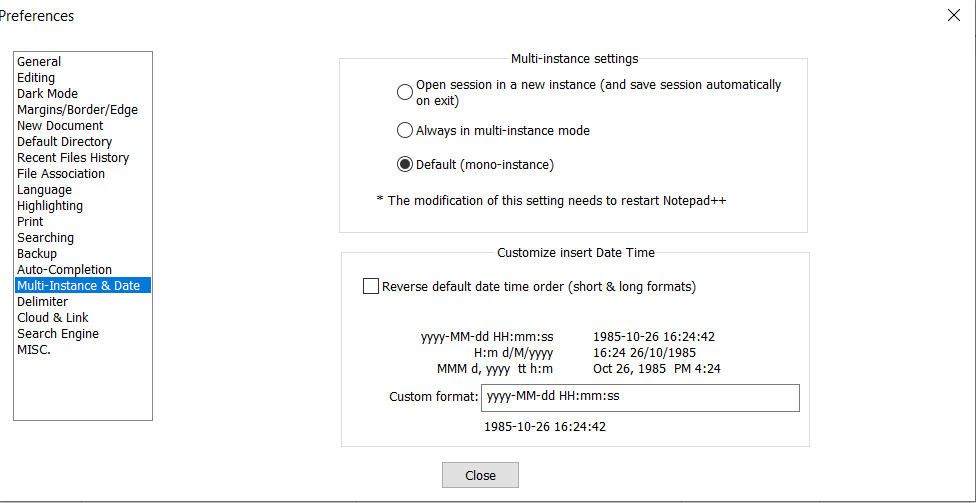 .
.As it is, you may need to provide more information on how you use Notepad++ and if you leave it running if you put your PC to sleep.
Terry
-
@Terry-R Hello Terry, my setting is ‘Always in multi-instance’ as screenshot below.
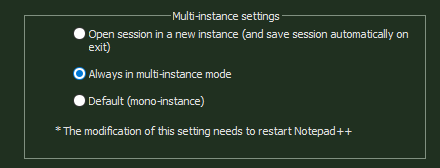
I usually open a new instance for keeping different tasks in separate windows, so I might have multiple instances at same time and each has multiple files opening. After one of instance been closed, a new Notepad++ process created and running in the background, and as the screenshot at the original post, the list might increases over than 10 processes in a day and can only be killed one by one by manually or by restart the PC.
Please let me know what else information that I could provide. >"<
Many thanks,
N -
@inu20 said in Notepad++ is getting slower:
After one of instance been closed, a new Notepad++ process created and running in the background, and as the screenshot at the original post, the list might increases over than 10 processes in a day and can only be killed one by one by manually or by restart the PC.
I cannot replicate that, even when I switched to “always start in new instance” checked to try to replicate your experience. When I start a new instance (whether it’s by using Windows Explorer to open a file in Notepad++, or whether I move or copy the active tab in one Notepad++ instance into a new instance), a new
notepad++.exeshows up in my task manager. But as soon as I exit that instance (File > Exit, or clicking on the window close-X in the upper right), the task is closed and my task manager shows one fewernotepad++.exein the list.I see that your original screenshot showed a lot of plugins. You might try seeing if running without plugins (use the
-noPluginoption when you launch Notepad++) fixes the problem. If it does, you can narrow it down to see which plugin is causing the problem. You also might try upgrading to v8.4.6.


Hello! It looks like you're interested in this conversation, but you don't have an account yet.
Getting fed up of having to scroll through the same posts each visit? When you register for an account, you'll always come back to exactly where you were before, and choose to be notified of new replies (either via email, or push notification). You'll also be able to save bookmarks and upvote posts to show your appreciation to other community members.
With your input, this post could be even better 💗
Register Login