[Wishlist] Reverse search
-
It might be useful to have an option when you search in files to select all the files where the search fails. It should work for both normal search and regular expressions. For example, select all files where there is not word “Abracadabra” in folder c:\wizard.
-
Do a regular expression search for
(?s-i)\A(?:(?!\QYour Expression\E).)+\z
where, in your example, Your Expression =AbracadabraReference: https://community.notepad-plus-plus.org/topic/19134 Mar 31, 2020, 9:57 AM posting
-
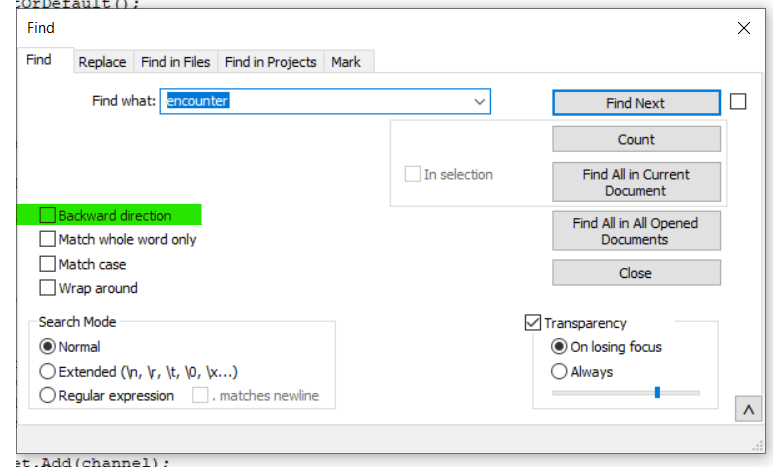
There already is a reverse search option
-
There already is a reverse search option
Re-read the original post, not just the title: they didn’t want “search backwards in document”, they wanted “all files that do not contain”.
-
Fairly sure that
(?s-i)\A(?!.*\QYour expression\E).(or with the(?s)flag instead if ignoring case) is a rather simpler but equally effective alternative to AlanKilborn’s regular expression.Note that I have a
.after the negative lookahead because Notepad++ sometimes ignores empty matches and this ensures that the match is not empty. -
@Mark-Olson said in [Wishlist] Reverse search:
is a rather simpler but equally effective alternative to AlanKilborn’s regular expression.
Not mine! See the linked posting.





Hello! It looks like you're interested in this conversation, but you don't have an account yet.
Getting fed up of having to scroll through the same posts each visit? When you register for an account, you'll always come back to exactly where you were before, and choose to be notified of new replies (either via email, or push notification). You'll also be able to save bookmarks and upvote posts to show your appreciation to other community members.
With your input, this post could be even better 💗
Register Login