How to change apostrophe to letter g as a whole word
-
Is it possible to change word ending “in’” to “ing” for example “something” and “breaking”? Somethin’ to something.
I used Gemini and they gave me
\b(in )'\z
\b(in')'\z
\b(in)\z
\b(in)(?<!g)\z
But all didn’t work.
-
But all didn’t work.
Of course not. None of those correctly described the circumstances you wanted.
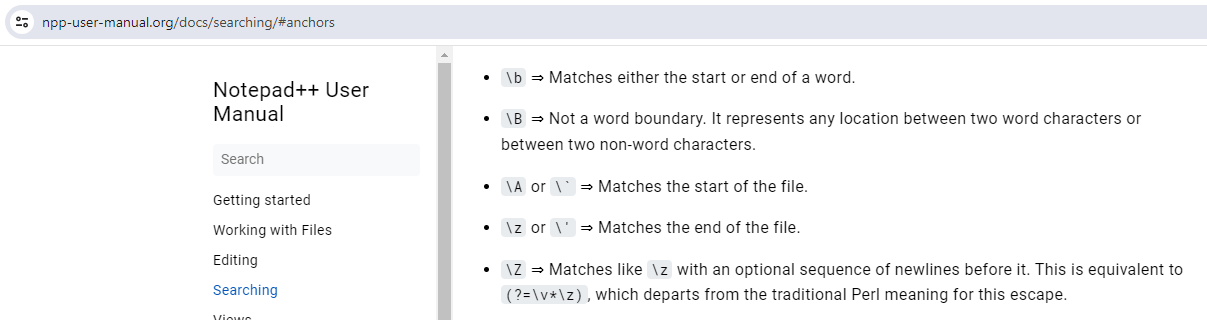
Looking at https://npp-user-manual.org/docs/searching/#anchors for the definitions of the sequences at the beginning and end of all those attempts ⇒
First, the
\bmeans “word boundary”, andsomethin'andbreakin'do not have a “word boundary” between thehorkand thein; in fact, if anything, you want a “not a word boundary” before thein, so it would be\B(in)instead.Second,
\zmatches the end of the file, so unless thein'toingis at the very end of your file, there is no way any of those will work.Ignoring the incorrect
\band\zplacement in all those expressions:(in )'⇒ requires a space before the apostrophe, which I doubt you want(in')'⇒ requires two apostrophes (one that you want to keep and one you want to throw away), which is not what you claimed you wanted(in)⇒ will matchinanywhere, rather than being restricted to the end of a word(in)(?<!g)⇒ not quite what you want, because that would match theininbrink- and why use a lookbehind at the end of a sequence? It doesn’t do what you think. It says “match
ithenn, then in the next character position, make sure that agdoes not come before”. So in the wordsomething, you would match theiand then then, then the cursor is betweennandgand it looks backwards and says “the character before (that is, thenyou just matched) is not ag, so I am fine”.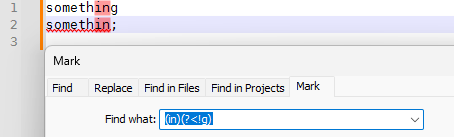
- I think what you intended was a negative lookahead instead:
(?!g)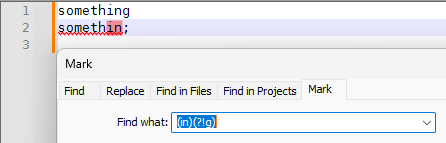
- but if you use the apostrophe, which is required for what you were describing anyway, you don’t need the negative lookahead for the
gat all, because matching an apostrophe will obviously not match agin that same character location.
- and why use a lookbehind at the end of a sequence? It doesn’t do what you think. It says “match
Closer to what you want is
\B(in)'… which will work on all the examples above… but that has a problem: it will matchKarin's, which you probably don’t want. So then add a negative lookahead for a word character – so it will allow punctuation or space or newline or EOF after the apostrophe, but not alphanumeric.Final result:
\B(in)'(?!\w)-—
Useful References
-
@PeterJones Thank you, it works


Hello! It looks like you're interested in this conversation, but you don't have an account yet.
Getting fed up of having to scroll through the same posts each visit? When you register for an account, you'll always come back to exactly where you were before, and choose to be notified of new replies (either via email, or push notification). You'll also be able to save bookmarks and upvote posts to show your appreciation to other community members.
With your input, this post could be even better 💗
Register Login