Notepad++ not remembering where the current file is saved
-
Hopefully this is an easy question-first ever post! Why does Notepad++ no longer remember where the current file has been saved?
For example:
“File|Save As…” file1.txt located in \directory1
Then:
“File|Save As…” file2.txt located in \directory2 -> defaults to saving it in \directory1 - instead of \directory2.Notepad++ used to default to saving the file in its current directory, ie: “File|Save As…” file2.txt in \directory2. Any ideas or hints?
Thank you!
Ben -
Which setting do you have on Settings > Preferences > Default Directory > Default Open/Save file Directory?
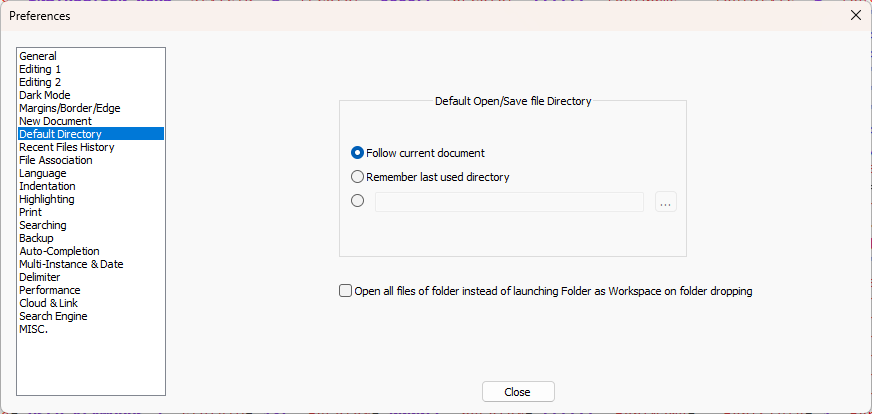
See User Manual : Default Directory settings
-
@PeterJones yes that was it!
So indeed it was an easy one - you’d think I would have figured that out. Haha
Thank you for pointing me to the setting!


Hello! It looks like you're interested in this conversation, but you don't have an account yet.
Getting fed up of having to scroll through the same posts each visit? When you register for an account, you'll always come back to exactly where you were before, and choose to be notified of new replies (either via email, or push notification). You'll also be able to save bookmarks and upvote posts to show your appreciation to other community members.
With your input, this post could be even better 💗
Register Login