Copyng of non breaking spaces to notepad++ from Open Office not working
-
Hi
I copy text to Notepad++ in French which uses lots of non breaking spaces, and it has suddenly stopped copying over nonbreakinng spaces from Open Office. They are copied across as ordinary spaces. Have I inadvertently changed some setting please ?I’ve appended by debug bits below.
Not sure how I get a reply as a new user, but hope someone can help please
Arthur Hodgett
Notepad++ v8.8.1 (64-bit)
Build time : May 3 2025 - 18:41:09
Scintilla/Lexilla included : 5.5.6/5.4.4
Boost Regex included : 1_85
Path : C:\Program Files\Notepad++\notepad++.exe
Command Line : “C:\Program Files\Notepad++\change.log”
Admin mode : OFF
Local Conf mode : OFF
Cloud Config : OFF
Periodic Backup : ON
Placeholders : OFF
Scintilla Rendering Mode : SC_TECHNOLOGY_DEFAULT (0)
Multi-instance Mode : monoInst
File Status Auto-Detection : cdEnabledNew (for current file/tab only)
Dark Mode : OFF
OS Name : Windows 10 Home (64-bit)
OS Version : 22H2
OS Build : 19045.5854
Current ANSI codepage : 1252
Plugins :
mimeTools (3.1)
NppConverter (4.6)
NppExport (0.4) -
@Arthur-Hodgett Notepad++ does not have a default setting that automatically converts NBSP to normal spaces on paste. If this behavior started suddenly, consider if any plugins or external clipboard managers might be interfering?
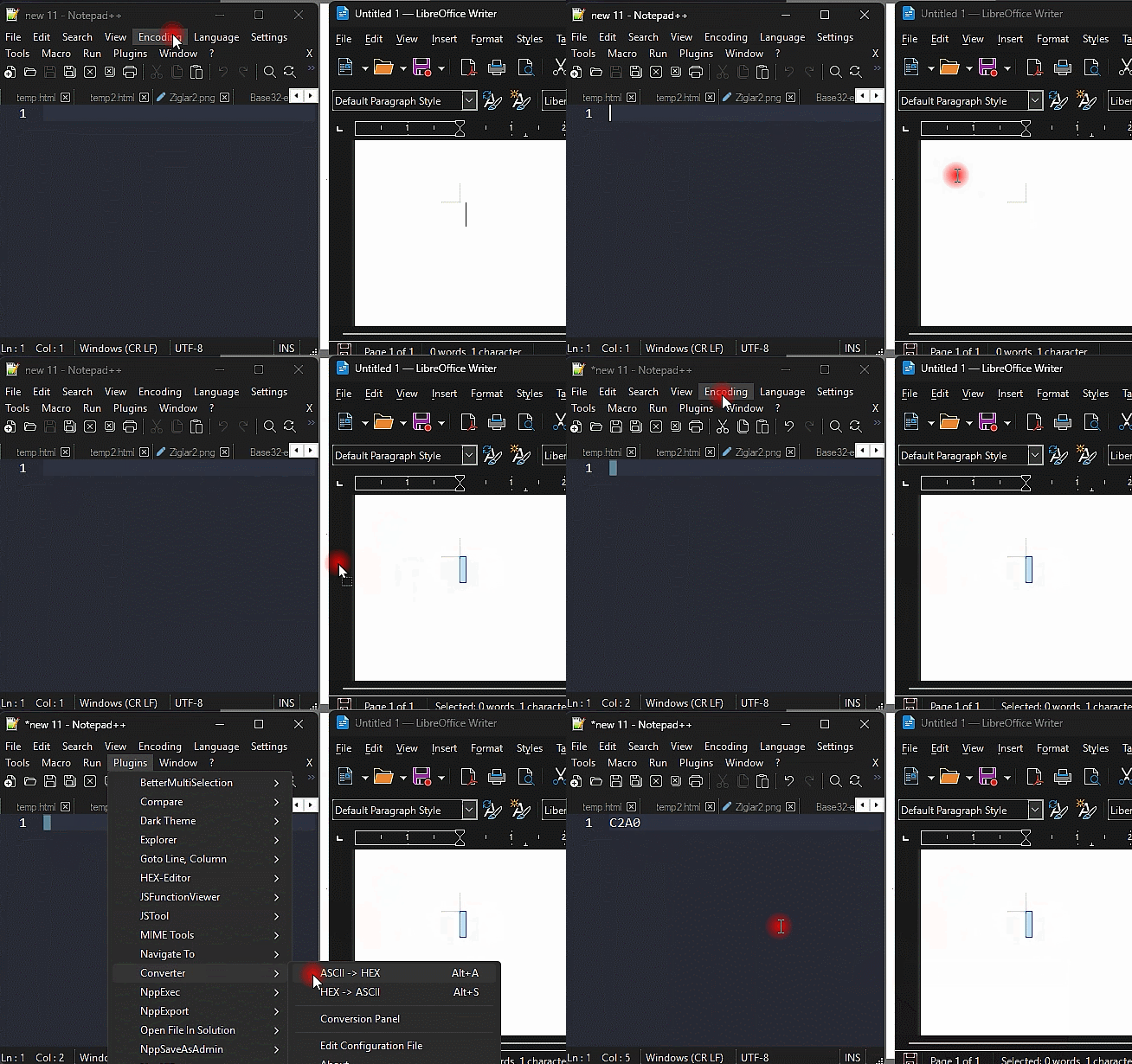
You likely have not changed a Notepad++ setting. The issue is probably due to clipboard handling or how OpenOffice copies NBSP to the clipboard. ? As in my screenshot example try dragging the highlighted NBSP over to Notepad++ and see if it works.

Hello! It looks like you're interested in this conversation, but you don't have an account yet.
Getting fed up of having to scroll through the same posts each visit? When you register for an account, you'll always come back to exactly where you were before, and choose to be notified of new replies (either via email, or push notification). You'll also be able to save bookmarks and upvote posts to show your appreciation to other community members.
With your input, this post could be even better 💗
Register Login