Seperating words in between dash with a line break
-
Fellow Notepad++ Users,
Could you please help me the the following regular expression problem I am having?
I am trying to separate words between dashes with a line break but I’ve scoured forums and message threads and haven’t turned up much.
Here is a sample text line.
This is a sample text---these are the words in between dashes--this is the end of the sample textHere is how I would like it to look.
This is  a sample text
---these are the words in between dashes---
this is the end of the sample text
Notice how the words in between dashes are in seperate lines.
To accomplish this, I have tried using the following Find/Replace expressions and settings
- Find What =
(?=---)(.*)(?=---) - Replace With =
\n - Search Mode = REGULAR EXPRESSION
- Dot Matches Newline = NOT CHECKED
I can only get it to look like this:
This is a sample text
—these are the words in between dashes–this is the end of the sample textUnfortunately, this did not produce the output I desired, and I’m not sure why. Could you please help me understand what went wrong and help me find the solution?
- Find What =
-
@Matthew-Habash said in Seperating words in between dash with a line break:
Unfortunately, this did not produce the output I desired, and I’m not sure why. Could you please help me understand what went wrong and help me find the solution?
I do not think you understand lookahead, nor fully understand your data.
In your Find What, the
(?=---)says “the next three characters must be hypens, but DON’T SELECT THEM YET OR MOVE THE CURSOR” – so that puts the search cursor at the beginning of the---these are the words in between dashes---. Then(.*)says “grab 0 or more of any type of character…”. Then the second(?=---)says "… until you reach a point where the next three characters are hyphens, but don’t select those final three hyphensIn your example text, there is only one triple-hyphen; the second set of dashes are just a double hyphen. This means that the
(.*)(?=---)matches 0 characters – because if the.*doesn’t “eat up” any characters, then the lookahead will find the original triple-hyphen as the matching point. So you’ve got a 0-width selection just before the first and only---.Here’s what it matches, using Find Next instead of Replace, so you can see the “selection” (which it indicates with
^ zero length match):
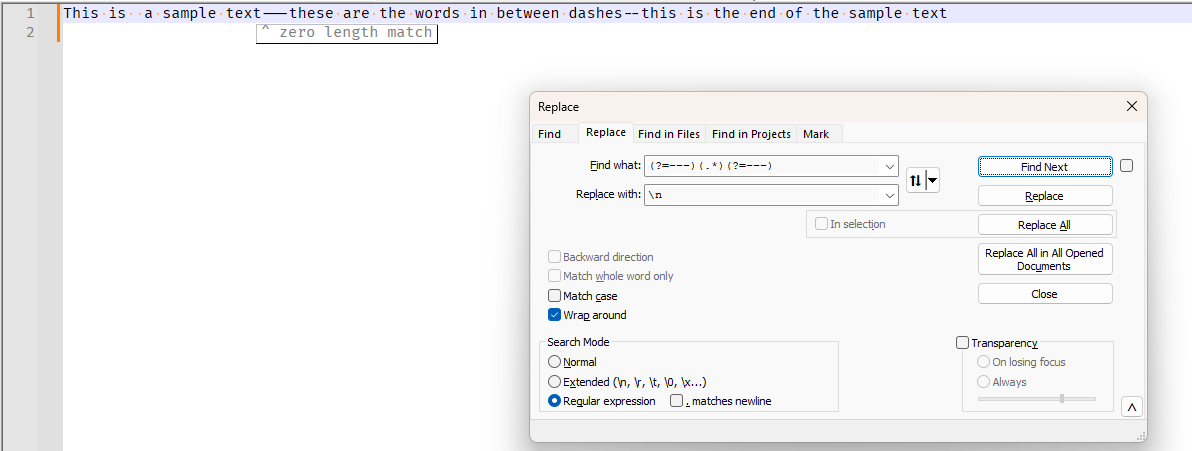
Then your replacement says “replace everything that was matched” (ie, the emptiness just before the
---) “with a LF sequence”, which gives you: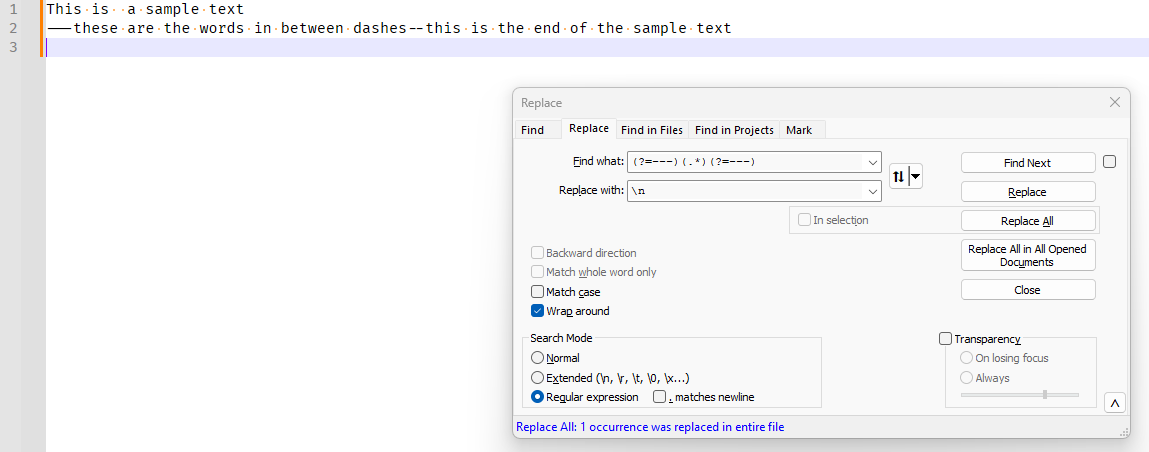
Please note: if your sample text had the text you thought it had three hyphens at the end of the phrase:
This is a sample text---these are the words in between dashes---this is the end of the sample textthen your regex would have selected the first three hyphens, and the words in between:
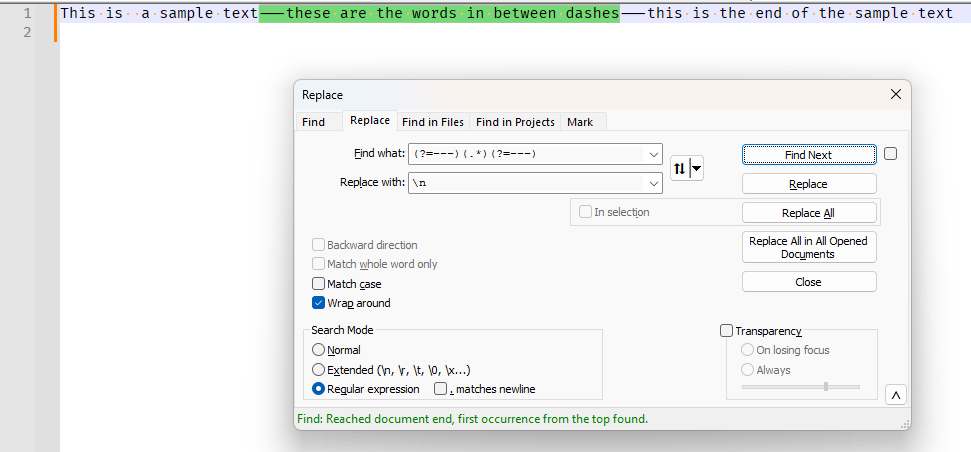
And then the replace would have replaced all that selected text with a newline,
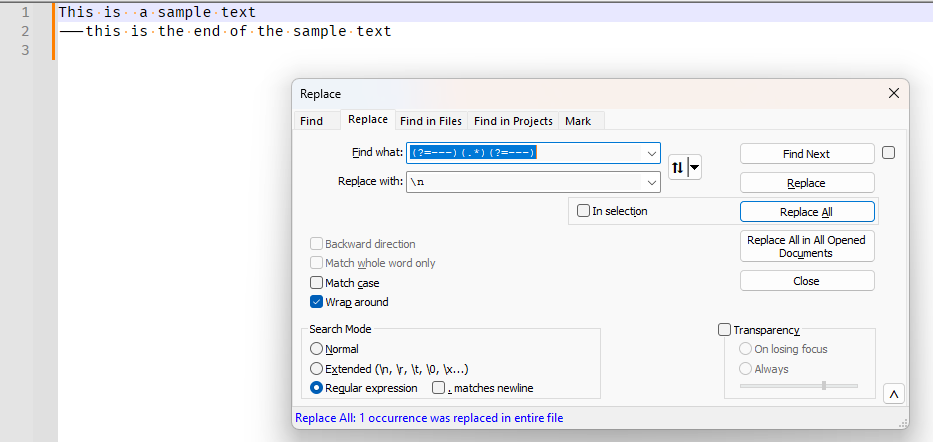
… which still wouldn’t be what you want.
Based on your “how I would like it to look”, I think what you really intended to do was to put a newline before the first
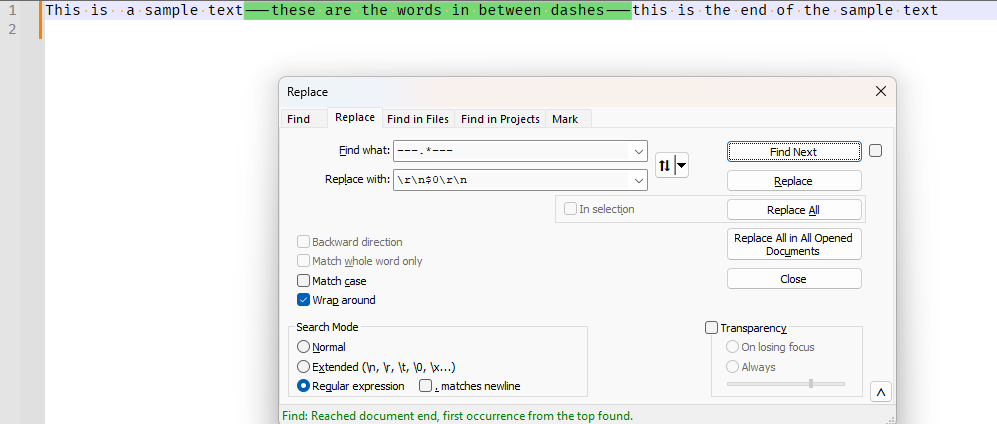
---and another newline after the second---(if there really were a second---. To do that, I would do the following:- Find What:
---.*--- - Replace With:
\r\n$0\r\n - Search Mode:
Regular Expression . matches newlinenot checked
The Find What is simpler: you want to match everything, including the hyphens, so no reason for the lookaheads and groups.
In the Replace With, I am using$0to say “include the contents of everything that was matched”, so that your original text isn’t lost. I am also using\r\ninstead of just\n, because I am assuming you really have Windows-style newline (CRLF), not Unix/Linux newlines (LF only). If you actually do have Linux LF only, then Replace With:\n$0\nResults:
FIND NEXT =>
REPLACE ALL =>
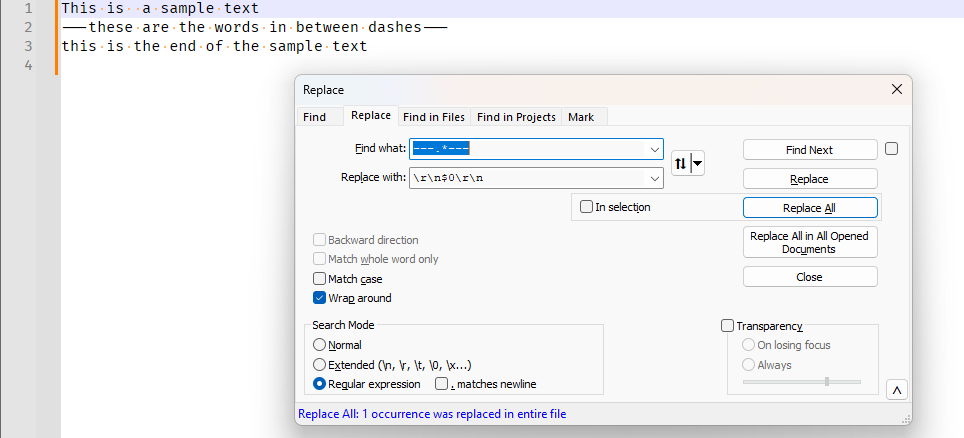
This is  a sample text
---these are the words in between dashes---
this is the end of the sample text
But my regex will not work for your original single-line, because that one only has two hyphens, not three, so it will find no matches and do no replacements.
- Find What:
-
@PeterJones Thank you for the explanation and my apologies for the confusion. I meant for both sides of lines to have the same number of dashes. I guess I did not catch that.
Your regex code worked and that was what I needed. Thank you very much!


Hello! It looks like you're interested in this conversation, but you don't have an account yet.
Getting fed up of having to scroll through the same posts each visit? When you register for an account, you'll always come back to exactly where you were before, and choose to be notified of new replies (either via email, or push notification). You'll also be able to save bookmarks and upvote posts to show your appreciation to other community members.
With your input, this post could be even better 💗
Register Login