Renumber lines?
-
Hello,
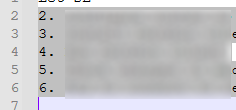
I sometimes need to renumber a list.
There’s no item in the Edit > Line Operations menu.
Does NP++ support that feature?
Thank you.
-
@Shohreh ,
Do a column-mode selection (hold
Altwhile selecting a rectangle) of the old numbers, then use the Edit > Column Editor dialog to re-number it. -
Thank you.

Hello! It looks like you're interested in this conversation, but you don't have an account yet.
Getting fed up of having to scroll through the same posts each visit? When you register for an account, you'll always come back to exactly where you were before, and choose to be notified of new replies (either via email, or push notification). You'll also be able to save bookmarks and upvote posts to show your appreciation to other community members.
With your input, this post could be even better 💗
Register Login