Monokai and JS versão 8.9.1
-
Is version 8.9.1 of Thema Monokai faulty? How do I fix it?
The code has a white background; I’ve already uninstalled and reinstalled, but it’s still the same.

-
What was your upgrade path? If you ran v8.8.9 or v8.9.0 at some point, there were issues we discovered in those two versions which would cause things like that, and it would have saved the theme in just the way you show – that’s a known issue that all experiments have shown have been fixed. On the other hand, if you started from v8.8.8 or earlier, and then upgraded directly to v8.9.1 (without every installing or running v8.8.9 or v8.9.0), that corruption shouldn’t’ve happened; if that’s the path you took, I will need specifics (what version you started with, when you did the update, and confirmation that you never updated between the two), so I can try to replicate it, because every experiment I’ve seen shows that going from v8.8.8 (or earlier) to v8.9.1 doesn’t have any such problems.
This FAQ explains how to fix the problem (especially the v8.9 section, which talks specifically about the JavaScript issue). Essentially: if you haven’t customized anything in the Style Configurator for your theme, you just have to replace the theme file in the installation directory; if you had any customization (either from your earlier version, or that you’ve done since your upgrade), you’ll have to go through a more-involved process, including updating both the copy of the theme in the installation directory and in your AppData directory, and it will be more involved, because you will have to copy specific information from inside the XML files.
(updated: rephrased the post to hopefully make it more clear)
update 2:
-
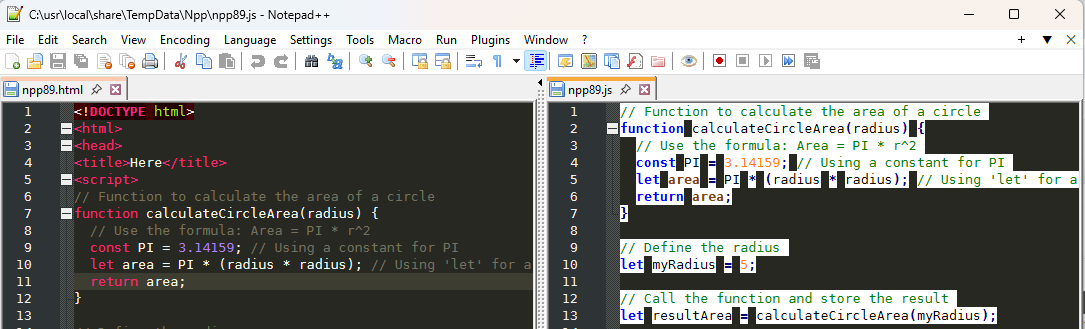
if I start with a fresh v8.8.8 in Light Mode + Monokai (to match your screenshot), then upgrade to v8.8.9 and then to v8.9.1, I can see something akin to your screenshot.
-
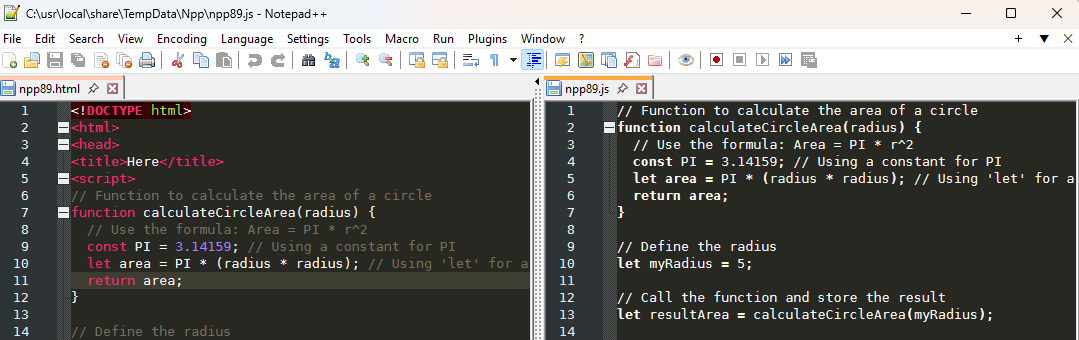
if I start with a fresh v8.8.8 in Light Mode + Monokai, then upgrade to v8.9.0 and then to v8.9.1, I see something different: the *.js appears to have no highlighting, because it’s set to default fg and bg for all styles (but Style Configurator lets you change those):
-
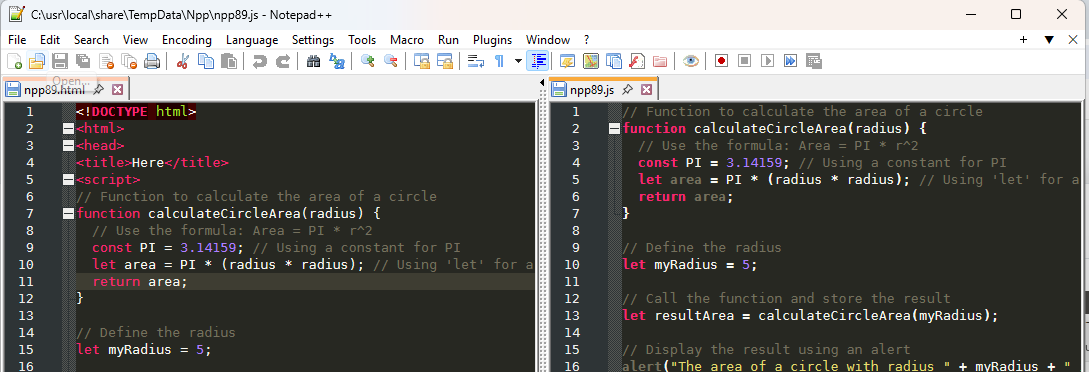
if I start with a fresh v8.8.8 in Light Mode + Monokai, then upgrade to v8.9.1 directly, then everything works as I expect:
Given your screenshot, I am very confident that you started at some older version, updated to v8.8.9 and ran at least once (but maybe hadn’t looked at any javascript to notice the problem), then updated again to v8.9.1 and finally saw the problem. If that’s what happened, then the instructions in the FAQ will help you get the theme fixed.
-
-
I had version 8.8.5 and then downloaded 8.8.9 and then 8.9.1. In this last installation, I even deleted the previous installation folder, and the problem still occurred.
-
@Anderson-Nascimento said in Monokai and JS versão 8.9.1:
I had version 8.8.5 and then downloaded 8.8.9 and then 8.9.1.
Then you have to follow the instructions in the FAQ.
In this last installation, I even deleted the previous installation folder, and the problem still occurred.
If you have ever customized your theme (changed font size, changed even one color, added a user-defined file extension to a language, added a user-defined keyword to a language, etc), there will be a copy in
%AppData%\Notepad++\themes\Monokai.xml, and deleting the installation folder won’t get rid of that copy, and that will be the copy that Notepad++ will use.Follow the instructions in the FAQ.
-
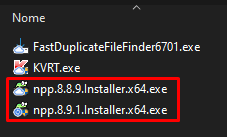
@PeterJones I managed to do it, I uninstalled it again and when it asked about settings, I answered no, upon startup it was like a completely new installation.
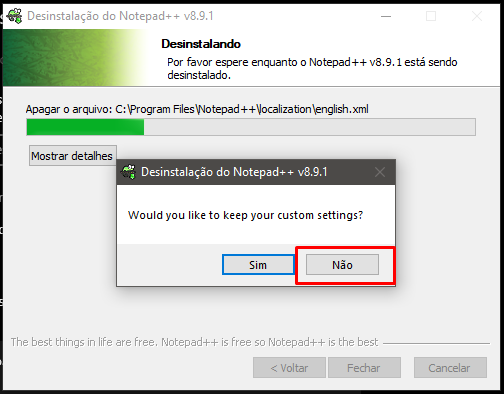
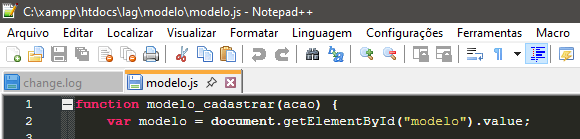
When I started up, I changed the theme and it worked, thank you very much for the tips.


Hello! It looks like you're interested in this conversation, but you don't have an account yet.
Getting fed up of having to scroll through the same posts each visit? When you register for an account, you'll always come back to exactly where you were before, and choose to be notified of new replies (either via email, or push notification). You'll also be able to save bookmarks and upvote posts to show your appreciation to other community members.
With your input, this post could be even better 💗
Register Login