colour matching braces/brackets does not work in php
-
using notepad++ 8.9.1 on windows
wanted to change the matching brackets in a php file
settings-style config
if global styles is selected : you can define colour - i changed for matching or not
but I edit a php file and there the colour is not applied
i even changed the extension to txt and curly brackets are not highlighted
am i missing something ?
best regards, Guy -
Brace-match highlighting works for me:
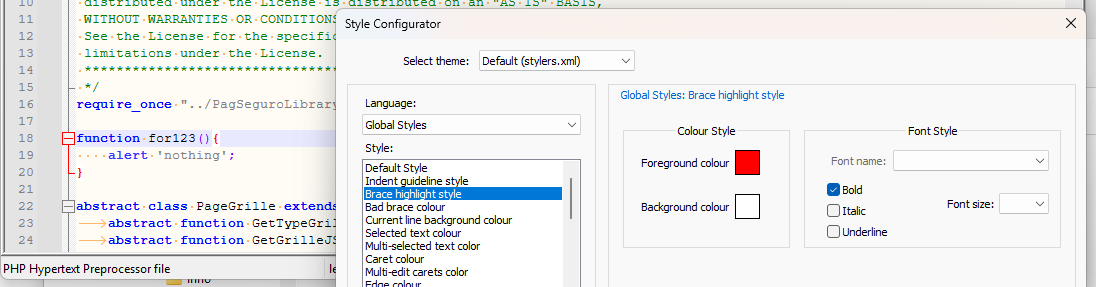
Can you be more specific as to what’s going wrong for you? Set up a screenshot like mine, maybe?
-
@PeterJones
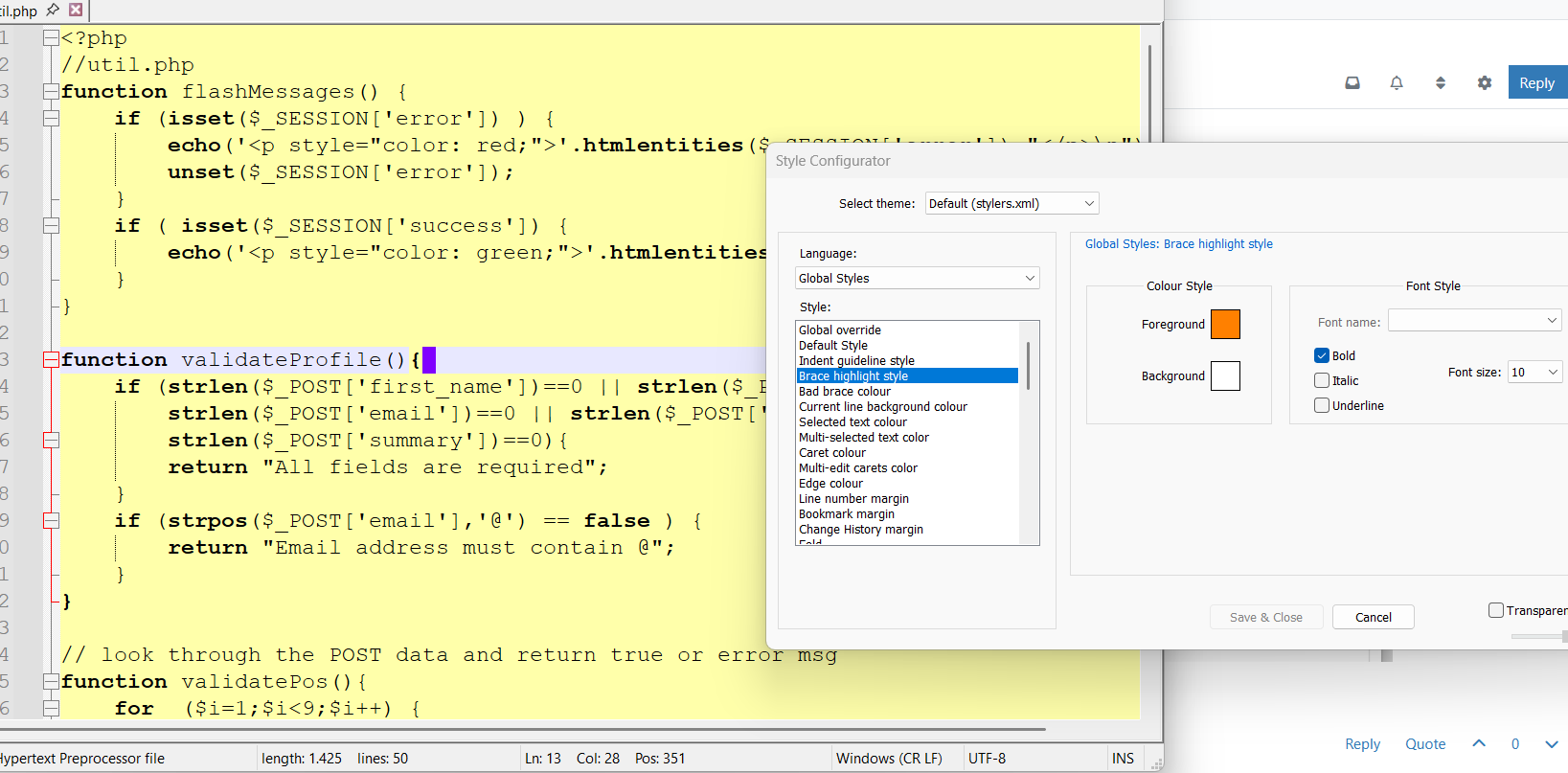
thanks for the update
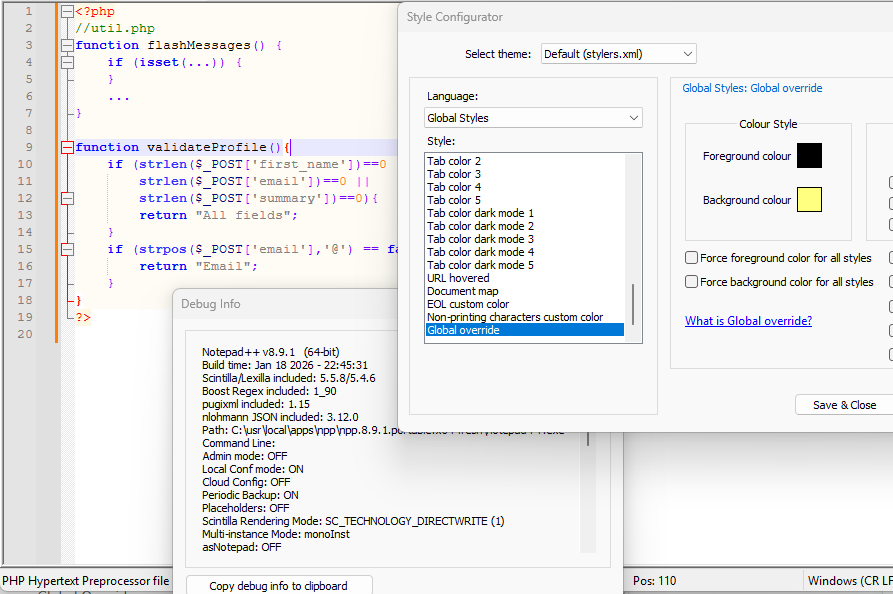
image as requested
best regards, Guy -
To the best of my ability to mimic your setup, it’s working:
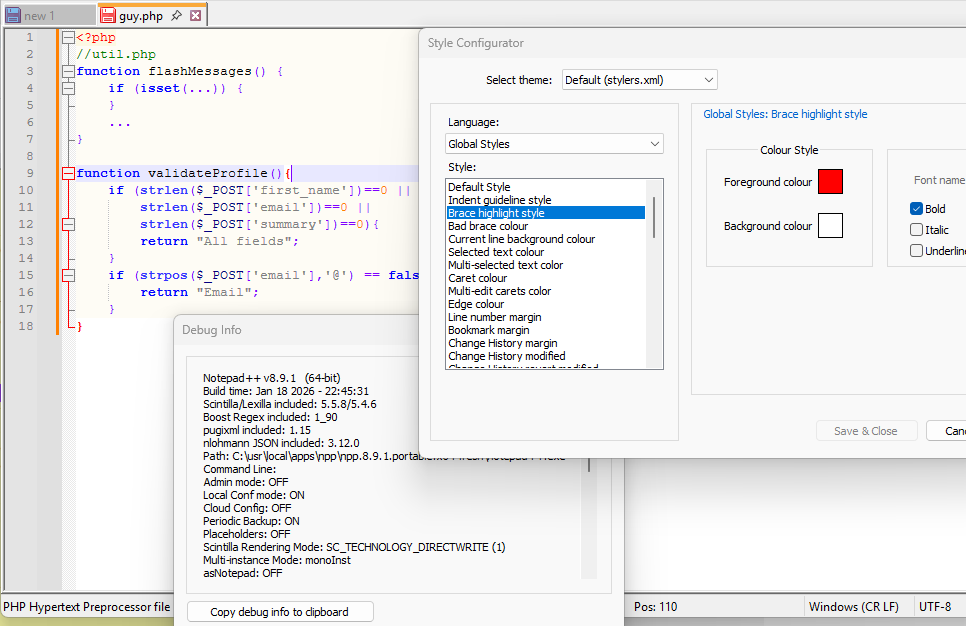
But I notice your colors are different, despite being “Default (stylres.xml)”, so I think either you’ve updated over the years, and the stylers.xml started from a much older one, or you’ve customized some colors. I would think the latter, but Global Override isn’t at the beginning of the Style list, so it’s a reasonably-recent starting point for your stylers.
The slight difference in your yellow vs my super-pale yellow isn’t a problem. But it’s looking like you’re not getting any foreground color variation, where for me, the
<?phpis red,//utilcomment is green,functionkeyword is blue, and normal text is black… but yours appears to be using black foreground for all text – which indicates that you might have a Global Override on:
Could you check Language:Global Styles> Style:Global Override? Because if you have any of the Global Override’s set (my guess is that you have “Force foreground color for all styles”), then it will behave like that. And if you are overriding the foreground colors, then it stands to reason that the foreground color on brace-match highlighting is not showing up.Because when I look at your screenshot, the
{and the matching}are both bold, but not red. So the highlighting is working partially (it’s adding the bold) but not completely (not changing the foreground color).yes, using Global Overrides, I can get a pretty-close mimic of your screenshot, including bold-but-not-red for the brace-matching:
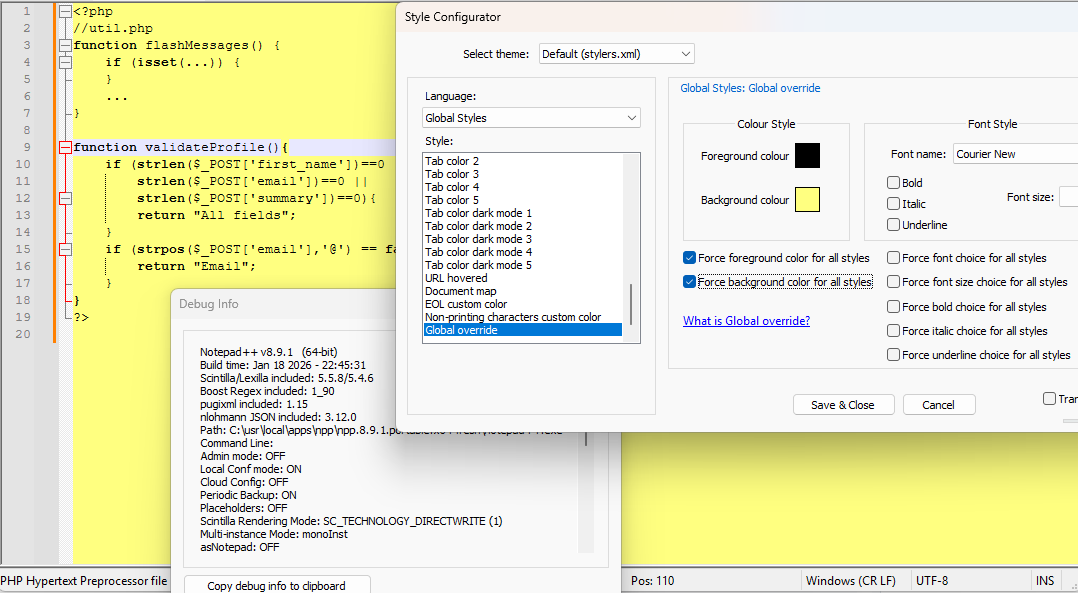
If I turn those Global Overrides off, it goes back to what I showed above:
So my current working theory is that you’re using Global Overrides on the colors. If you want to be able to use the syntax highlighting colors for brace-matching, you need to not have the Global Override on colors.
-
@PeterJones yes, many thanks : global override was the cause
now all highlighting is correct as set/wanted
best regards, Guy


Hello! It looks like you're interested in this conversation, but you don't have an account yet.
Getting fed up of having to scroll through the same posts each visit? When you register for an account, you'll always come back to exactly where you were before, and choose to be notified of new replies (either via email, or push notification). You'll also be able to save bookmarks and upvote posts to show your appreciation to other community members.
With your input, this post could be even better 💗
Register Login