wireloom in markdown viewers
-
I’m unclear as to the best markdown viewer for NP++ so posting here in the hope that at least one author will pick this up.
A tool, wireloom, for creating user interface diagrams from text in a markdown fenced code block has been released on Github: https://github.com/StardockCorp/Wireloom. It creates rather good wireframes for UI development. I wondered if any of the markdown viewer plugin authors would be interested in incorporating it in their plugins.
I did look at the resepctive GitHub pages for the viewers, but none seem to allow for requesting new features. -
Provided you have MS Edge installed, here’s an example that works fine with the Preview HTML plugin:
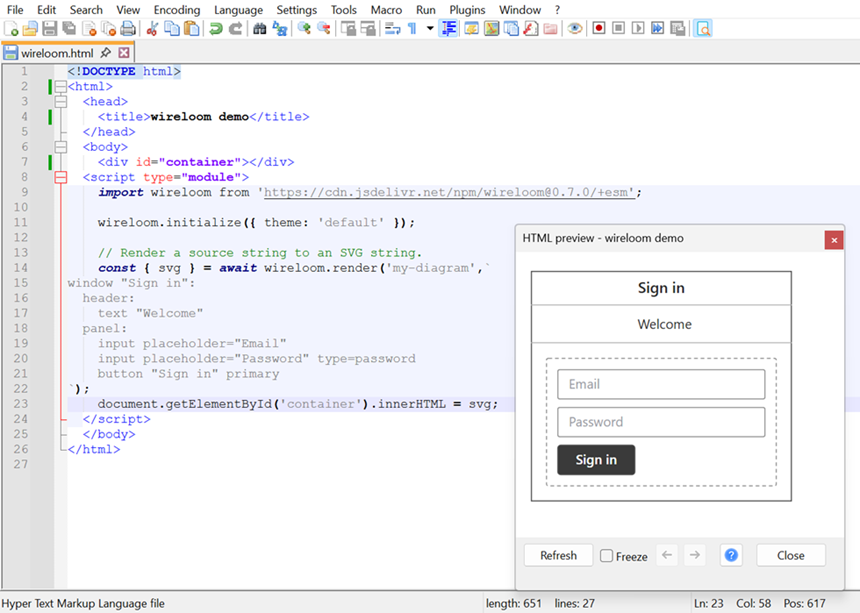
<!DOCTYPE html> <html> <head> <title>wireloom demo</title> </head> <body> <div id="container"></div> <script type="module"> import wireloom from 'https://cdn.jsdelivr.net/npm/wireloom@0.7.0/+esm'; wireloom.initialize({ theme: 'default' }); // Render a source string to an SVG string. const { svg } = await wireloom.render('my-diagram',` window "Sign in": header: text "Welcome" panel: input placeholder="Email" input placeholder="Password" type=password button "Sign in" primary `); document.getElementById('container').innerHTML = svg; </script> </body> </html> -
@rdipardo Thanks, that might be helpful. For now, I don’t have Edge and I’m really looking to use it on markdown files within NP++.
-
I wasn’t able to add a PR or Issue to https://github.com/ezyuzin/NppAnotherMarkdown, but it turns out I was able to add an Issue to NPPMarkdownPanel here: https://github.com/mohzy83/NppMarkdownPanel/issues/192.
What would be really good would be if the developers of these re-merged their plugins! -
For now, I don’t have Edge […].
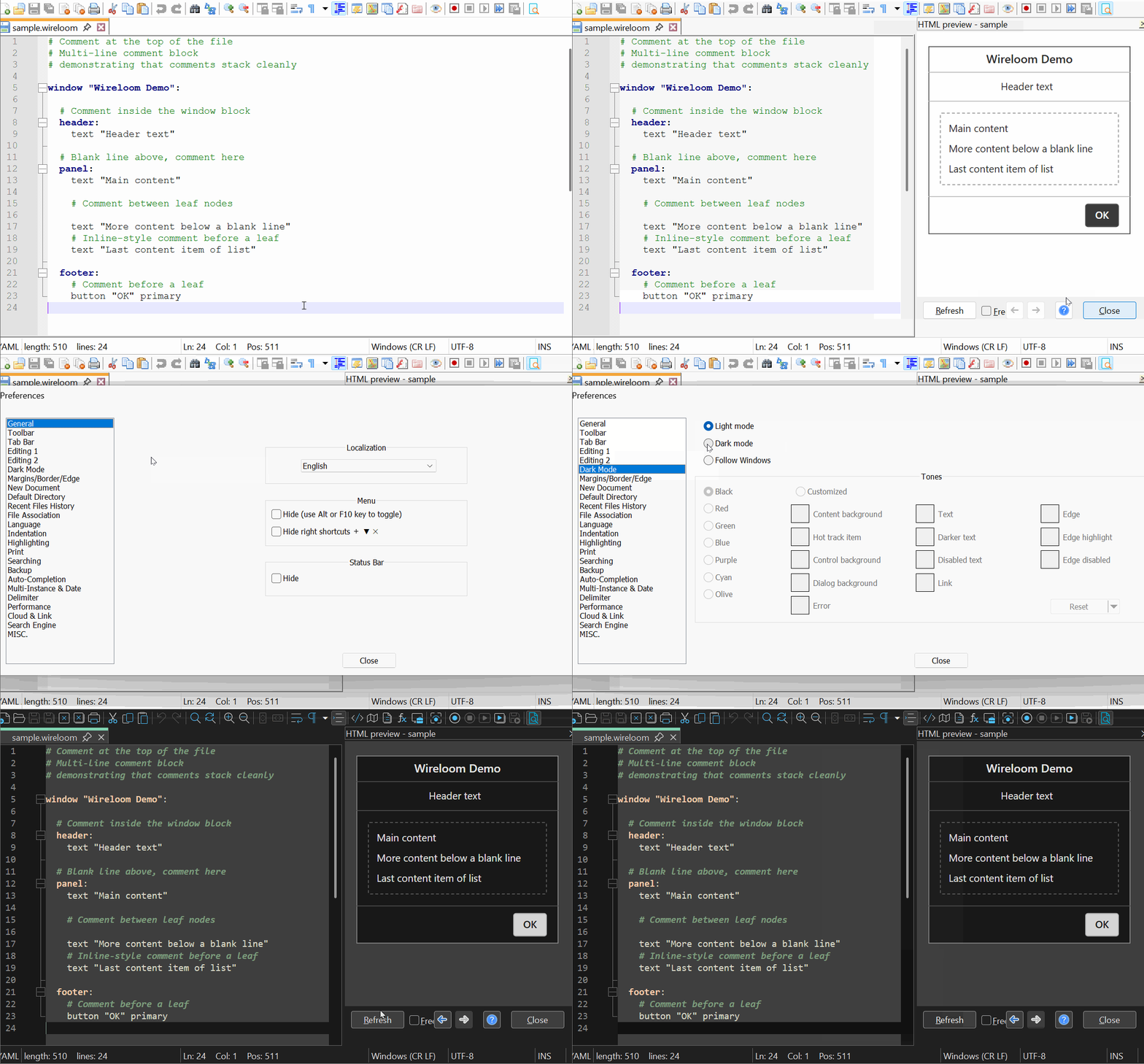
In case anyone else is interested, you can try previewing plain-text wireloom files with this development build of Preview HTML.
MS Edge is still required, since the wireloom JS library is only available as an EcmaScript module, which Internet Explorer doesn’t support.
I’m really looking to use it on markdown files within NP++.
I would say wireloom looks more like YAML, with its bash-style
#comments and significant leading whitespace (note the syntax highlighting in the GIF illustration above). -
@rdipardo Following a comment chain, I ended up adding a request to the markdig libraryhere: https://github.com/xoofx/markdig/issues/952
-
I ended up adding a request to the markdig library here: https://github.com/xoofx/markdig/issues/952
👍
-
I said:
In case anyone else is interested, you can try previewing plain-text wireloom files with this development build of Preview HTML.
This feature has now been merged, with additional support for offline Markdown previews that will render wireloom code blocks:
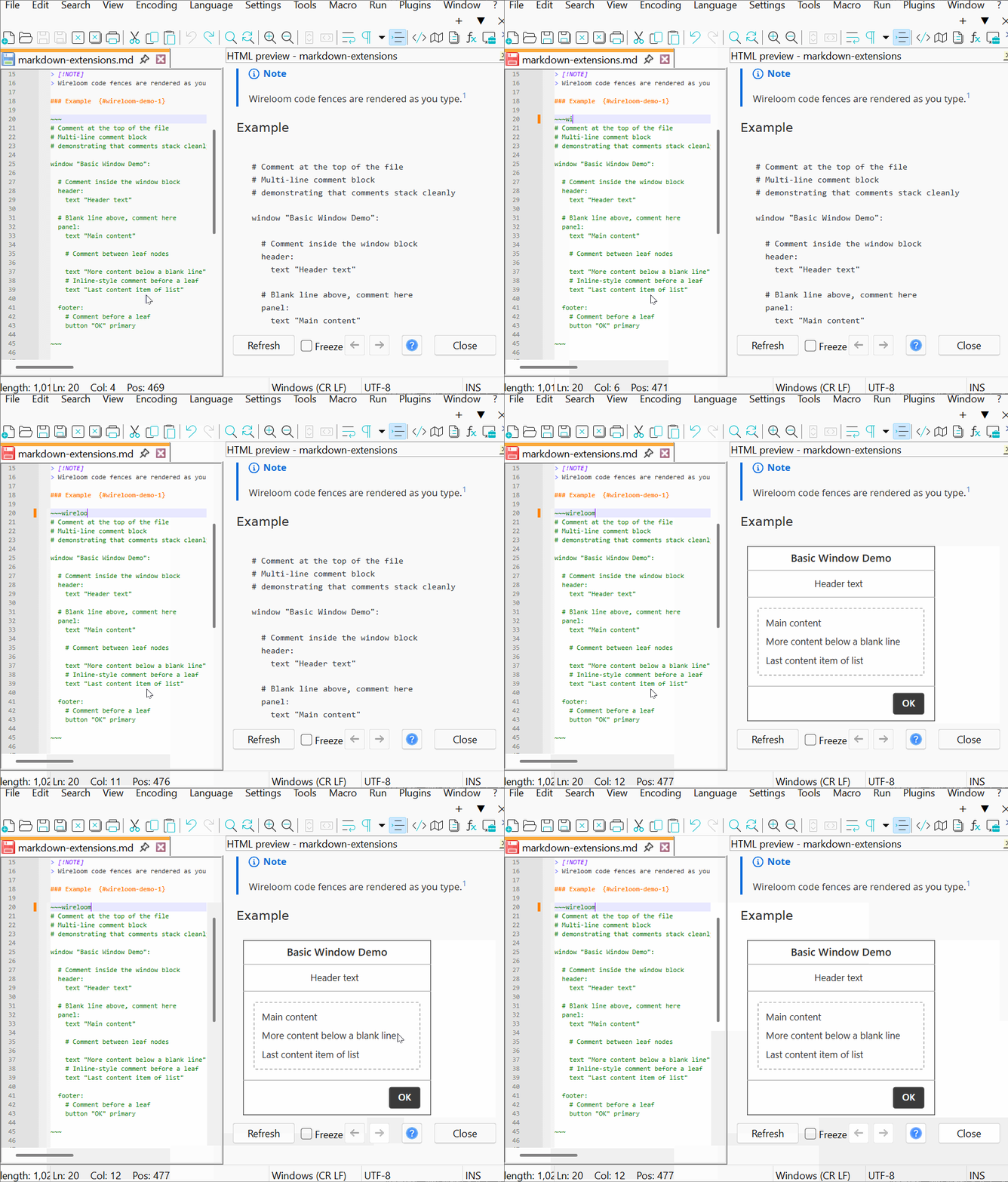
All rendering is done by client-side JavaScript modules, so MS Edge is still required.
What would be really good would be if the developers of these re-merged their plugins!
Don’t look now, but no fewer than three new Markdown plugins have appeared in the past two weeks — and they all depend on the WebView2 runtime (i.e. Edge).


Hello! It looks like you're interested in this conversation, but you don't have an account yet.
Getting fed up of having to scroll through the same posts each visit? When you register for an account, you'll always come back to exactly where you were before, and choose to be notified of new replies (either via email, or push notification). You'll also be able to save bookmarks and upvote posts to show your appreciation to other community members.
With your input, this post could be even better 💗
Register Login