Markdown Table Editor: align, fit, sort, and convert Markdown tables in Notepad++
-
Hi,
I maintain an open-source Notepad++ plugin called Markdown Table Editor. I built it because editing wide Markdown pipe tables by hand—especially tables pasted from generated output or converted from CSV/TSV—was slow and error-prone.
Version 11.2.0 is available through Plugins Admin for x86, x64, and ARM64:
Plugins > Plugins Admin > Available > Markdown Table EditorThe three workflows I use most are:
- automatic alignment after edits, without changing the intended column widths;
- fitting a wide table to the visible editor width by wrapping and rejoining cell content;
- converting selected CSV/TSV text, or the current CSV/TSV block, into a Markdown table.
The plugin also supports cell navigation, row and column insertion/deletion/movement, sorting, Markdown alignment markers, escaped pipes, and Unicode/CJK display widths.
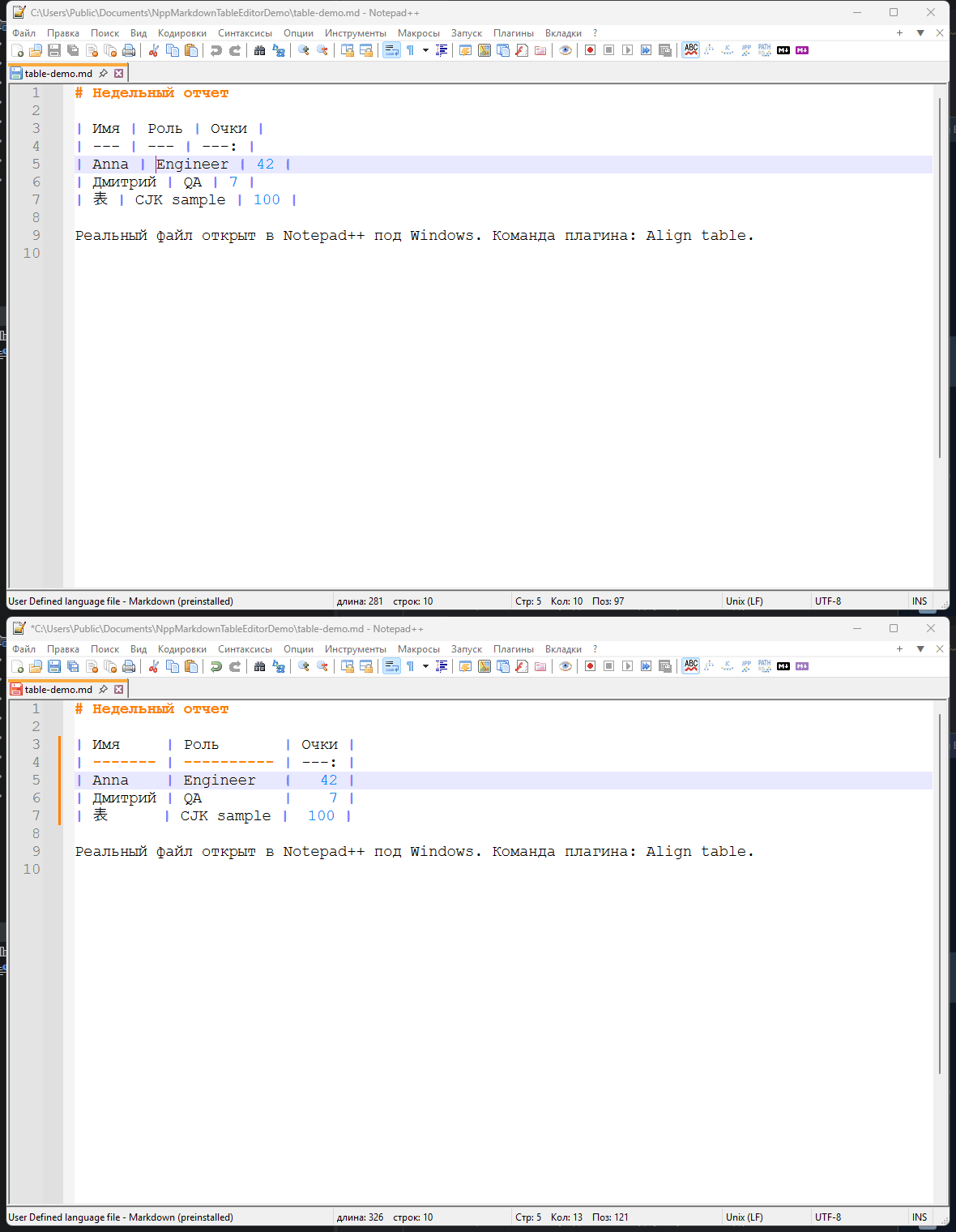
Source, documentation, and releases:
https://github.com/krotname/NppMarkdownTableEditorIf you edit Markdown tables in Notepad++, I would appreciate feedback—particularly on the automatic alignment and width-fitting behavior with real-world tables.
Hello! It looks like you're interested in this conversation, but you don't have an account yet.
Getting fed up of having to scroll through the same posts each visit? When you register for an account, you'll always come back to exactly where you were before, and choose to be notified of new replies (either via email, or push notification). You'll also be able to save bookmarks and upvote posts to show your appreciation to other community members.
With your input, this post could be even better 💗
Register Login