Other thoughts regarding the "ReWrap Text to (Clipboard or 72) width" of the old "TextFX" plugin
-
Hello, All,
Quite by chance, I came across a summary of the features of the old
TextFXplugin, and among them, I took another look at the Rewrap feature.First, note that the rewrap feature is generally VERY difficult to simulate as it heavily depends on current text :
How do we manage tables, sections, lists with bullets or numbers and possible leading indentation of the folded lines ?
Or do we need to join all lines of a text in a single very looooooooong line FIRST, before the wrapping process ?
This topic has been discussed many times. see, for example, the following posts below :
https://community.notepad-plus-plus.org/post/62750, from @peterjones
https://community.notepad-plus-plus.org/post/54147 from mine, where I proposed a generic regex
https://community.notepad-plus-plus.org/post/78262 from @ekopalypse, where he proposed a Python script, created with the @peterjones’s help
https://community.notepad-plus-plus.org/post/58881 from @michael-vincent, where he proposed a NppExec script
If we look at it from the perspective of the old TextFX plugin, it would primarily handle text encoded in ANSI. in other words, text where one char = one byte, for EACH character of the selected text !
So, before the wrapping action, we need to :
-
Use the
Edit > Blank Operations > TAB to Spaceoption, in order to replace any tabulation with the corresponding amount of space chars -
Use the
Edit > EOL Conversion > Unix (LF)option. However, I don’t think that a single line-ending is really necessary -
Use the
Encoding > Convert to ANSIoption to get anANSItext
Note that the conversion to
ANSIcould be a problem if it contains someUNICODEcharacters, absent from the presentANSIencoding. Luckily, the main characters are both present in the differentANSIencodings and in theUnicodeencodings, like UTF-8 ! Anyway, all the few non-decoded characters are generally shown as an interrogation mark, within your convertedANSItext !-
Now, you may use the
Edit > Line Operations > Join Linesoption, first, ONLY IF you would like a strict wraping process throughout all the selected text -
Then, you run the wrapping process which can be, either, regex replacement(s) or a Python , Lua or NppExec script
So, I created an
ANSIfile composed of thelicense.txt, followed with thechange.logfile of theN++ v8.9.8release, namedORG_LF_ANSI.txtThen I copied this file in some new tabs to test the different scenarios !
In this post https://community.notepad-plus-plus.org/post/54147, I proposed this generic regex replacement :
SEARCH
(?-s)^(?=.{C})(?:.{1,C-3}\x20|.{C-1})\KREPLACE
\r\n( or\nif Unix files )Which mimics the
Edit > Line Operations > Split LinesoptionHowever, it happens that, in last N++ releases, this regex replacement should be, rather :
SEARCH
(?-s)^(?=.{C})(?:.{1,C-2}\x20|.{C-1})\KREPLACE
\r\n( or\nif Unix files )If I choose the value
78in theSettings > Preferences > Margins/Boder/Edge > Vertical Edge settingsdialog, select all the text and use theCtrl + Ishortcut, the file is strictly identical to the other file using the regex(?-s)^(?=.{78})(?:.{1,76}\x20|.{77})\Kwith\nas replacement ( Verified withComparePlus v3.00)Now, it seemed that in these identical files, in many lines the wrapping process is done before the column
78, even considering a correct wrapping at end of a word !So, I imagined this new regex replacement, below :
SEARCH
(?-s)^(.{1,C})(?:[\x20\r\n]*\z|\x20*\R|\x20+)( withC = 78in our case )REPLACE
\1\r\nif Windows file\1\nif Unix file\1\rif Mac fileFinally, run an
Edit > Blank Operations > Trim Trailing Spaceoperation ( or SEARCH\x20+$and REPLACE withNothing)And indeed, the
New_LF_ANSI.txtfile better respects the78limit than theOld_LF_ANSI.txt, as shown below :BEFORE :
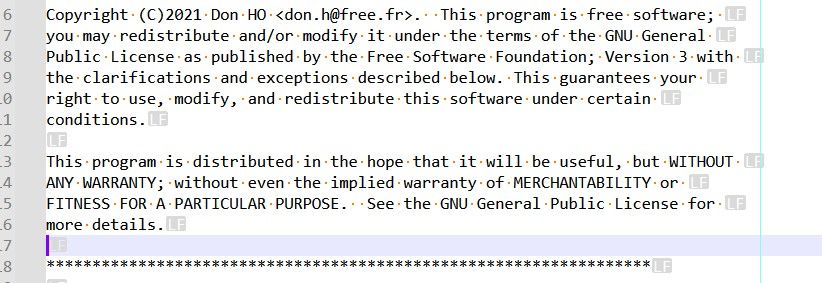
And
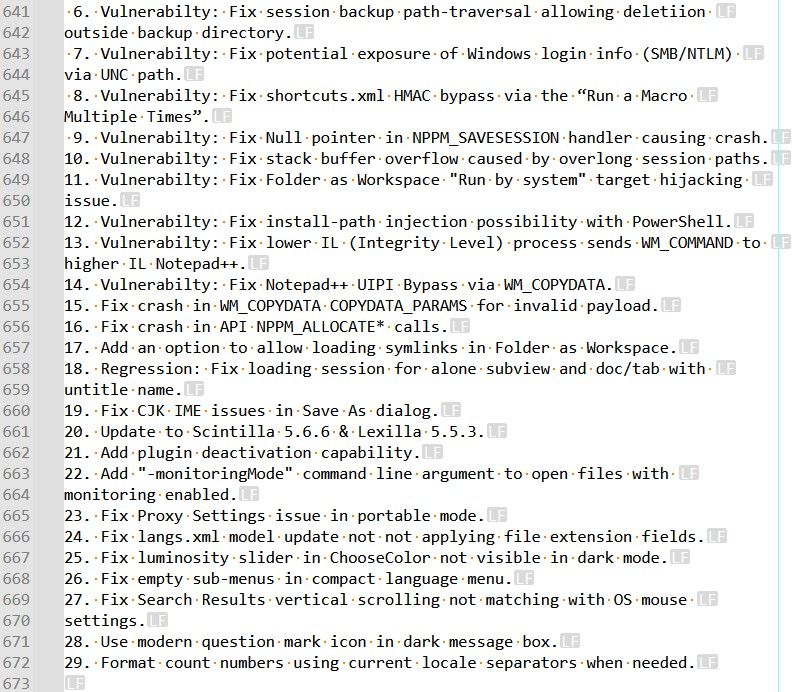
AFTER :
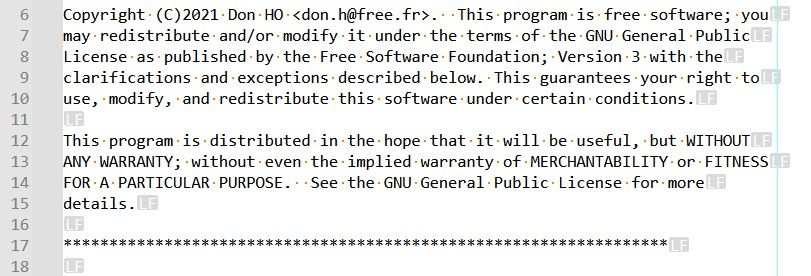
And
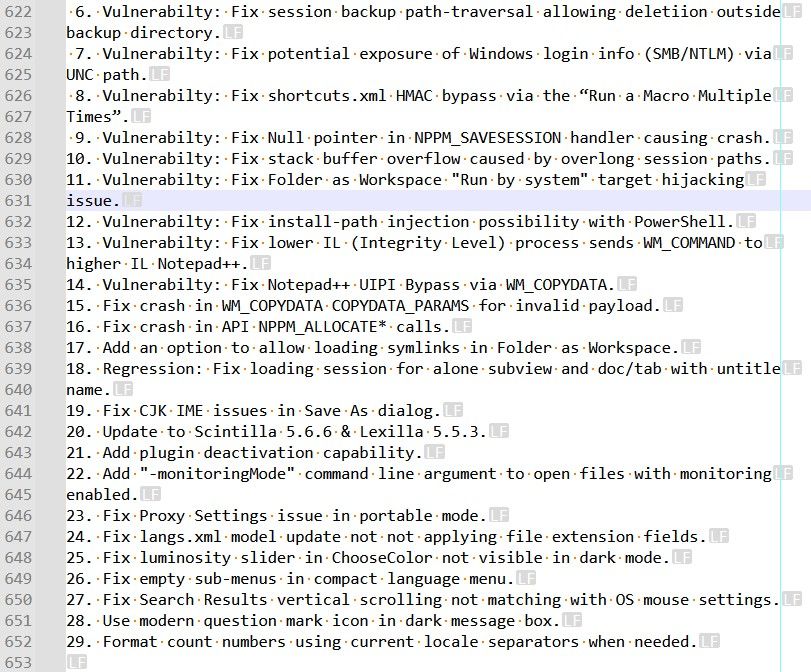
I also created a
New_CRLF_UTF-8.txtfile, using the last(?-s)^(.{1,78})(?:[\x20\r\n]*\z|\x20*\R|\x20+)regex and the only differences with theNew_LF_ANSI.txtfile are :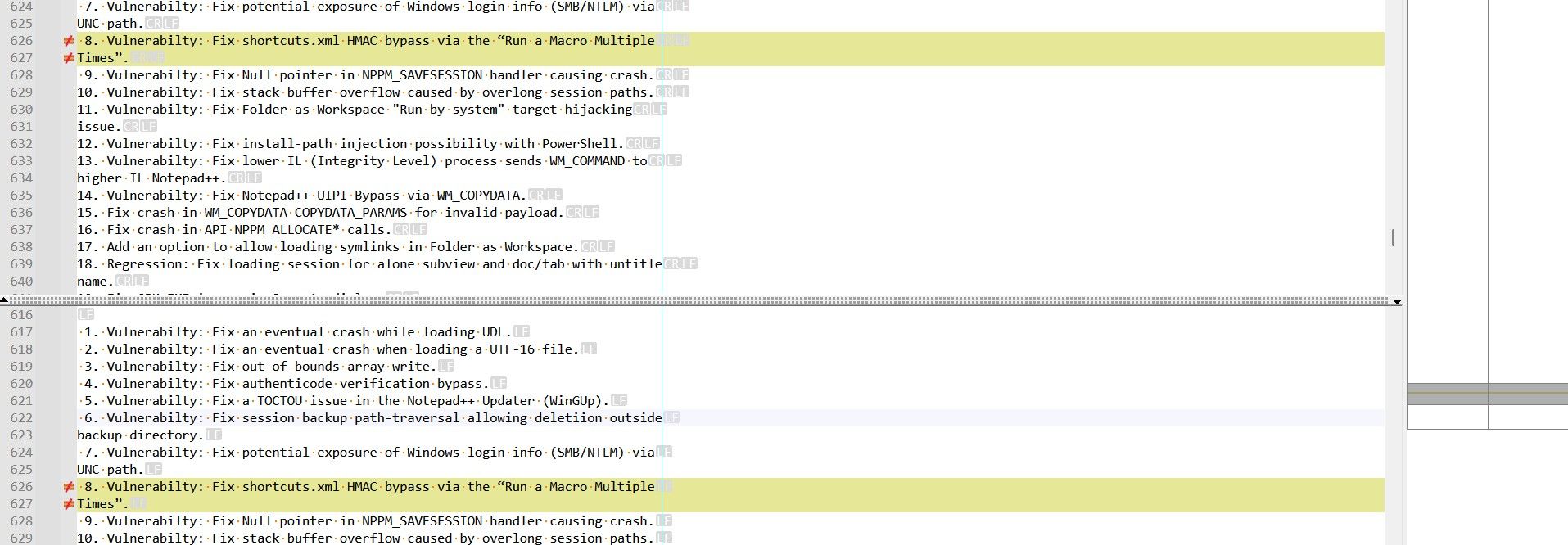
Because the two chars
“and”are coded with one byte (93and94) in the ANSI text and coded with three bytes (E2 80 9CandE2 80 9D) in the UTF-8 text
Now, the wrapping process of both the
TextFXplugin and thePythonscript are quite different : Here is, successively, a screenshot from theTextFX_ANSI.txtfile and from thePythonCRLF_UTF-8.txtfile :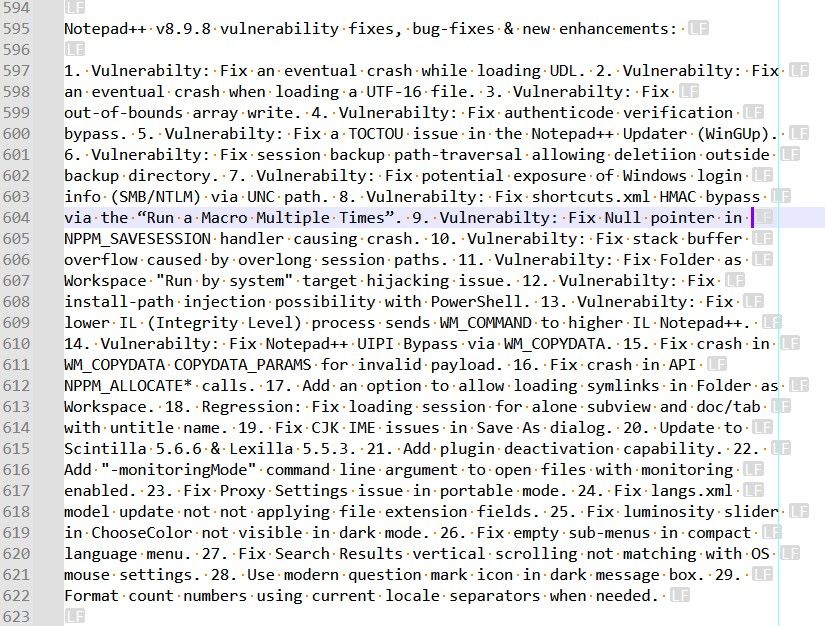
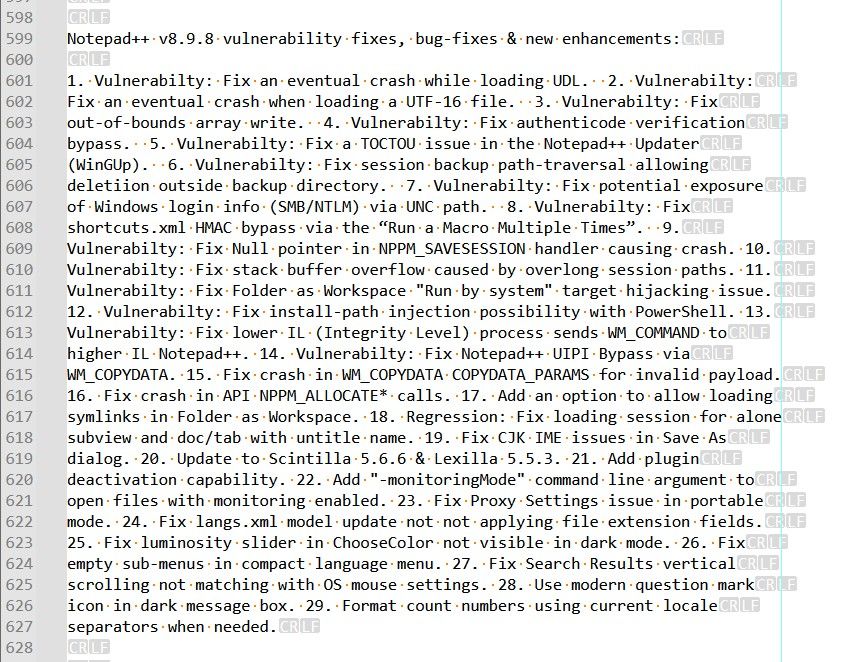
You can see, in the change.log section, that lines regarding, obviously, different points are badly concatened in a single line !
Now, if I compare these two files, ignoring all spaces and line-endings,
ComparePlus v3.00returns the picture, below, with differences mostly at end of thelicense.txtsection and in thechange.logsection !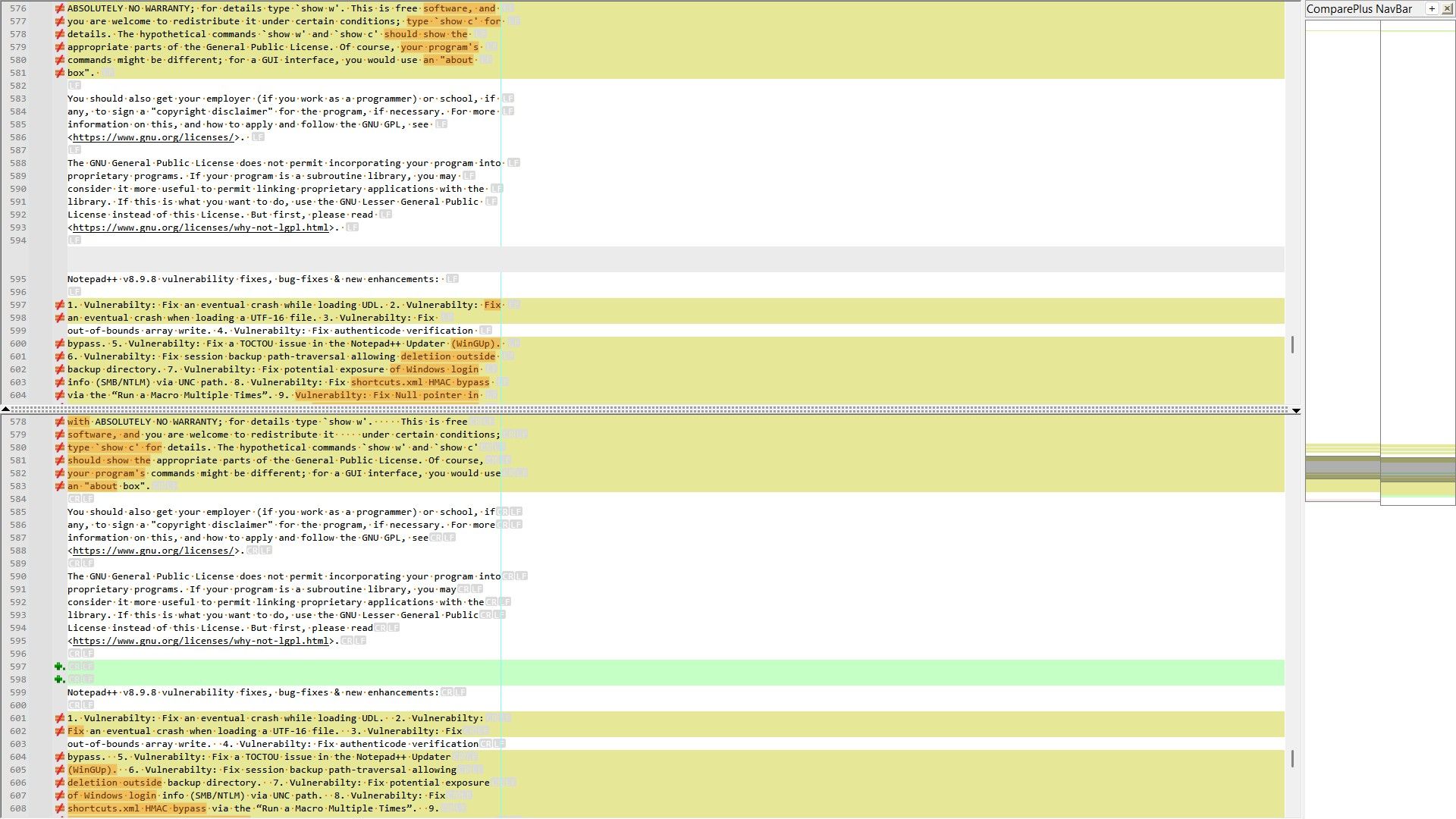
Finally, I created the
NEW_LF_ANSI_Strict.txtfile :-
I did, first, an
Edit > Line Operations > Join Linesoperation which changed all text in a very long line (37,410chars ) -
Then, I applied the following regex replacement against this file
-
SEARCH
(?-s)^(.{1,78})(?:[\x20\r\n]*\z|\x20*\R|\x20+) -
REPLACE
\1\n
-
Here is a screenshot of the resulting file, showing the end of the
license.txtsection and the beginning of thechange.logsection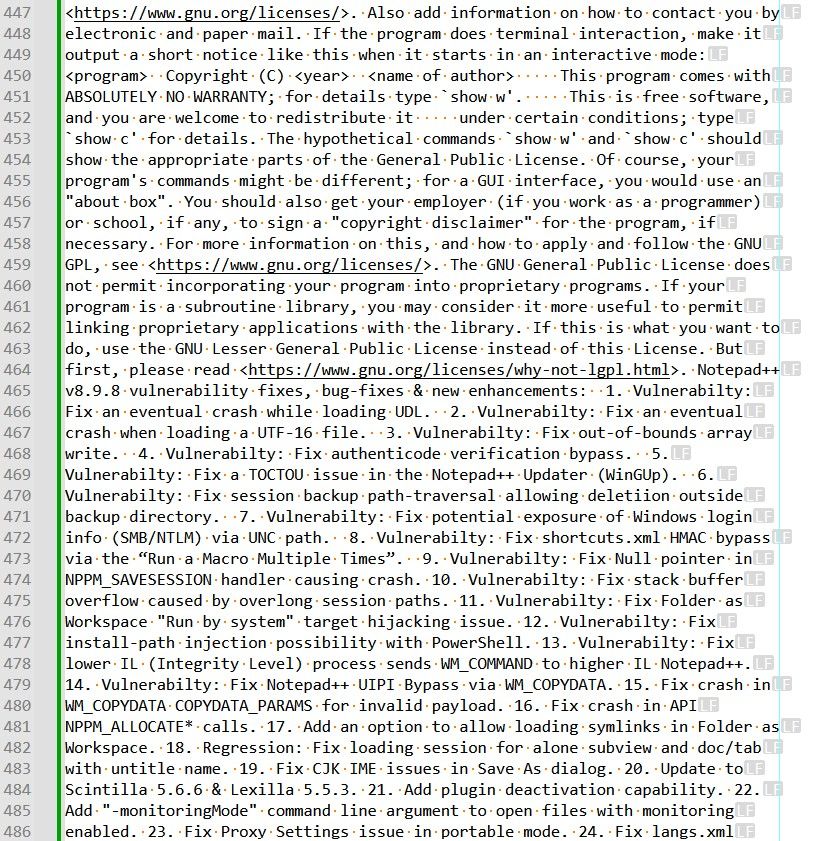
As you can verify, the reading of this text is rather painful :-((
Best Regards,
guy038
-

Hello! It looks like you're interested in this conversation, but you don't have an account yet.
Getting fed up of having to scroll through the same posts each visit? When you register for an account, you'll always come back to exactly where you were before, and choose to be notified of new replies (either via email, or push notification). You'll also be able to save bookmarks and upvote posts to show your appreciation to other community members.
With your input, this post could be even better 💗
Register Login