Other thoughts regarding the "ReWrap Text to (Clipboard or 72) width" of the old "TextFX" plugin
-
This post is deleted! -
Quite by chance, I came across a summary of the features of the old
TextFXplugin, and among them, I took another look at the Rewrap feature.First, note that the rewrap feature is generally VERY difficult to simulate as it heavily depends on current text :
How do we manage tables, sections, lists with bullets or numbers and possible leading indentation of the folded lines ?
Or do we need to join all lines of a text in a single very looooooooong line FIRST, before the wrapping process ?
As far as I can tell, the old TextFX didn’t handle any of the more complex cases (tables, lists, indentation). I have not been able to find user documentation. The closest reasonably accessible code I could find was this for the rewrap function, which has comments suggesting some fancier processing might be possible, but it doesn’t implement it.
Do any of the scripts or proposals offered so far do anything that can’t be accomplished with the native Split Lines function? Split Lines splits at the edge of the view if you have no vertical edges set, and at the last (or only) vertical edge listed if you do. (So if you list
72 80it will split at 80; if you list80 72it will split at 72.)What is the problem to be solved?
-
Hi, @mpheath, @coises and all,
@mpheath, I first copied the
ORG_LF_ANSI.txtfile asLua_LF_ANSI.txtthen I ran your lastluascript against this file and the files are almost identical, except in the3locations below :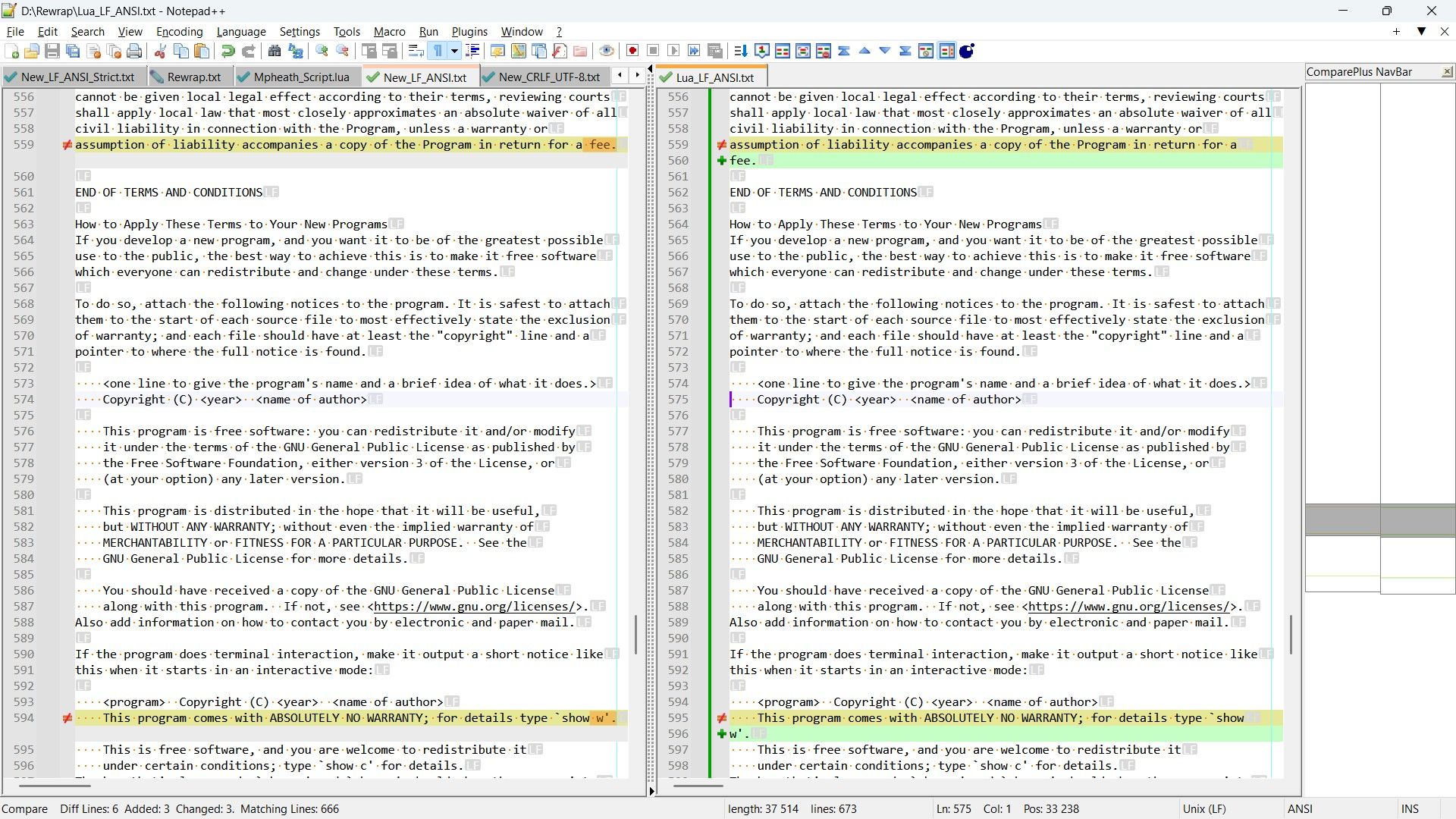
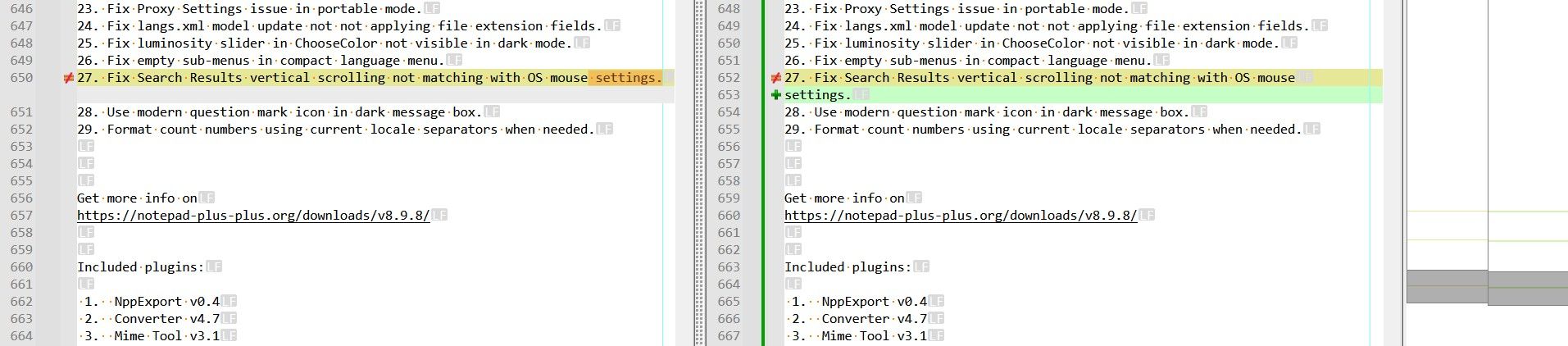
Then I copied again the
ORG_LF_ANSI.txtfile asLua_CRLF_UTF-8.txtthen I ran your lastluascript against this file. This time, there are5differences, shown below :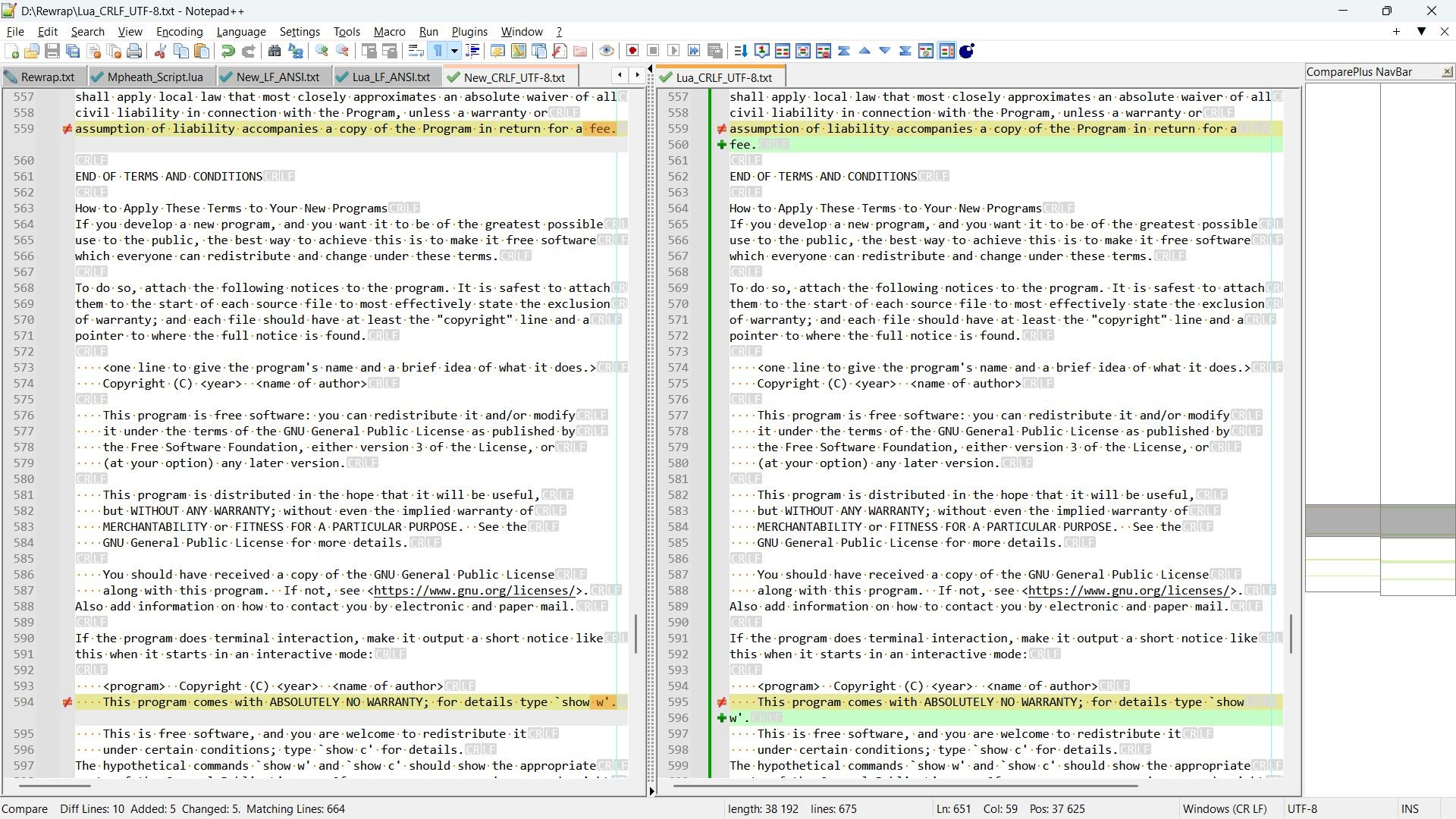
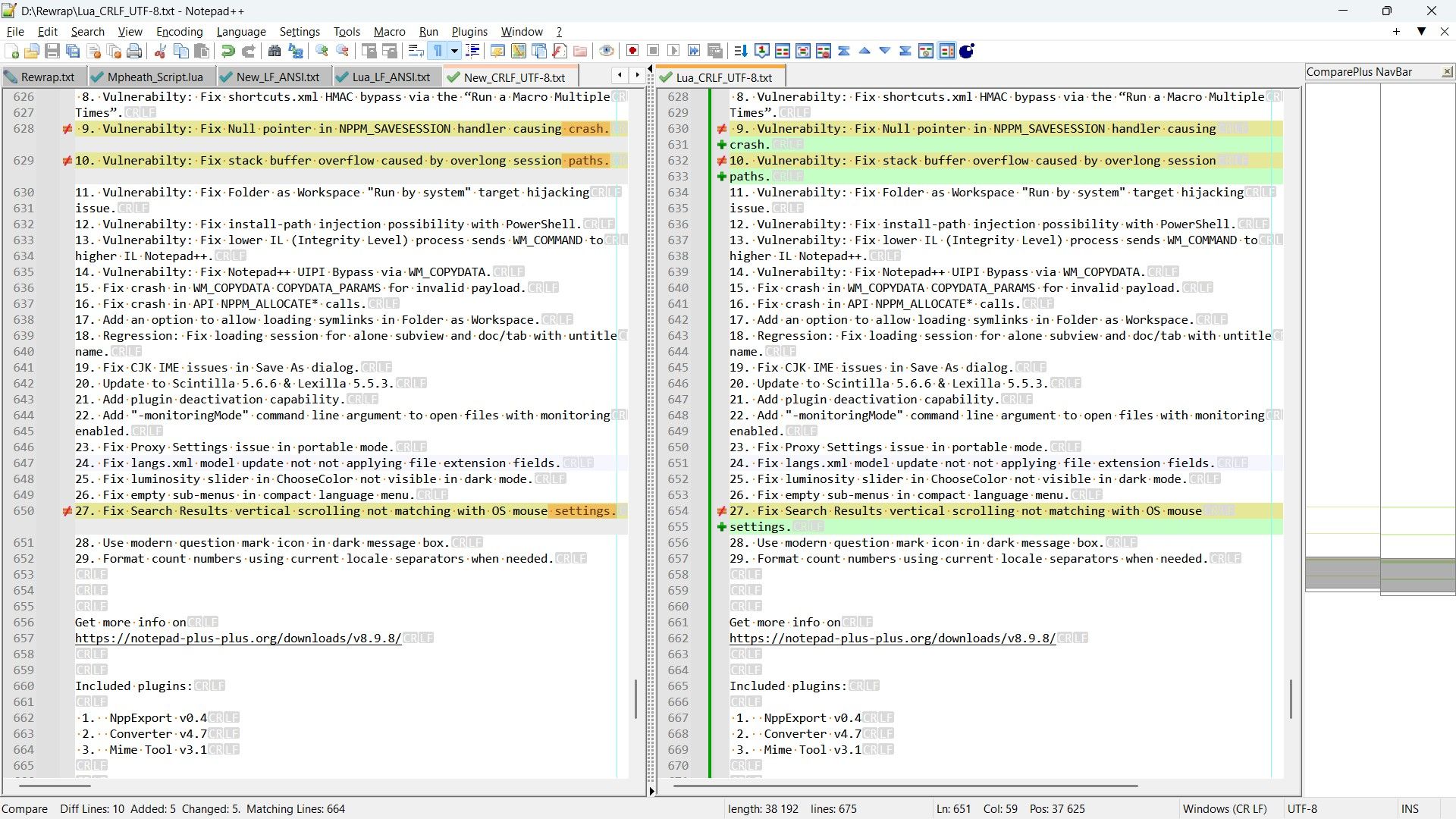
Thus, as a conclusion, your
Luascript is quite correct but the last regex solution :SEARCH
(?-s)^(.{1,78})(?:[\x20\r\n]*\z|\x20*\R|\x20+)REPLACE
\1\n( for Unix files ) or\1\r\n( for Windows files )Followed with a
Trim Trailing Spaceoperation, seems slightly better !
Now, @coises, you said :
What is the problem to be solved?
Well, I just wanted to point out that, in particular cases, a simple wrapping operation may not give the expected display, from the user’s perspective ! In my opinion, it seems better to use the present @mpheath’s
Luascript ( or an equivalentPythonone ) or the regex solution above rather than the odd solution provided by theTextFXplugin.Best Regards,
guy038
Oh…, I forgot to tell you, @mpheath, that I changed the line :
local maxLineLength = 72By this one :
local maxLineLength = 78For all the tests !
-
@guy038 The Change History markers and indicators should be evaluated also as part of the tests. All green markers in the images is suspiciously odd. Perhaps all of the text was pasted and saved which caused that to occur? With Change History showing what changed, the view of what is better may change.
-
Hi, @mpheath and All,
Ah… I understand. Thus, I’ve decided to conduct a second round of tests. This time :
-
The files
New_LF_ANSI.txtandNew_CRLF_UTF-8.txtwere copied fromORG_LF_ANSI.txtasRegex_LF_ANSI.txtandRegex_CRLF_UTF-8.txt -
The files
Lua_LF_ANSI.txtandLua_CRLF_UTF-8.txtwere copied fromORG_LF_ANSI.txtasLua_2_LF_ANSI.txtandLua_2_CRLF_UTF-8.txt
Then, I stopped and restarted N++ : thus, no more
change historyfeature !Finally, regarding these new created files :
-
I ran the regex replacement, followed by a
Trim trailing Spaceoperation, on filesRegex_LF_ANSI.txtandRegex_CRLF_UTF-8.txt -
I ran your
Luascript on filesLua_2_LF_ANSI.txtandLua_2_CRLF_UTF-8.txt
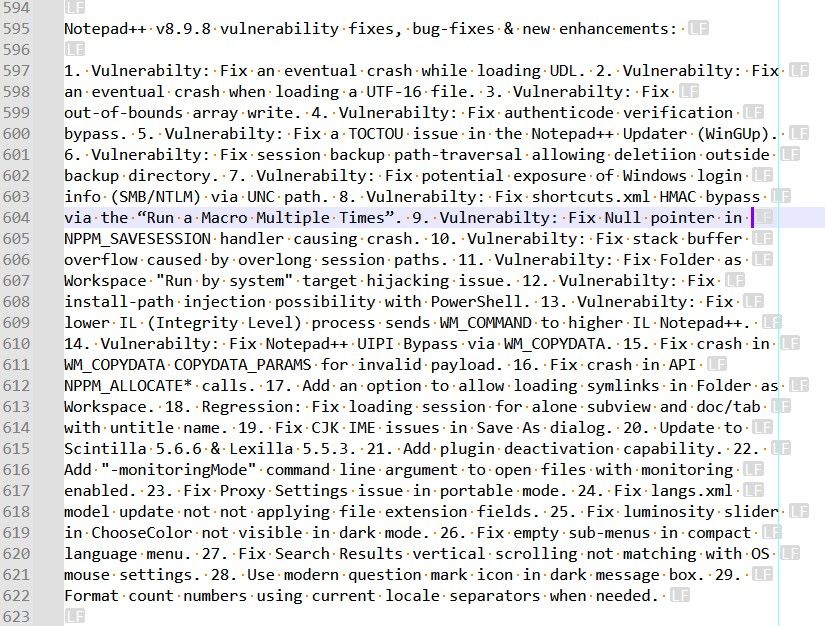
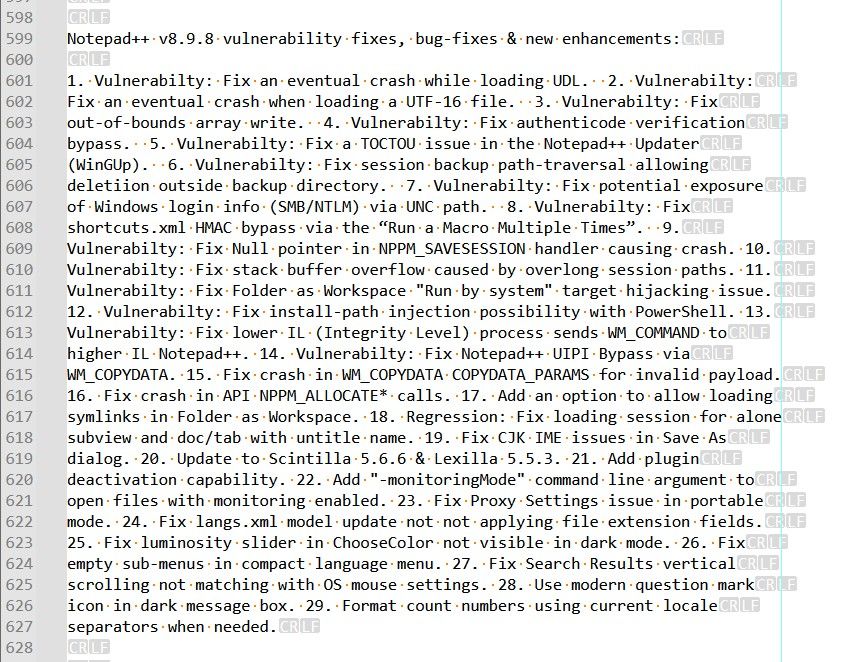
So, these four files showed an orange change history color. As you can see on the screenshots, the regex process acted on all lines, but some empty line endings, and your
luascript just acted on lines which need wrapping !Regex process :
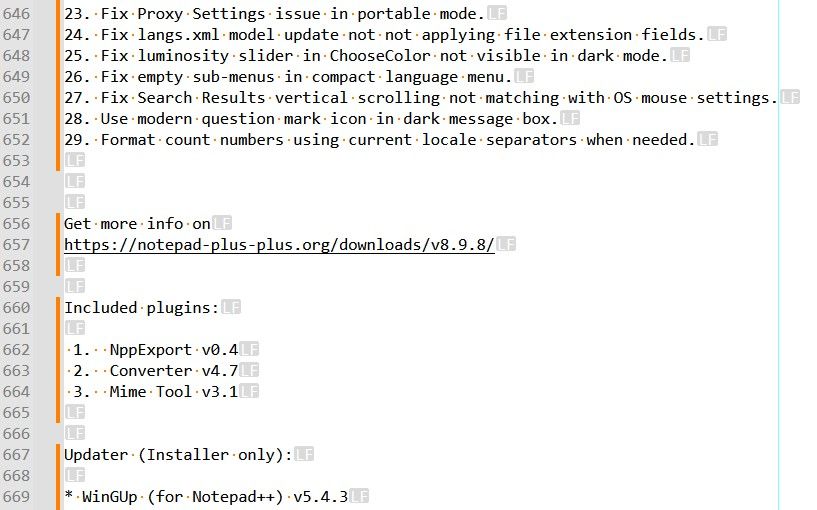
Lua process :
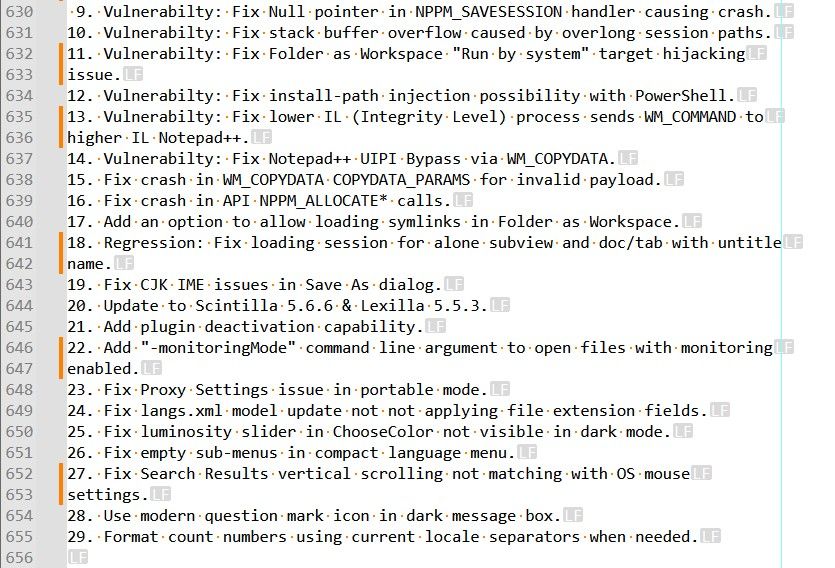
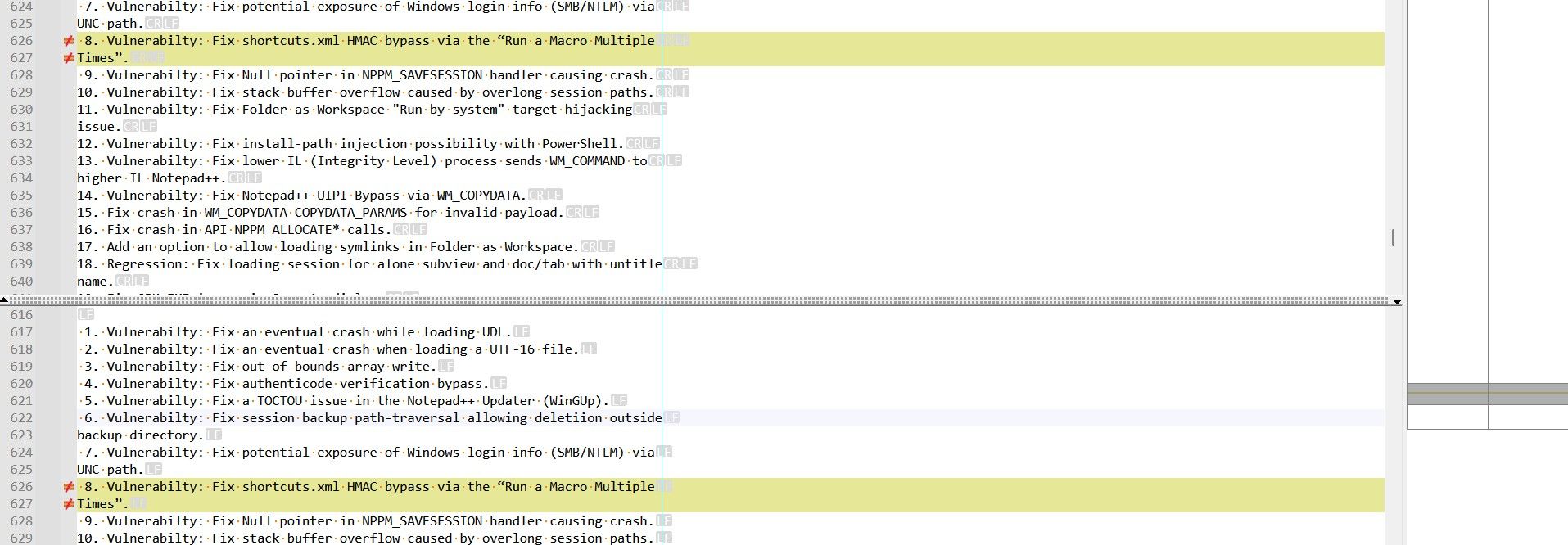
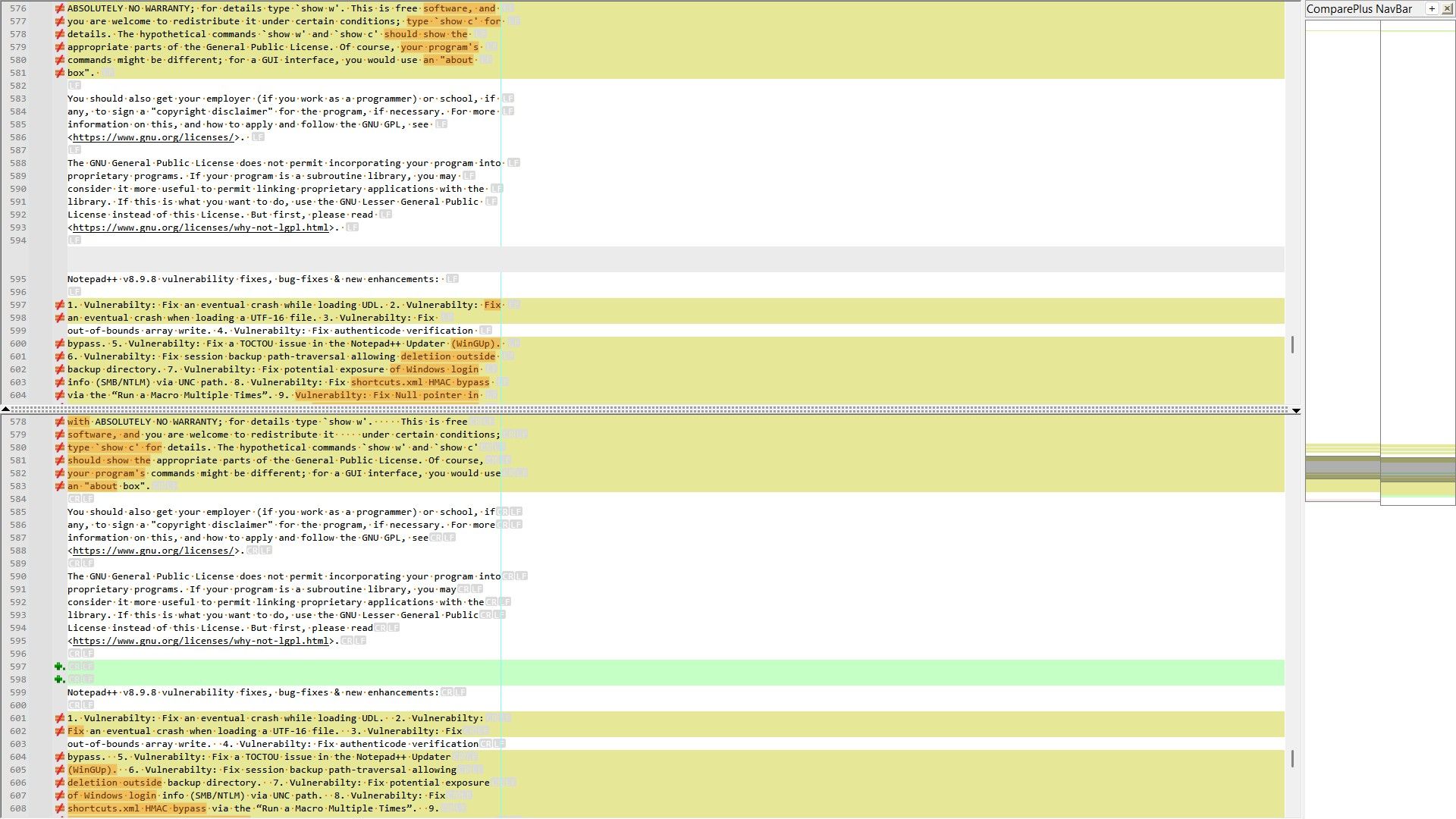
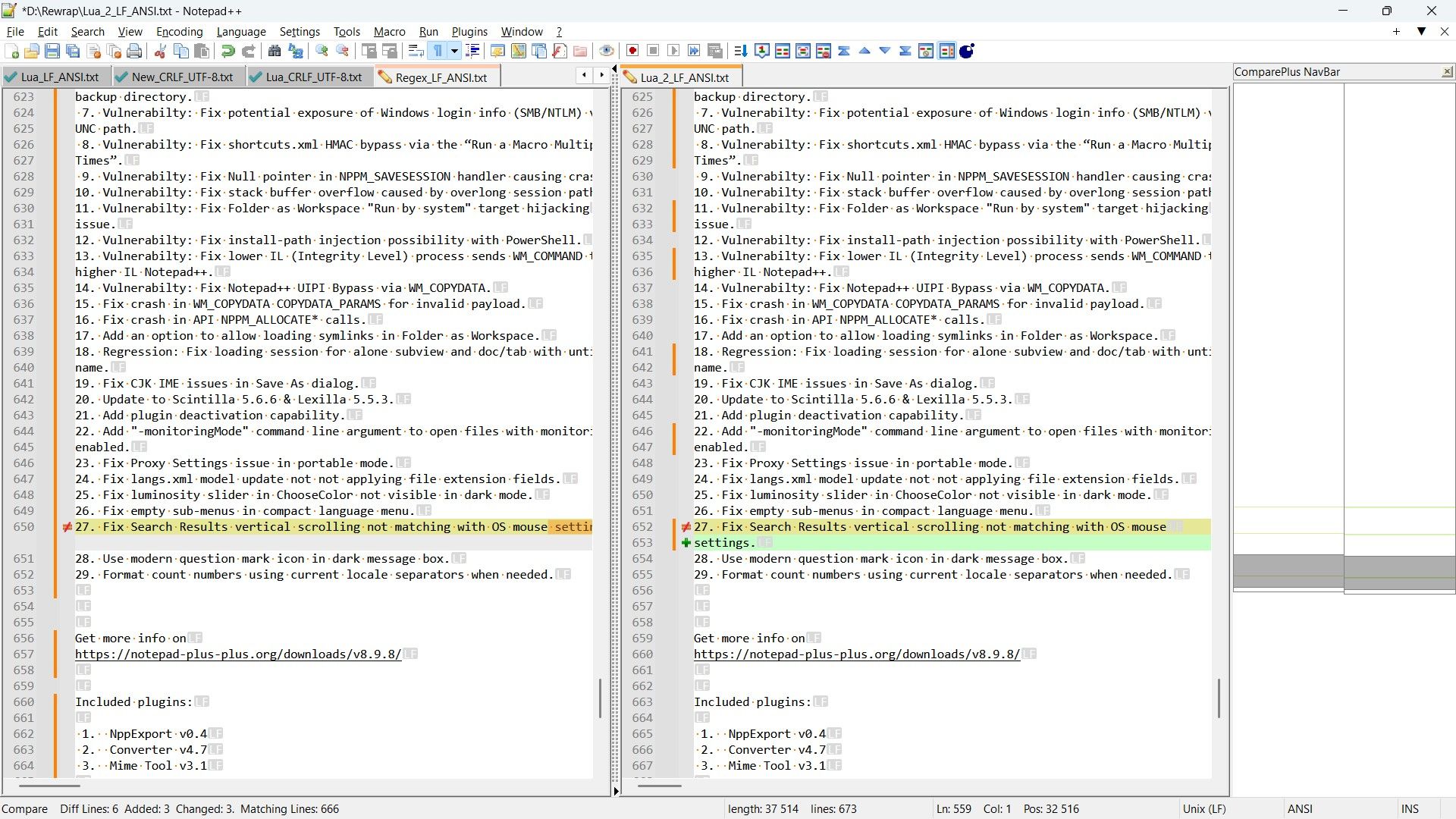
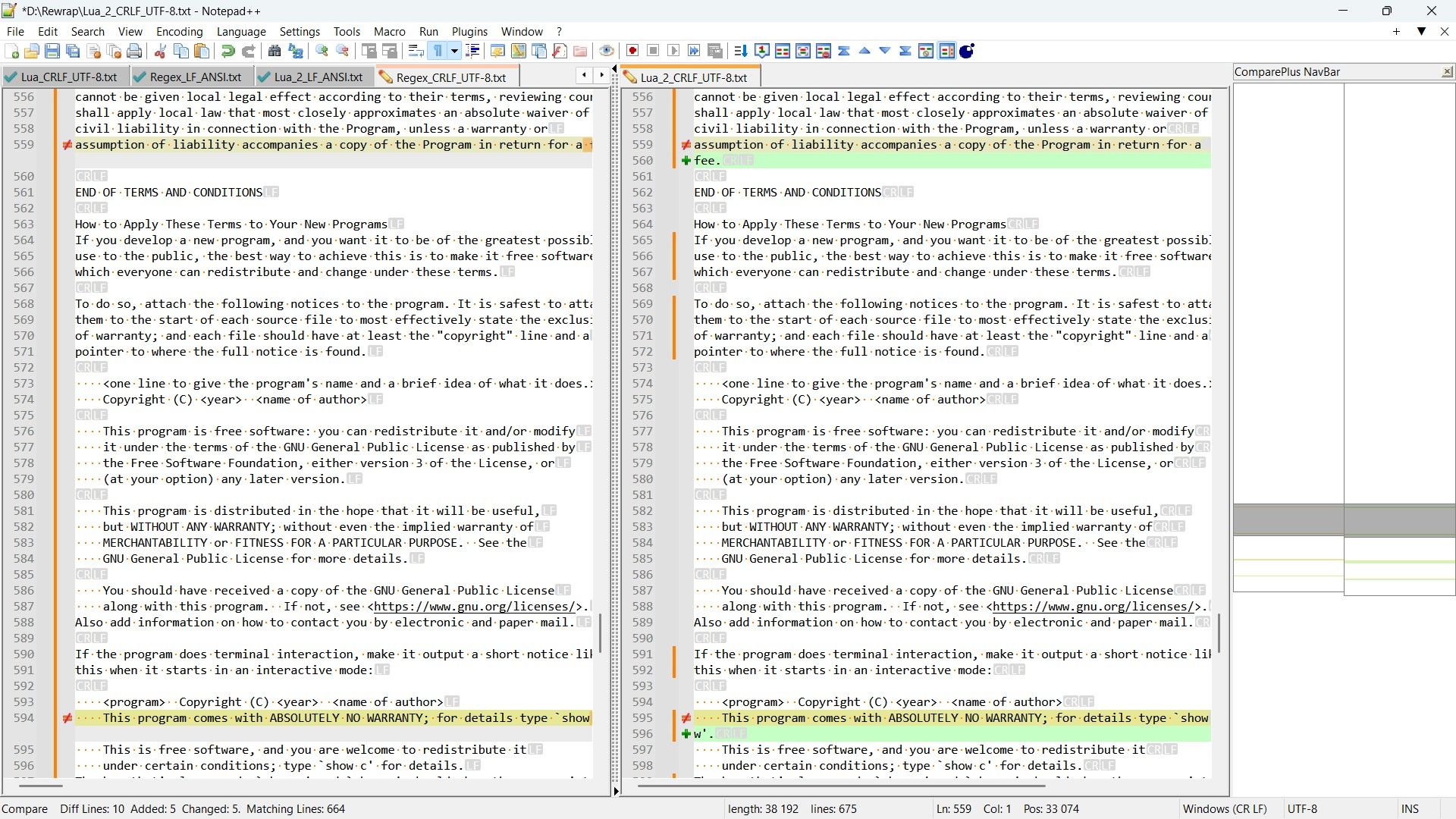
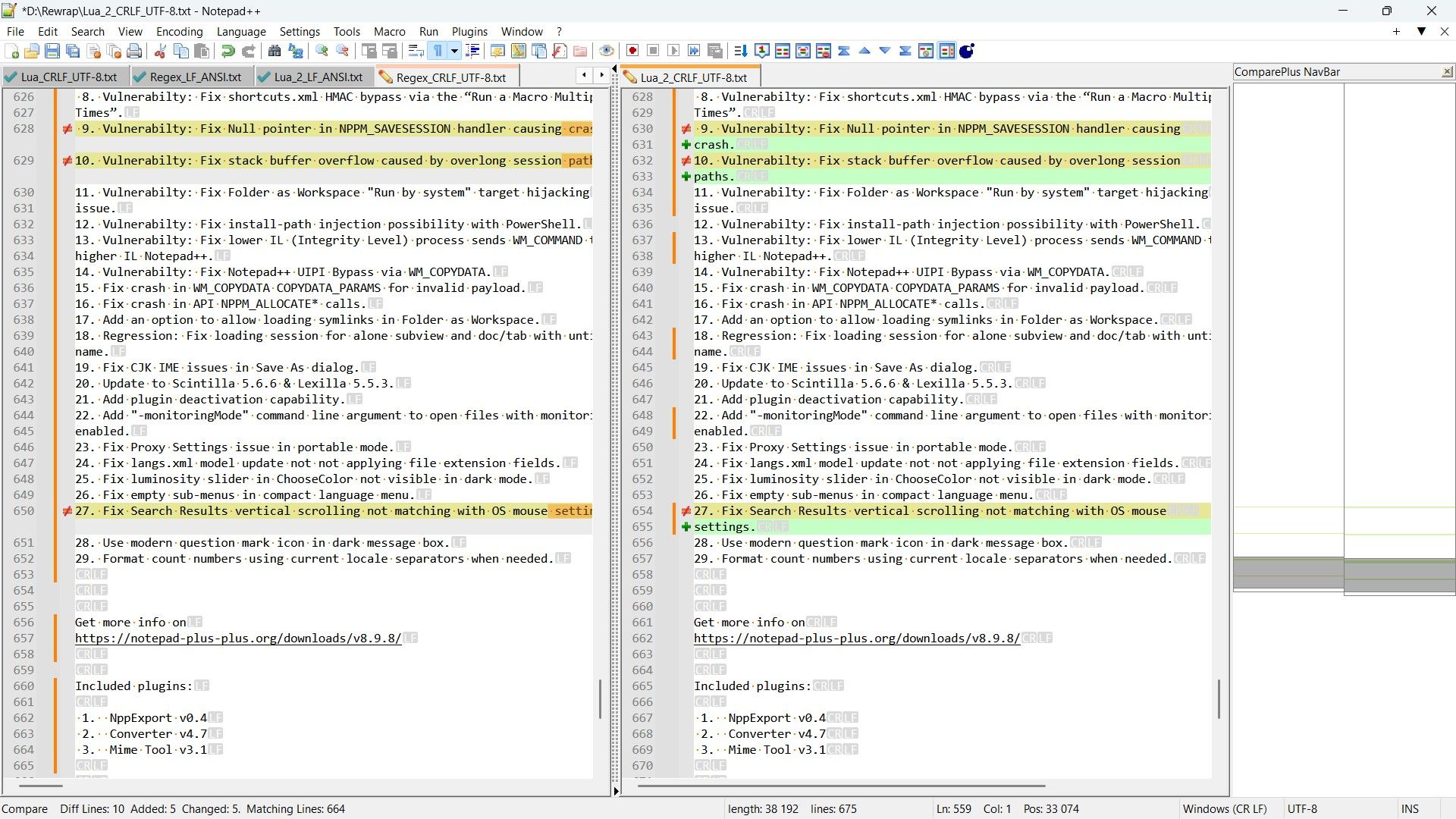
However, the comparisons between the regex process and the
Luaprocess shows the same number of differences (3forANSIfiles and5forUTF-8files )- Between
ANSIfiles :
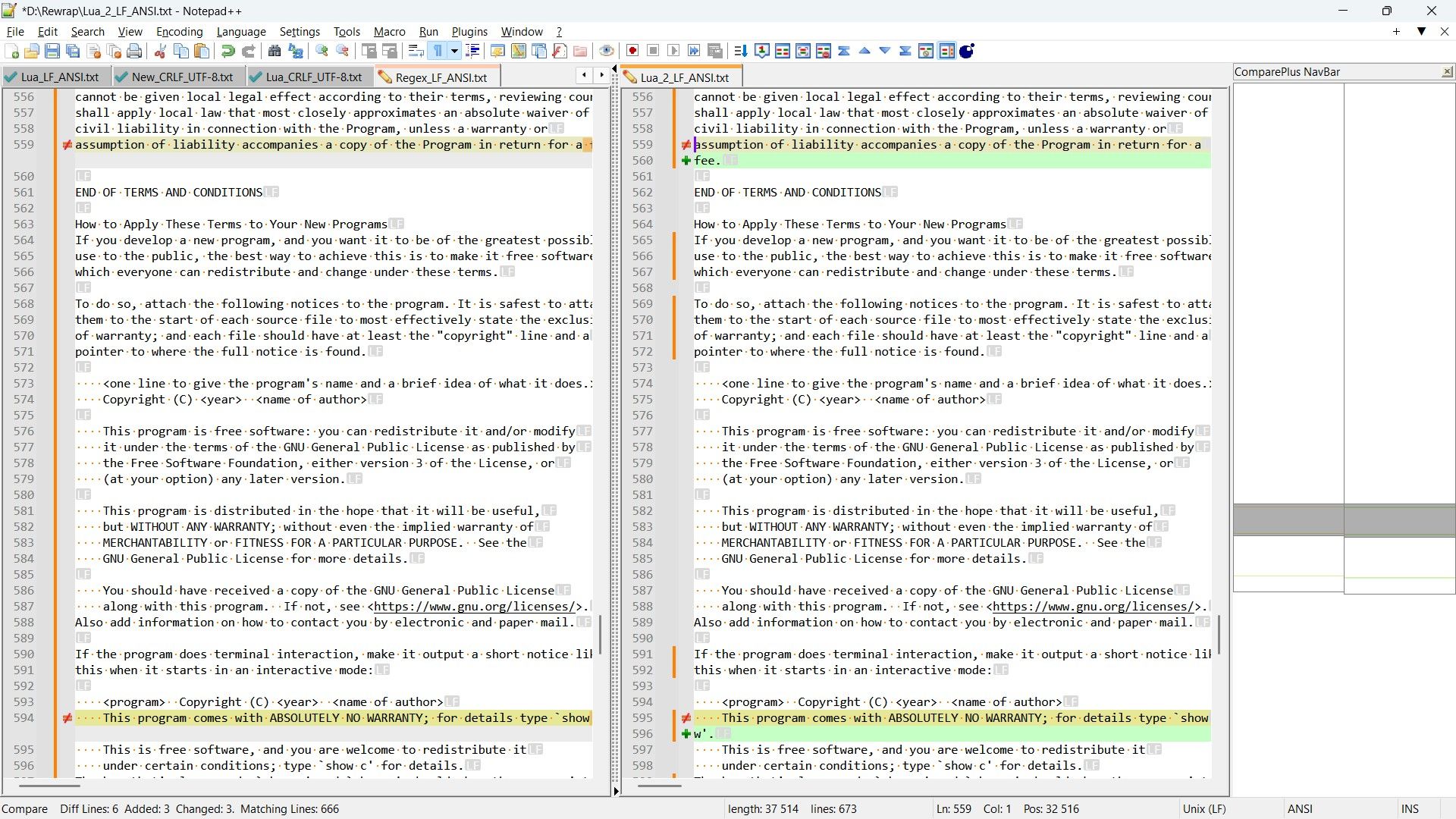
- Between
UTF-8files
Best Regards,
guy038
-
-
@guy038 The testing looks better.
If the
Change History -> Show in textoption is checked then can see changes to a character for more detail. No need to retest and repost images to show the indicators.A change of the regex pattern to:
Find:
(?-s)^(?=.{79}).{1,78}\K\x20(?!\R)Replace:
\r\nand then press the
Replace Allbutton.It does replace less as it does not capture and so only the
\x20space is matched. Unfortunately, it will read the line to length of 79 and then read the line again if line is 79 to continue the pattern so might be slower then your previous tested pattern. The(?=.{79})is needed to ensure shorter lines are not matched for wrapping. The(?!\R)is probably optional to have in the pattern as it is limited to detecting trailing spaces. Since the pattern uses\K, then theReplacebutton is not expected to function properly to step through the replacements.The text comparison in my testing shows the regex patterns achieve equal results which seems to be fortunate. That test was done on
license.txt. -
Hi, @mpheath and All,
@mpheath, from your advice, I finally chose the following process :
-
First, run a
Edit > Blank Operations > TAB to Spaceoption -
Then run the regex replacement below, where
Crepresents the maximum number of chars after you want a line-break :-
SEARCH
[\x20\r\n]*\z|(?-s)^(?=.{C+1,}).{1,C}\K(?:\x20*\R|\x20+) -
REPLACE
\r\nfor Windows files or\nfor Unix files
-
-
Finally, run a
Edit > Blank operations > Trim Trailing Spaceoption
Remarks :
-
I began the regex with
[\x20\r\n]*\zwhich will replace possible mixed range of spaces and new lines, at the very end of current file, with a single line-ending -
I used the
(?-s)^(?=.{C+1,})( instead of the(?-s)^(?=.{C+1})as it seems slightly faster within huge files ! -
Compare to your regex, I still wanted to consider all spaces, possibly followed with a line-break. So, the part
.{1,C}\K(?:\x20*\R|\x20+) -
Note that the final
Trim Trailing Spaceaction is necessary because of this specific case with a splitting after column40
12345678901234567890123456789012345 ABCDE12345678901234567890123456789012345 ABCDE
Now, let’s try it out with a concrete example :
-
Double-click on https://www.gutenberg.org/cache/epub/2701/pg2701.txt => The text of the novel
Moby Dick or The Whaleshould appear -
Go to the second occurrence of the string
CHAPTER 1. Loomings. -
Select from this line to the line
END OF THE PROJECT GUTENBERG EBOOK MOBY DICK; OR, THE WHALE, excluded -
Paste it in a N++ new tab and name it
Moby_ORG.txt
So, the
Moby.ORG.txtfile should begin and end with :Call me Ishmael. Some years ago—never mind how long precisely—having little or no money in my purse, and nothing particular to interest me on shore, I thought I would sail about a little and see the watery part of the world. It is a way I have of driving off the spleen and regulating the circulation. Whenever I find myself growing grim about ... ... ... ... unharming sharks, they glided by as if with padlocks on their mouths; the savage sea-hawks sailed with sheathed beaks. On the second day, a sail drew near, nearer, and picked me up at last. It was the devious-cruising Rachel, that in her retracing search after her missing children, only found another orphan.In other words :
- Line
1EMPTY - Line
2FIRST line of text - Line
20,707LAST line of text - Line
20,708= \z
As this file seems already wrapped to
71chars, I decided to do, FIRST, an intelligent un-wrapping !-
I verified that there was no tabulation, nor any trailing space in the
Moby_ORG.txtfile -
Then I noticed that
43lines began with one or two space characters, without any real utility. So, I ran theEdit > Blanck operations > Trim Trailing Spaceoption -
To get a correct un-wrapping process, we need to use the following regex S/R :
-
SEARCH
(?-s).+\K\R(?=.+)( Do not insert a^character between the parts(?-s)and.+) of this regex ! ) -
REPLACE
\x20
-
-
Finally, I saved the changes and renamed the
Moby_ORG.txtasMoby_To_Wrap.txt
So, the
Moby_To_Wrap.txtfile begins and ends as below :Call me Ishmael. Some years ago—never mind how long precisely—having little ... There now is your insular city of the Manhattoes, belted round by wharves as ... Circumambulate the city of a dreamy Sabbath afternoon. Go from Corlears Hook ... ... ... ... ... “AND I ONLY AM ESCAPED ALONE TO TELL THEE” Job. The drama’s done. Why then here does any one step forth?—Because one ... It so chanced, that after the Parsee’s disappearance, I was he whom ...In other words :
- Line
1EMPTY - Line
2FIRST line of text - Line
4,884LAST line of text - Line
4,885= \z
The second line of your script is always :
local maxLineLength = 78And the
Settings > Preferences... Margins/Border/Edge > Vertival Edge Settingsonly contains the78valueThen I copied the
Moby_ORG.txtfile three times, asMoby_Regex.txt,Moby_Lua.txtandMoby_Ctrl-I.txtand I applied :-
Your script against the
Moby_Lua.txtfile, -
The
Edit > Line Operations > Slipt Linesoption against theMoby_Ctrl-I.txt -
The following regex S/R against the
Moby_Regex.txt-
SEARCH
[\x20\r\n]*\z|(?-s)^(?=.{79,}).{1,78}\K(?:\x20*\R|\x20+) -
REPLACE
\r\n
-
Upon comparison, it turns out that these three files are completely different ! Compared to the
Moby_Regex.txtfile , I noticed that yourMoby_Lua.txtsometimes grasps :More than it should, as, for example, in the lines :
“Who-e debel you?”—he at last said—“you no speak-e, dam-me, I kill-e.” And so sayingwith a wrapping after84chars
“Oh, I don’t mind ’em, sir,” said Archy; “I knew it all before now. Didn’t I hear ’emwith a wrapping after85chars
Less than it should, as, for example, in lines :
the Stoics to enable you to grin and bear it. But even this wears off in, with a wrapping after72chars

knowingly, would thereby render yourself liable to a criminal, with a wrapping after61chars

Not important, though. Just in case you would work on your script a little more !
Now, using this long text ( the
Moby_To Rewrap.txtfile ), I confirm that the regex, below, exactly mimics theCtrl + Ifeature :SEARCH
(?-s)^(?=.{78})(?:.{1,76}\x20|.{77})\KREPLACE
\r\nfor Windows files or\nfor Unix filesHowever, note that the
Edit > Line Operations > Split linesoperation leaves a trailing space on all lines of a paragrah but the last one !
I think that further investigation would be useless and I’ll personally just use the method, shown at the beginning of this post, when I need to wrap any text !
Best Regards,
guy038
Oh, I almost forgot something important :
When you select some text or all contents of a file and execute the
Edit > Line Operations > Split Linesoption :-
The
View > Word wrapmust be OFF -
The
View > Show Symbolmust be OFF
-
-
just use the method, shown at the beginning of this post, when I need to wrap any text
For clarity for future readers of this thread, which method is this one?
When you select some text or all contents of a file and execute the Edit > Line Operations > Split Lines option :
The View > Word wrap must be OFF
The View > Show Symbol must be OFF
And, because I’m currently away from my Notepad++ and can’t try it myself, why are these "must be OFF"s?
-
Hello, @alan-kilborn,
You said :
For clarity for future readers of this thread, which method is this one?
I was referring to these steps :
-
First, run a
Edit > Blank Operations > TAB to Spaceoption -
Then run the regex replacement below, where
Crepresents the maximum number of chars after you want a line-break :-
SEARCH
[\x20\r\n]*\z|(?-s)^(?=.{C+1,}).{1,C}\K(?:\x20*\R|\x20+) -
REPLACE
\r\nfor Windows files or\nfor Unix files
-
-
Finally, run a
Edit > Blank operations > Trim Trailing Spaceoption
You then said :
And, because I’m currently away from my Notepad++ and can’t try it myself, why are these "must be OFF"s?
I must apologize because I was mistaken ! I did some other tests and it happens that the status of the
View > Word wrapdoes not matterBut I confirm that showing the line-endings chars breaks the correct spliting of text when using the
Edit > Line Operations > Split LinesoptionSTR :
-
In
Settings > Preferences... > Margins/Border/Edge > Vertical Edge Settingsinsert the value78, ONLY -
For clarity, just uncheck the
View > Word wrapoption and theView > Show Symboloption -
Paste the beginning of the
License.txtfile, below, in a new tab :
COPYING -- Describes the terms under which Notepad++ is distributed. A copy of the GNU GPL is appended to this file. IMPORTANT NOTEPAD++ LICENSE TERMS Copyright (C)2021 Don HO <don.h@free.fr>. This program is free software; you may redistribute and/or modify it under the terms of the GNU General Public License as published by the Free Software Foundation; Version 3 with the clarifications and exceptions described below. This guarantees your right to use, modify, and redistribute this software under certain conditions. This program is distributed in the hope that it will be useful, but WITHOUT ANY WARRANTY; without even the implied warranty of MERCHANTABILITY or FITNESS FOR A PARTICULAR PURPOSE. See the GNU General Public License for more details. ****************************************************************** GNU GENERAL PUBLIC LICENSE Version 3, 29 June 2007 Copyright (C) 2007 Free Software Foundation, Inc. <https://fsf.org/> Everyone is permitted to copy and distribute verbatim copies of this license document, but changing it is not allowed. Preamble The GNU General Public License is a free, copyleft license for software and other kinds of works. The licenses for most software and other practical works are designed to take away your freedom to share and change the works. By contrast, the GNU General Public License is intended to guarantee your freedom to share and change all versions of a program--to make sure it remains free software for all its users. We, the Free Software Foundation, use the GNU General Public License for most of our software; it applies also to any other work released this way by its authors. You can apply it to your programs, too.-
Now, in the new tab, select all this text with
Ctrl + A -
Run the
Edit > Line Operations > Slipt LinesorCtrl + Ioption
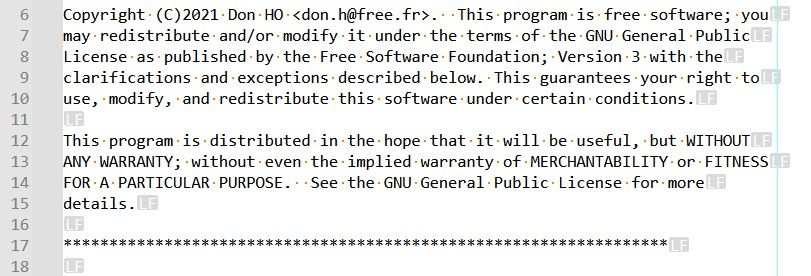
=> You should get the text below :
COPYING -- Describes the terms under which Notepad++ is distributed. A copy of the GNU GPL is appended to this file. IMPORTANT NOTEPAD++ LICENSE TERMS Copyright (C)2021 Don HO <don.h@free.fr>. This program is free software; you may redistribute and/or modify it under the terms of the GNU General Public License as published by the Free Software Foundation; Version 3 with the clarifications and exceptions described below. This guarantees your right to use, modify, and redistribute this software under certain conditions. This program is distributed in the hope that it will be useful, but WITHOUT ANY WARRANTY; without even the implied warranty of MERCHANTABILITY or FITNESS FOR A PARTICULAR PURPOSE. See the GNU General Public License for more details. ****************************************************************** GNU GENERAL PUBLIC LICENSE Version 3, 29 June 2007 Copyright (C) 2007 Free Software Foundation, Inc. <https://fsf.org/> Everyone is permitted to copy and distribute verbatim copies of this license document, but changing it is not allowed. Preamble The GNU General Public License is a free, copyleft license for software and other kinds of works. The licenses for most software and other practical works are designed to take away your freedom to share and change the works. By contrast, the GNU General Public License is intended to guarantee your freedom to share and change all versions of a program--to make sure it remains free software for all its users. We, the Free Software Foundation, use the GNU General Public License for most of our software; it applies also to any other work released this way by its authors. You can apply it to your programs, too.-
Now, undo, with
Ctrl + Z, the last action in order to return to the unwrapped text again -
Click on the
¶icon or run theView > Show Symbols > Show All Charactersoption -
RE-select all contents of the new tab
-
Run again the
Edit > Line Operations > Slipt LinesorCtrl + Ioption
=> This time, you should get this text :
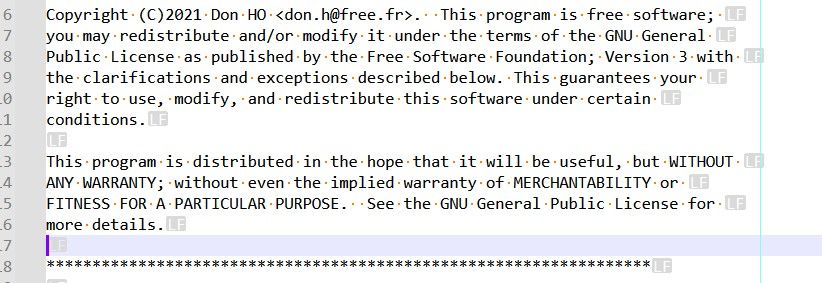
COPYING -- Describes the terms under which Notepad++ is distributed.
A copy of the GNU GPL is appended to this file.

IMPORTANT NOTEPAD++ LICENSE TERMS

Copyright (C)2021 Don HO <don.h@free.fr>.  This program is free software;
you may redistribute and/or modify it under the terms of the GNU
General
Public License as published by the Free Software Foundation; Version 3
with
the clarifications and exceptions described below. This guarantees your
right to use, modify, and redistribute this software under certain
conditions.

This program is distributed in the hope that it will be useful, but WITHOUT
ANY WARRANTY; without even the implied warranty of MERCHANTABILITY or
FITNESS FOR A PARTICULAR PURPOSE.  See the GNU General Public License
for
more details.

******************************************************************


GNU GENERAL PUBLIC LICENSE
Version 3, 29 June 2007

Copyright (C) 2007 Free Software Foundation, Inc. <https://fsf.org/>

Everyone is permitted to copy and distribute verbatim copies of this license
document, but changing it is not allowed.

Preamble
The GNU General Public License is a free, copyleft license for software and
other kinds of works.

The licenses for most software and other practical works are designed to
take away your freedom to share and change the works. By contrast, the
GNU
General Public License is intended to guarantee your freedom to share
and
change all versions of a program--to make sure it remains free software
for
all its users. We, the Free Software Foundation, use the GNU General
Public
License for most of our software; it applies also to any other work
released
this way by its authors. You can apply it to your programs, too.
And, obviously, these two texts are quite different !
Test done with a portable
N++ v8.9.8-64bits installation !Best Regards
guy038
-
-
-
Hi, @alan-kilborn and All,
I suppose so ! But have you checked this behavior for yourself ?
BR
guy038




Hello! It looks like you're interested in this conversation, but you don't have an account yet.
Getting fed up of having to scroll through the same posts each visit? When you register for an account, you'll always come back to exactly where you were before, and choose to be notified of new replies (either via email, or push notification). You'll also be able to save bookmarks and upvote posts to show your appreciation to other community members.
With your input, this post could be even better 💗
Register Login