• FORUM: Posting Queue

    Pinned
    10
    12 Votes
    10 Posts
    9k Views
    Ivy_PearsonI

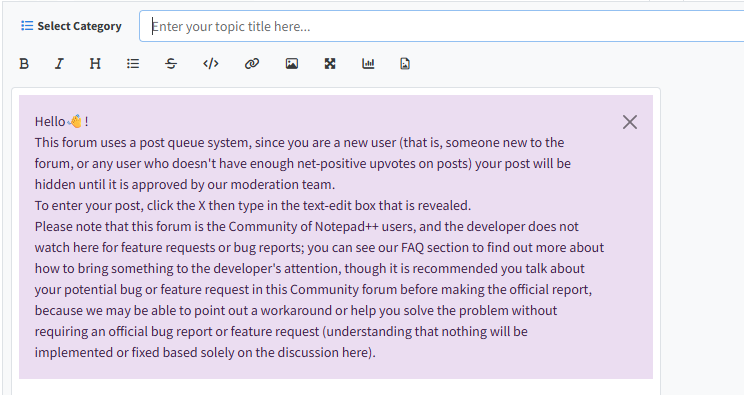
    Thanks for the update, Peter. Totally understand the need for a posting queue—spam is getting tricky these days. Hopefully, it won’t take long to get posts approved once you earn reputation!

  • Please Read This Before Posting

    Pinned Locked
    1
    4 Votes
    1 Posts
    9k Views
    No one has replied
  • Regex not found in large file, known limitation or bug?

    4
    0 Votes
    4 Posts
    110 Views
    guy038G

    Hello, @kjell-rilbe, @peterjones, @Coises and All,

    I was curious and I tried to reproduce exactly the @peterjones’s test on my laptop, with the two different lines 358660 and 382650 !

    Like Peter said, the @kjell-rilbe syntax worked correctly, even from the first line of the test file. However, this syntax also detect zero-length matches. Thus, I suppose that the combination of the regexes :

    ^[^;\r\n]*(?:(?:;[^;\r\n]*){1,11}|(?:;[^;\r\n]*){13,})$

    and

    ^[^;\r\n]+$

    would be a better solution.

    Now, as @peterjones mentioned, if the file contains only valid lines, oddly you get the error message The complexity of matching... ! And that’s why the @Coises syntax, using backtracking control verbs, is very useful.

    Indeed, this special syntax :

    Does return 0 match if current file contains correct lines ONLY

    Does return N matches if current file contains N incorrect lines

    I did not need to use the atomic forms *+ and I simply changed the * with a +, right before the $ sign, in order to avoid possible true empty lines.

    ^[^;\r\n]*(?:;[^;\r\n]*){12}$(*SKIP)(*F)|^.+$

    Best Regards,

    guy038

  • survey: Incremental search usefulness

    82
    1 Votes
    82 Posts
    47k Views
    William4565W

    @PeterJones sure.

  • How come I have two types of fonts in my sentences?

    9
    0 Votes
    9 Posts
    2k Views
    William4565W

    You can use sites that can transform text, simply put you text and then transform it and place in your sentence, that is how you have two types of fonts

  • need to edit text

    2
    0 Votes
    2 Posts
    82 Views
    PeterJonesP

    @Joc-Bedenčič ,

    Based on my guess as to what you meant,
    FIND = (^#EXTINF:0,).*$
    REPLACE = $1
    SEARCH MODE = Regular Expression

    That gives the result,

    #EXTINF:0, #EXTTV:Mpeg2;slv; udp://@232.2.1.1:5002 #EXTINF:0, #EXTTV:Mpeg2;slv; udp://@232.2.1.2:5002

    Because that’s my guess as to what you meant by “remove everything behind #EXTINFO:0,”

    If that isn’t what you wanted, you will want to give both “before” and “after” data (“only channel names” has no meaning to someone who doesn’t know the format)

    ----

    Useful References Please Read Before Posting Template for Search/Replace Questions Formatting Forum Posts Notepad++ Online User Manual: Searching/Regex FAQ: Where to find other regular expressions (regex) documentation
  • 0 Votes
    3 Posts
    123 Views
    PeterJonesP

    @MHindujaDheerajSudan said in Meenu Hinduja Dheeraj Sudan - Best Plugins for Improving Productivity in Notepad++:

    code formatting,

    Depends on what language your code is in. For example, for formatting XML, I recommend XMLTools; for formatting JSON, I recomment JsonTools.

    For most programming languges, there are standard executable-based formatters that are considered “best practice” for that language. Instead of having a dedicated plugin for each language you write in, my recommendation is to use a plugin to route the files through that external formatter.

    The “Pork to Sausage” (P2S) plugin is actually good for that: you can define “transformations”, where it passes the content of the file thru an executable, and replaces the contents with the output of that executable (unfortunately, you have to do a Ctrl+A to select the whole text first, before running hte P2S. this post my @Michael-Vincent, and the follow-on a couple posts down, give an example script for the NppExec plugin that routes various filetypes to their appropriate formatter/pretty-printer executables.

    Also, our compile/convert FAQ shows examples of how to do that sort of thing with both P2S or using NppExec to drive it – both are common solutions among the power-users here.

    comparison tools

    ComparePlus plugin. Hands down. No reason to consider anything else. It’s awesome.

    session management.

    The only session management plugin I can think of is Session Manager. I don’t use it, but I seem to remember people like it.

    Which plugins do you personally rely on, and are there any compatibility concerns with recent versions?

    Rely On: NppExec and ComparePlus are in my standard workflow for code development. And I use PythonScript for scripting tasks inside Notepad++ (like macros, but on steroids, because it has the full power of Python behind it), but that doesn’t fall within the types of tasks you were look for plugins for.

    Compatibility: Pork2Sausage, NppExec, and ComparePlus are all actively maintained, and definitely don’t have any compatibility issues. I don’t know how Session Manager is doing for maintenance.

  • How to add Translate plugin in NotePad++?

    3
    0 Votes
    3 Posts
    3k Views
    Ulysses CastroU

    @PeterJones

    npptranslate64 didn’t work for me.

    For me working very well https://github.com/pot-app/pot-desktop

    There is a video on YouTube in Portuguese that explains step-by-step how to install it. You can change the subtitles to English on YouTube or enable auto-dubbing in English.

    https://www.youtube.com/watch?v=rM1HgS3RjzA&list=WL&index=33&t=347s

  • Error Code2 ShellExecute-ERROR

    7
    0 Votes
    7 Posts
    5k Views
    hadush drbushH

    @Bill-Rich said in Error Code2 ShellExecute-ERROR:

    When I try to “run” in Chrome (the default browser) I get the above msg.

  • How to adjust the rate of horizontal scrolling ?

    7
    0 Votes
    7 Posts
    235 Views
    S

    Ah, and you can adjust the horizontal scroll rate like this

    I find for the Logitech MX Master 3S the value of 30 is very pleasant for long, 8000 character lines.

    call set "NEW_WheelScrollChars=30" & ( call reg add "HKCU\Control Panel\Desktop" /v WheelScrollChars /t REG_SZ /d %NEW_WheelScrollChars% /f & call RUNDLL32.EXE user32.dll,UpdatePerUserSystemParameters & ( reg query "HKCU\Control Panel\Desktop" | findstr /i scroll ) )

    0d15e8f4-cbec-4b98-b811-13daaf3a82f4-image.png

    This will take effect only for application launched after this is changed.

  • Moving a tab to another monitor doesn't work corectly.

    3
    0 Votes
    3 Posts
    123 Views
    Maik CM

    @PeterJones Thanks for the explanation, that makes now sense to me.

  • search in open tabs (not DropDown)

    4
    0 Votes
    4 Posts
    106 Views
    Alan KilbornA

    @PeterJones said :

    search the names of the files/tabs

    If this is the case, NavigateTo plugin really shines to achieve the goal.

  • suggestion

    3
    0 Votes
    3 Posts
    103 Views
    NicholasN

    @Tomás Preferences > Highlighting > Smart Highlighting > Highlight another view

  • Function list for C++ do not show constructors

    14
    0 Votes
    14 Posts
    3k Views
    Mario KorvaM

    @Mario-Korva

    Finally I found some time to try to fix C++ Function List parser regex (cpp.xml) to show all constructors.
    Modification of the mainExpr in the <classRange> element of <parser>:

    Original expression:

    mainExpr="(?x) # use inline comments ... )? \s* # trailing whitespace \{ # class/struct body "

    Modified expression:

    mainExpr="(?x) # use inline comments ... )? \s*(:[^:]*)? #<- trailing whitespace and initializers \{ # class/struct body "

    I did equivalent modification of the mainExpr in the <function> element of <parser>. This modification enable that function list shows constructors with initializers.
    I found also that functions defined with the call convention keyword, for example:

    void __fastcall function(parameter) { ...

    are also missing in the function list. This is solved with the addition of the

    (__[\d\l]+\s+)? #<- call convention __fastcall, __stdcall, etc.

    immediately after second “# type pointer/reference” part of mainExpr in the same two elements.

    After this modificatoins the Function List of my C++ source files appears complete! I hope that I didn’t break something.
    I tried to include modified cpp.xml here, but the post becomes too long.
    I hope this will be useful for someone.

  • The official repository, download.notepad-plus-plus.org, is down!

    9
    0 Votes
    9 Posts
    496 Views
    วีรภัทร ทวีทรัพย์

    @PeterJones Finally, I found a collection of NPP binary releases. I will share this collection when I have my free time.

  • gup.exe - never seen that process on my pc

    2
    0 Votes
    2 Posts
    135 Views
    PeterJonesP

    @akurzawa ,

    gup.exe is the binary that Notepad++ uses when it is asking the server if there are updates available, and when you are installing plugins using Plugins Admin.

    The destination IP that your screenshot shows is the current IP for norepad-plus-plus.org

    I am not an expert on the format of your output, but everything I see seems legit to me.

  • Admin mode changes

    3
    0 Votes
    3 Posts
    481 Views
    X

    @PeterJones Thank you so much for the detailed explanation! 🤗
    I understand now why it behaves differently than before and can totally relate.
    Keep up the great work! 👍

    btw, i am simply using the superbly integrated ‘Read-Only’ functionaility! So I get the the safety AND convenience (no restart required).

    All the best.

  • Modleine Parser No Longer Works

    2
    0 Votes
    2 Posts
    110 Views
    PeterJonesP

    @LaMar-M said in Modleine Parser No Longer Works:

    I’ve been using “ModelineParser_0.2” for several years to automatically select the language. This parser is still available here.

    Yes. But it hasn’t been updated in 13 years. Notepad++, on the other hand, releases a new version about once a month.

    Recently my NP++ version got auto updated (by IT) to version Notepad++ v8.7.4.

    Your IT department chose a version from 14 months ago? It will still be missing security updates found in more recent Notepad++ versions.

    But yes, in the intervening 13 years, Notepad++ has made multiple changes to the documented interface for communication between a plugin and Notepad++. There have been some changes that were known to break older/unsupported plugins. But Notepad++ cannot stop all progress just because there are legacy plugins still published out there.

    When I open a program that used to default to a specific language, no language is set. I have to manually set it.

    Fortunately, the NppFileSettings plugin has modeline support, including recognizing filetype, ft, syntax, and syn for setting which syntax highlighting lexer to use. And its Releases page has 32bit and 64bit downloads, so it will work in your 32-bit edition of Notepad++.

    (And also, if you have a consistent filenaming convention with extensions that match the filetype, you can just set the User ext: box in the appropriate language(s) in the Style Configurator to make Notepad++ recognize the file type by extension, rather than by modeline. But if you need modeline support, hopefully NppFileSettings will work for you.)

    Notepad++ v8.7.4 (32-bit)

    In the modern world, where Windows OS is only maintained in 64-bit, there is virtually no reason to use 32-bit applications. For Notepad++, the only good reason for 32-bit instead of 64-bit is because you have a legacy plugin that only comes in 32-bit, that has no 64-bit version or alternative plugin with the same features.

    Looking at your other non-default plugins:

    CSVLint (0.4.6.7) PythonScript (0.9.2)

    Both of those come in 64-bit versions now.

    And PythonScript’s latest official release is up to v2.1.0, which uses Python 2.7.18, with significant bugfixes and feature improvements in both the plugin itself, and in the underlying Python interpreter (interpreter 2.7.1 from plugin 0.9.2, vs interpreter 2.7.18 from plugin 2.1.0). (Given your IT department’s apparent reticence to upgrade, I am not going to suggest moving to the “alpha” version of PythonScript 3.0.24, which uses Python interpreter 3.12.10, even though unless you use a lot of non-unicode files, I personally recommend using the version of the plugin that uses a modern Python interpreter rather than an interpreter that’s past its end of life.)

    And assuming that NppFileSettings plugin works as a replacement for the unsupported and incompatible modelineparser plugin for you, then all three of the non-preinstalled plugins that you have shown an interest in will work with 64-bit Notepad++ as well.

    As such, if you can confirm that PythonScript v2.1.0 and NppFileSettings will work for you, then I highly recommend that you talk with your IT:

    Ask if they can switch to 64-bit Notepad++. Ask if they will support a newer Notepad++. I desparately want to recommend the newest version, because of all the recent security fixes, but if you use UDL, then v8.9.2 probably won’t work for you, so you might have to stick with v8.9.1 until the regression fix for UDL is released in v8.9.3 (hopefully soon)
  • np++ and USB moving to another PC

    3
    0 Votes
    3 Posts
    164 Views
    PeterJonesP

    @cashfields ,

    Your post would have been much easier to read if you actually typed your text in the post, rather than typing your text in the image.

    It looks like what you would like is the ability to have the file history be set to “relative” instead of “absolute”. Unfortunately, the developer already rejected a feature request which requested that you be able to store a session (File > Save/Load Session… commands) automatically as relative. And if sessions were too complicated to do that for, in his mind, then doing it for the file history is definitely right out.

    However, if you save a session, and then edit it to be relative, I believe it works … so you could then load the relative session anytime your USB changes drive letter, and it would hopefully work for you.

    (I know it’s not exactly what you’re asking for, but given his rejection of that feature request, it’s the best you’re going to get.)

    Or, for a poor-man’s session: make a batch file that opens each file relatively in the batch file.

  • Redact Selection feature

    1
    0 Votes
    1 Posts
    148 Views
    No one has replied