Notepad++ 8.3.x won't start anymore
-
As a view versions ago, Notepad 8.3.x won’t start anymore.
Therefore, I started it with “-noplugins -nosession” and got the following message.
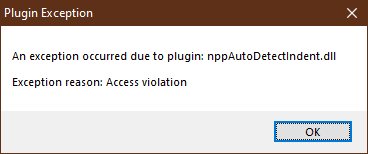
When I renamed said internal DLL NP++ started, loaded the session but showed no toolbar (and I think no menu) and closed after max. a second.
Now I am back to 8.2.1 because there are no problems.
Any idea what causes the problem?
-
@reiner-block said in Notepad++ 8.3.x won't start anymore:
Any idea what causes the problem?
Yes, breaking changings in the API that plugins will need to recompile against. Remove that plugin, launch the new N++ 8.3 and use Plugin Admin to reinstall the latest version. For more info, see here.
Cheers.
-
@michael-vincent As I said before, it seems nppAutoDetectIndent.dll is an internal DLL and not a plugin. Therefore, “-noplugins” didn’t work.
I would have to compile the whole sourcecode of NP++ incl. the DLLs.
-
@reiner-block said in Notepad++ 8.3.x won't start anymore:
nppAutoDetectIndent.dll is an internal DLL
No it isn’t
-
@alan-kilborn
I found it in the plugins but even after 3 tries to uninstall it, it was still there. So, I deleted the folder inside the plugin folder in the program folder.Now, 8.3.1 won’t start as I described above. :(
It seems part of the plugins are inside the program folder and part in the user folder.
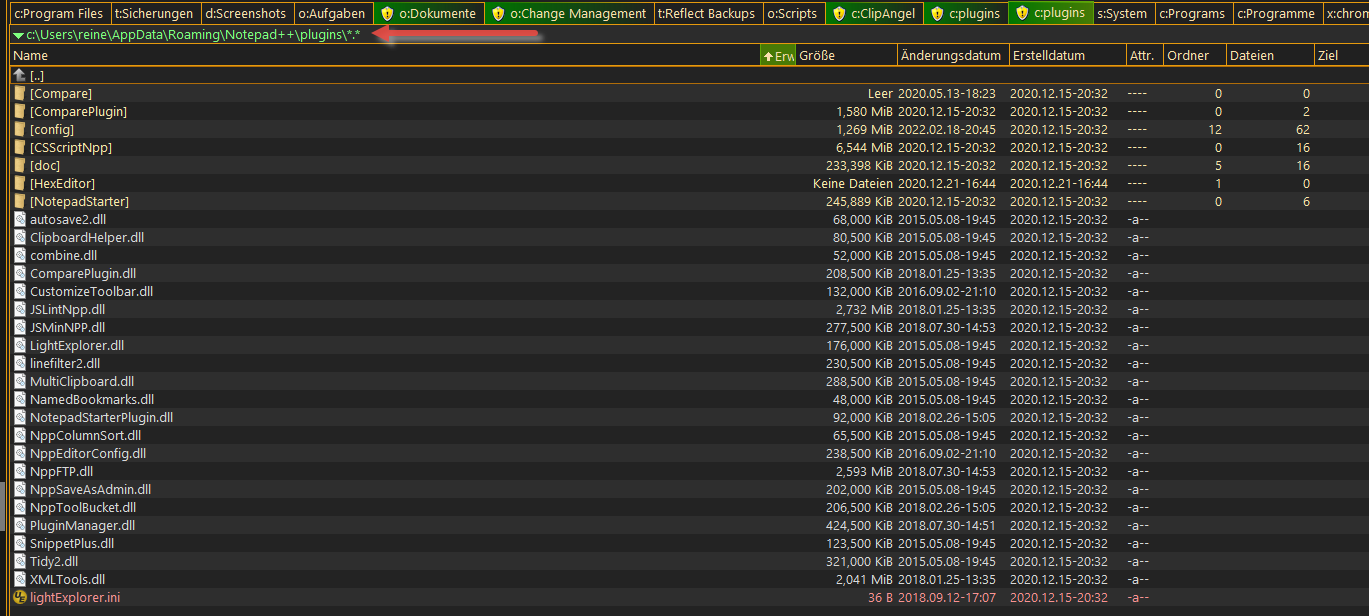
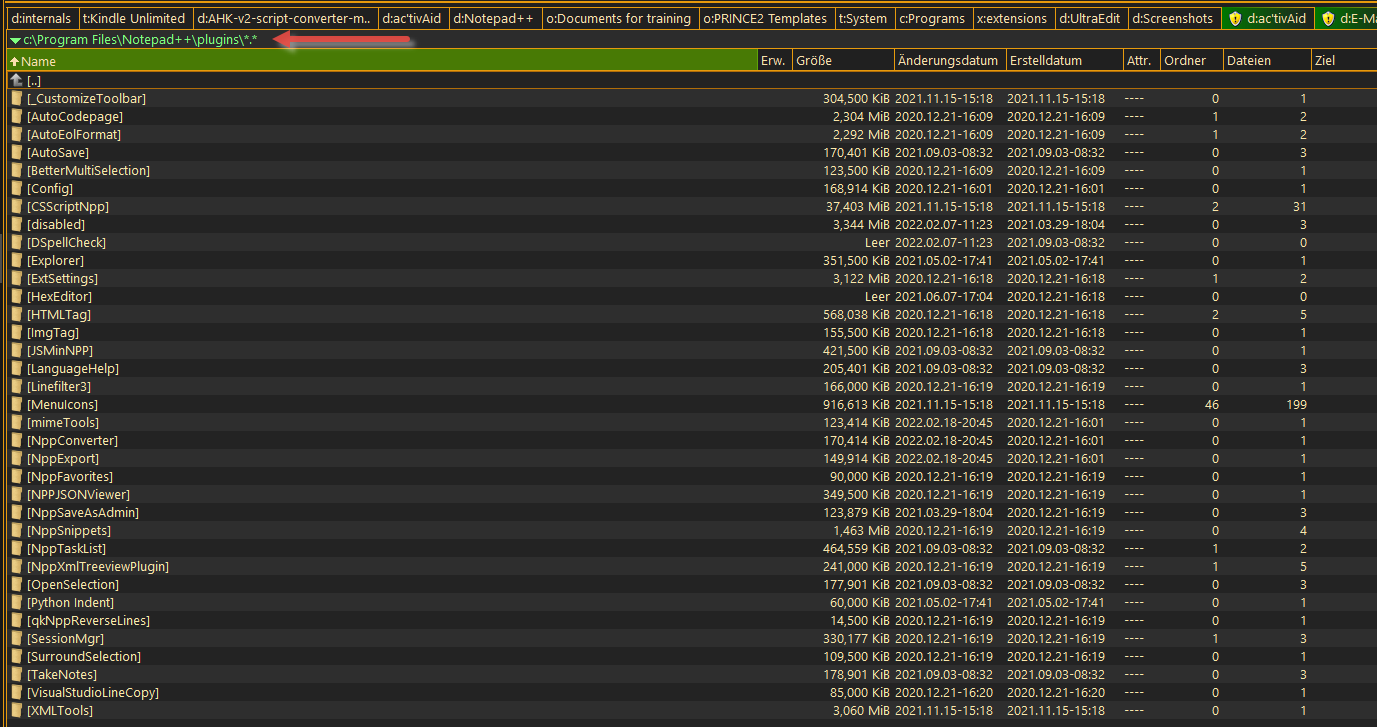
I guess I’ve to find a way to clean all up.
-
I started NP++ 8.3.1 now with the correct parameters “-noplugin -nosession” but it only started for a second and then closed again by itself. :(
-
Shit! How does NP++ recognizes which plugin folder to use?
Because I copied all of <program folder>\plugins to c:\<user>\appdata\roaming\notepad++\plugins
But after starting NP++, there were no plugins. I searched for an entry anywhere for a path that points to a plugins folder, but I found nothing. :(
-
@reiner-block said in Notepad++ 8.3.x won't start anymore:
I started NP++ 8.3.1 now with the correct parameters “-noplugin -nosession” but it only started for a second and then closed again by itself. :(
Please note that
-noplugindoes not equal-noPlugin. Command line options are case sensitive.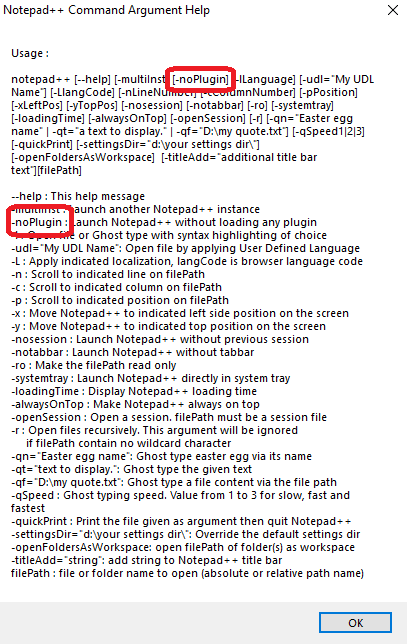
The command line option you provided does nothing, and thus Notepad++ was still opening with all plugins active – and thus still crashing.
For future reference, plugins haven’t been intentionally installed in the
...\AppData\Roaming\Notepad++\pluginsfolder since about 2019 (v7.6.3 was the first stable release after the First Great Plugins Migration – the timestamp of most of your plugins from that folder are from 2015, but a few were from 2020, which surprises me that anything put DLLs there in 2020). Plugins Admin does not install plugin DLLs there. I would recommend not keeping any plugins there; I didn’t realize that it even still worked to have DLLs there (maybe it doesn’t; you don’t say whether any of those worked prior to your v8.3.x problems). I would recommend deleting all the DLL from the AppData hierarchy. -
@reiner-block said in Notepad++ 8.3.x won't start anymore:
Because I copied all of <program folder>\plugins to c:\<user>\appdata\roaming\notepad++\plugins
Wrong direction. The
<program folder>\plugins\is the right hierarchy for plugin DLLs. and each plugin needs its own eponymous folder.But after starting NP++, there were no plugins. I searched for an entry anywhere for a path that points to a plugins folder, but I found nothing. :(
That’s because it’s hardcoded relative to notepad++.exe.
-
@peterjones said in Notepad++ 8.3.x won't start anymore:
Please note that -noplugin does not equal -noPlugin. Command line options are case sensitive.
I pointed this out HERE where OP opened an issue.
-
I had similar symptoms - application stopping after a few seconds after the update to NP++ 8.3.1, although I didn’t get an error pup-up. I found it was caused by the plugin “Task List”. I see you have that plugin too.
To resolve, I had to open NP++ with only a blank document (as soon as there is any text it crashes) and uninstall “Task List”. To be able to do this, you may have to delete your session file, “…\AppData\Roaming\Notepad++\session.xml”
Any files you had opened in your session will be in “…\AppData\Roaming\Notepad++\backup” so you shouldn’t lose anything.
Hope this helps.





Hello! It looks like you're interested in this conversation, but you don't have an account yet.
Getting fed up of having to scroll through the same posts each visit? When you register for an account, you'll always come back to exactly where you were before, and choose to be notified of new replies (either via email, or push notification). You'll also be able to save bookmarks and upvote posts to show your appreciation to other community members.
With your input, this post could be even better 💗
Register Login