Search for range of values
-
Special “search and replace” problem
Hello Notepad++ Community! I can’t find a solution for my Notepad++ problem. Maybe you can help me. I’m trying to search in a column for values that are inside a range. With the command
B[a-c]AI can search between values.
But I have to search between numeric values with dot comma. So the values are 6936.750 6943.000 6955.00 … and now I want to find all values between 6900 and 7000.
Somethinks like this:6900.000[1-9]7000.000After finding all the values in this range, I would delete these lines with Strg+Shift+L.
Does anyone have a solution for me? Thanks a lot!
-
@thomas-klinghan said in Search for range of values:
I’m trying to search in a column
If you mean to do this by selecting a column block first…then it can’t be done.
(Well, I did post a SOLUTION to that using PythonScript plugin)
@thomas-klinghan said in Search for range of values:
I want to find all values between 6900 and 7000.
Find:
\b69\d{2}\.\d+If you really want 7000.0… to be included, you could do a separate search for it:
Find:
\b7000\.\d+@thomas-klinghan said in Search for range of values:
I would delete these lines
Probably use the Mark function with Bookmark line ticked. Then Delete Bookmarked Lines.
-
@alan-kilborn
Hello Alan,
thanks for your quick and helpful reply. The search method with … worked. But would like to search for the values and then automatically replace them with “delete row”.
I can use theReplace = $1command to delete the row contents, but the row still exists asCRLF. Do you have a solution how I can remove the row with a replace?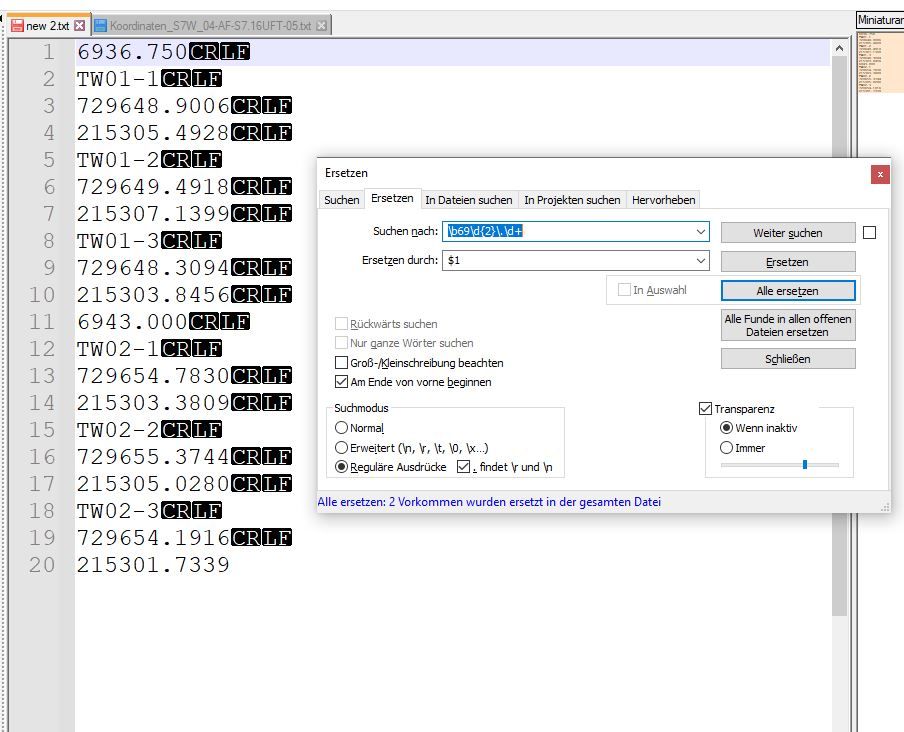
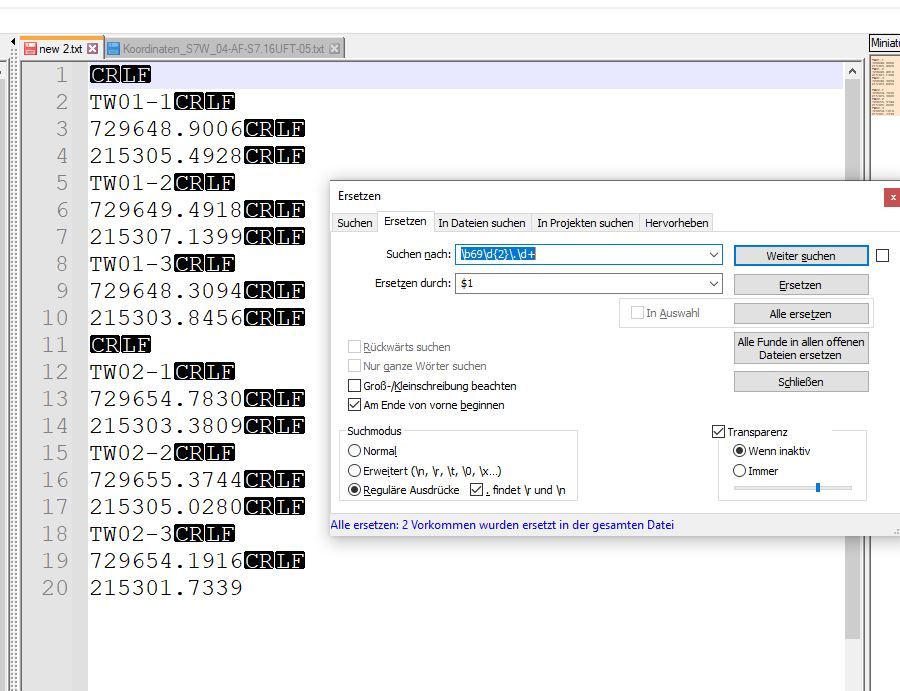
Thanks
-
@thomas-klinghan said in Search for range of values:
I can use the Replace = $1 command to delete the row contents, but the row still exists as CRLF
Not sure what you mean by “Replace = $1” if you are talking about deleting the “row”(line), but… you can get the “CRLF” included in your Find text by adding a
\Rat the far right. Then if you replace with something/nothing, the CRLF will get replaced (removed) as well as the other matched text. -
@alan-kilborn
Okay, I get it. I added an\Rto the replace field. I now search for\b69\d{2}\.\d+and replace it with a\R. Unfortunately I don’t get the desired result. I would like to search for the lines that look for a value in the range of 6900 and delete this line.
By replacing with\RI get only a R CRLF (see photo).
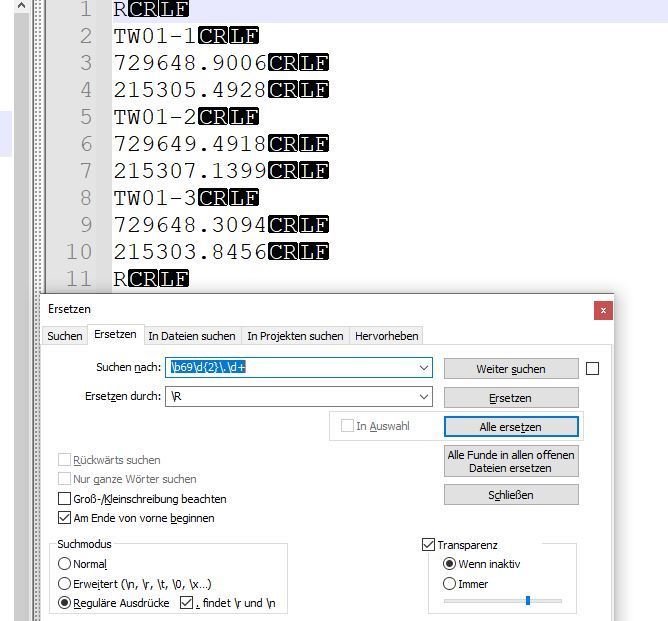
In the end my text file should only consist of lines that contain the values in a range of values and no empty lines. (see photo)
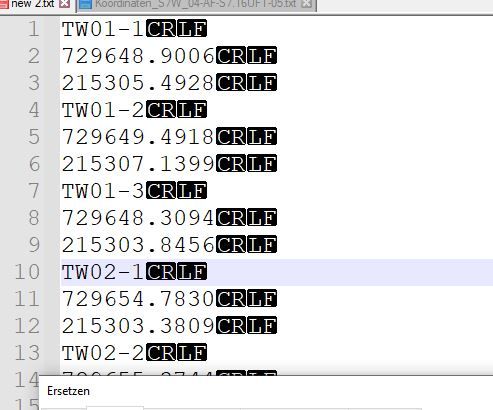
Unfortunately I can’t find a solution for this problem.
-
You misread what I said:
you can get the “CRLF” included in your Find text by adding a \R at the far right.
I didn’t say add the
\Rto your replace text, I said add it to your find text, thus:Find:
\b69\d{2}\.\d+\R -
@alan-kilborn said in Search for range of values:
\b69\d{2}.\d+\R
ahhhh sorry for my misunderstanding.
Thank you very much :-)


Hello! It looks like you're interested in this conversation, but you don't have an account yet.
Getting fed up of having to scroll through the same posts each visit? When you register for an account, you'll always come back to exactly where you were before, and choose to be notified of new replies (either via email, or push notification). You'll also be able to save bookmarks and upvote posts to show your appreciation to other community members.
With your input, this post could be even better 💗
Register Login