"Save As" Screen Very Slow To Load Windows 7
-
I’ve been using Notepad++ for a while and always end up with tons of different text files open. One thing that’s bugging me and I can’t figure out what’s happening is that the “Save As” dialog box seems to take about 30-60 seconds to load. In the meantime it looks like this:
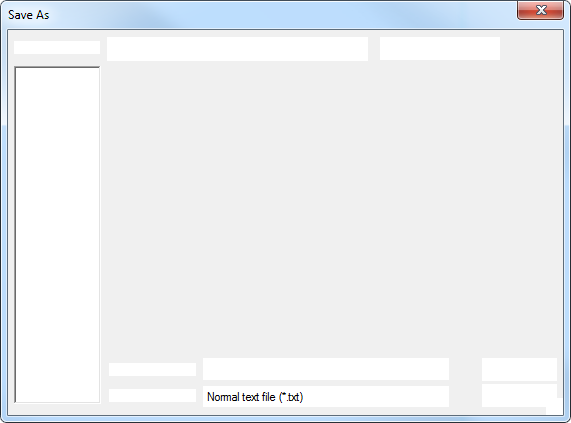
The cursor is a “spinny” loading cursor and sometimes it will change the title to say (Not Responding) but it always completes the loading after waiting that 30-60 seconds.
Sometimes (occasionally) it loads instantly, and I could never find a pattern, but most of the time it’s 60 seconds. I haven’t ever observed timing in-between. It’s either instant (rare) or 30-60 seconds. This has been going on for months through multiple restarts and I’ve tried everything I can think of. Those “instant” loads happen intermixed with the 30-60 second waits within the same session.
I can open Save As in other programs like the browser or Word or different development tools. It might take a few seconds but never the 30-60 that Notepad++ takes. I don’t experience other delays in accessing files on the system. (At least, nothing of a similar magnitude.)
That means if I have 100 files open (which I often do) I’m stuck having to spend an hour or two waiting to save them. So I end up accumulating open files that I never want to close.
Does anyone have any ideas of what I could try?
-
@matt-m-0 said in "Save As" Screen Very Slow To Load Windows 7:
Does anyone have any ideas of what I could try?
Sorry this isn’t going to fix your problem, but do you have shares or remote drives connected, even cloud resources. Notepad++ could well be waiting on those remote resources to “wake up” before presenting the options for saving.
Read this post.
Your issue has arisen a small number of times in postings here, but there has never been a conclusive answer to “fix” the issue. Not that it’s actually an error, just the way the environment works around Notepad++.
Terry

Hello! It looks like you're interested in this conversation, but you don't have an account yet.
Getting fed up of having to scroll through the same posts each visit? When you register for an account, you'll always come back to exactly where you were before, and choose to be notified of new replies (either via email, or push notification). You'll also be able to save bookmarks and upvote posts to show your appreciation to other community members.
With your input, this post could be even better 💗
Register Login