How can I update font in npp
-
I’m using Consolas font. In npp, it’s missing ∬ character (shown as question mark in box). It’s correctly display else where e.g. notepad, vscode.
Try with npp.8.5.4 and 7.5.1. How can I update the font if possible?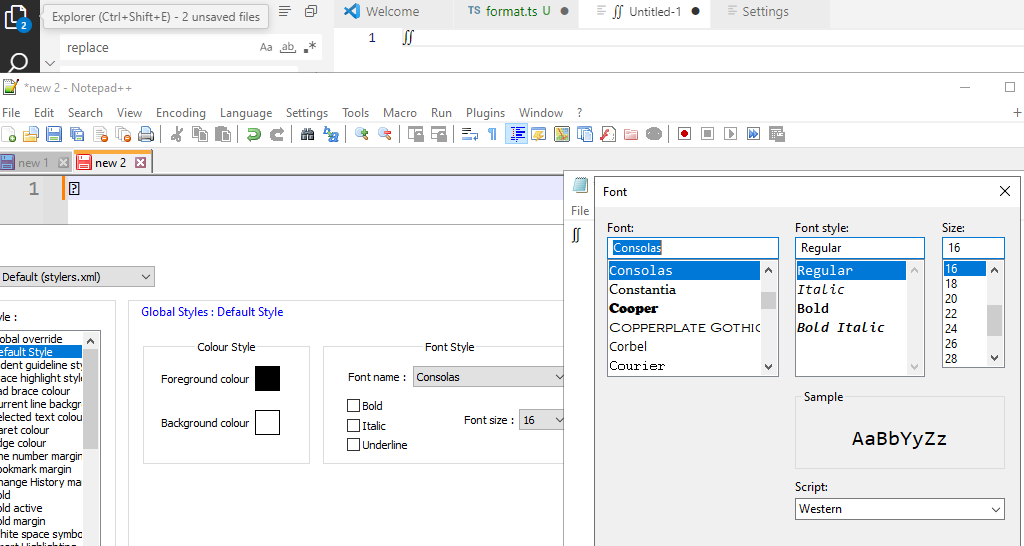
-
@Ryuu said in How can I update font in npp:
How can I update the font if possible?
The font is installed in your system, and Notepad++ has no influences on what glyphs a particular font has. So that’s the wrong question.
Try with npp.8.5.4 …
I ran a fresh Notepad++ v8.5.4, switched the default font to Consolas, and confirmed that I got the same “missing glyph” symbol that you showed.

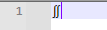
I then went and checkmarked Settings > Preferences > MISC > ☑ Use DirectWrite (May improve rendering special characters, need to restart Notepad++) , and then after the restart that it said I had to do, it showed ∬ just fine.
-
@PeterJones Sorry, I don’t know there’s such a thing so I guess npp use some local font.
This solve my problem, thank you.


Hello! It looks like you're interested in this conversation, but you don't have an account yet.
Getting fed up of having to scroll through the same posts each visit? When you register for an account, you'll always come back to exactly where you were before, and choose to be notified of new replies (either via email, or push notification). You'll also be able to save bookmarks and upvote posts to show your appreciation to other community members.
With your input, this post could be even better 💗
Register Login