Line where cursor is located disappears in line highlighting
-
Hi, this is a potential bug report.
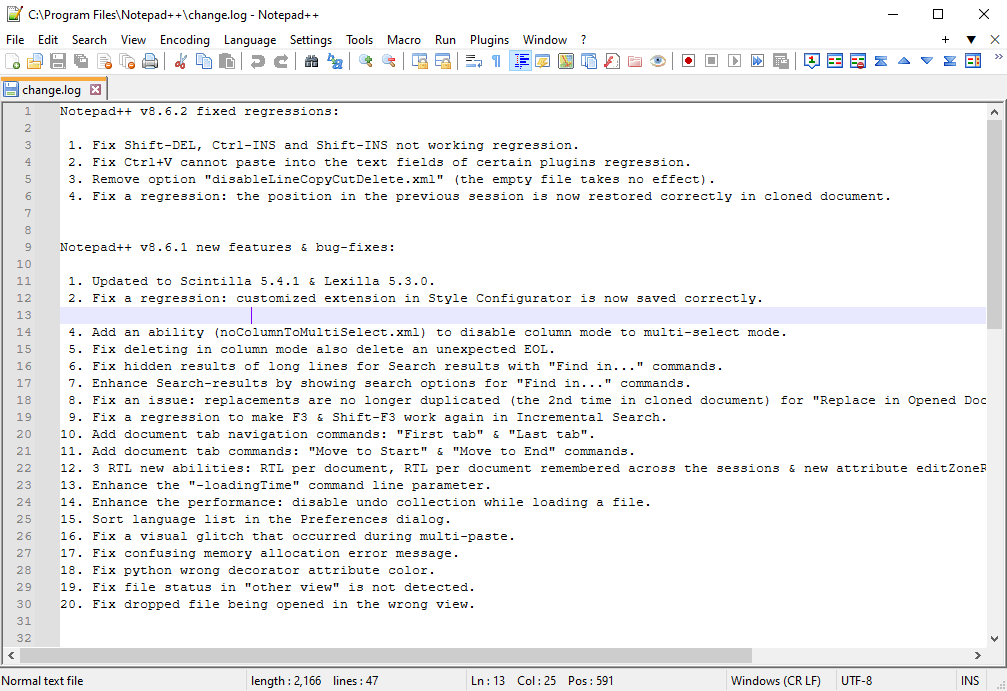
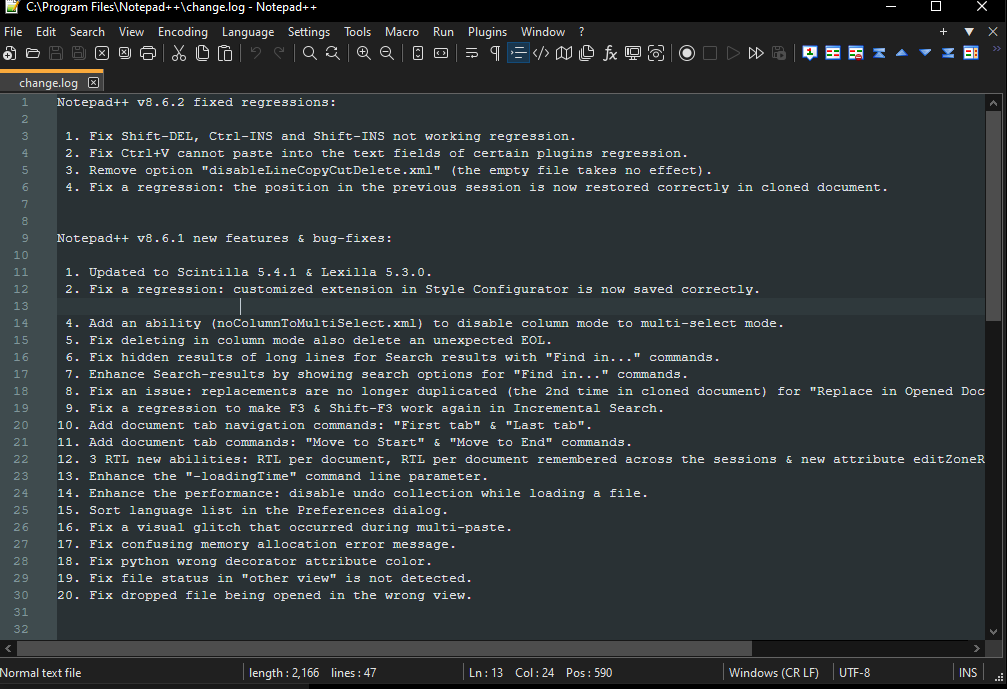
On my NP++, the line where I place the cursor disappears behind a bar. It looks to me like the color of the text is the same as the color of the highlight for the currently selected line. The bug only seems to affect the line where the cursor is currently located. When I select lines (e.g. with Ctrl+A) everything is still there, except for the line where the cursor is.
I am on windows 10 Enterprise.
The only thing that resolved this is reinstalling NP++. But as soon as I got to dark mode once, the problem is back.
-
Do you have the CSVLint plugin installed?
-
You might want to follow similar steps to what I suggested in this post – that other post was about the “multi-selected text colour” setting, but your
stylers.xmlandthemes\DarkModeDefault.xmlmight be missing some of the recent style definitions, and the default it chooses with those undefined styles might not be compatible with your color choices.So you basically need to compare the whole
<GlobalStyle>...</GlobalStyle>section from your copies of those two settings files to the same section instylers.model.xml, and copy over any lines that are missing from thestylers.model.xmlversion into your config files. Once you restart, you can use Style Configurator with either the default-theme or DarkModeDefault theme selected, and change the new colors to better match the colors you’re using for other things. -
This still worked for me a year later, thanks!




Hello! It looks like you're interested in this conversation, but you don't have an account yet.
Getting fed up of having to scroll through the same posts each visit? When you register for an account, you'll always come back to exactly where you were before, and choose to be notified of new replies (either via email, or push notification). You'll also be able to save bookmarks and upvote posts to show your appreciation to other community members.
With your input, this post could be even better 💗
Register Login